
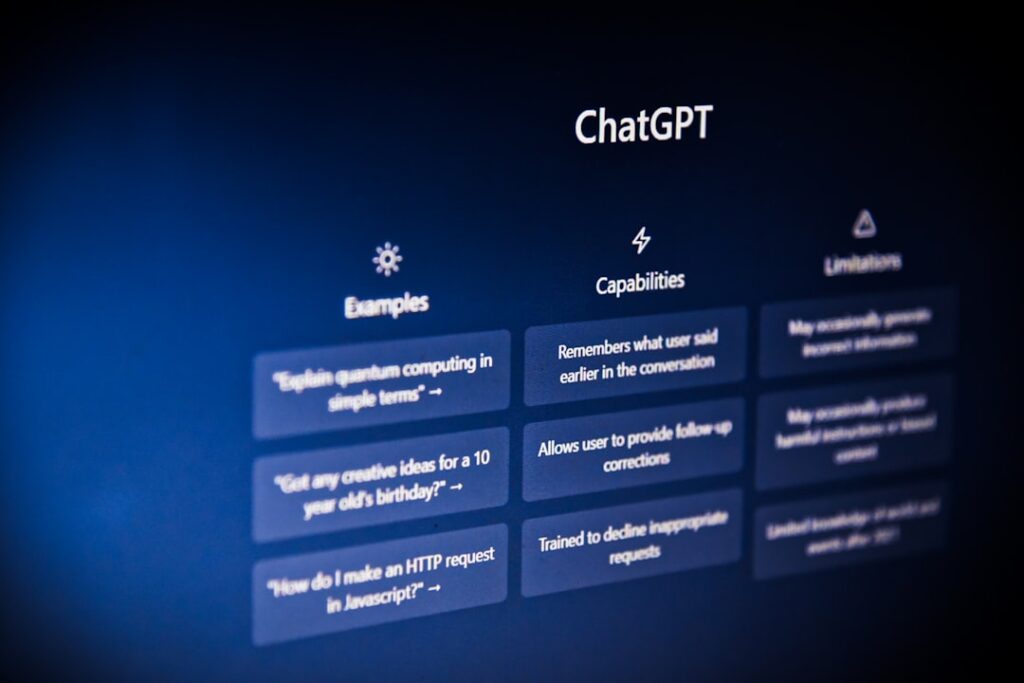
If you’ve spent an afternoon staring at ChatGPT’s pricing page with seventeen browser tabs open and still feel no closer to a decision, you’re not alone. The honest trade-off is this: the free tier is more capable than it used to be, the paid tiers have gotten more complicated, and most guides skip straight to a recommendation without addressing the specific needs of someone running a WordPress site on a tight budget. This post is different. It walks through every plan, every real alternative, and every decision point you’ll face as a WordPress user, blogger, or small business owner in 2026.
Understanding ChatGPT: What WordPress Users Actually Need to Know
ChatGPT is a conversational AI assistant built on OpenAI’s large language models. For WordPress users specifically, the tool has one core value proposition: it dramatically compresses the time between “blank page” and “publishable draft.” That’s the whole pitch. Everything else, the pricing tiers, the model versions, the add-on features, flows from whether that time savings actually justifies the monthly cost for your situation.
Here’s what most guides skip: ChatGPT consumer usage is largely about getting everyday tasks done. Three-quarters of conversations focus on practical guidance, seeking information, and writing, with writing being the most common work task. For WordPress site owners, that maps cleanly to drafting blog posts, writing meta descriptions, generating FAQ sections, editing product copy, and brainstorming content calendars. These are high-frequency, repeatable tasks where even a 20% speed improvement compounds quickly over a month.
The model landscape has shifted considerably since ChatGPT launched in late 2022. It started with GPT-3.5 in the free tier and has since advanced to GPT-4 and GPT-4o in paid tiers. As of 2026, GPT-5.5 launched on April 23, 2026 and is now the top model on Plus, Pro, Business, and Enterprise. If you’re reading a comparison guide from late 2024 or early 2025, the feature gaps it describes between tiers may no longer reflect reality.
One nuance that matters for WordPress users: on Plus, conversations may be used to train OpenAI models unless you manually opt out in settings. If you’re drafting proprietary business content, client copy, or anything sensitive, find that setting before you start pasting in confidential material.
ChatGPT Free vs. Plus vs. Enterprise: The Honest Trade-Offs
The tier structure has grown from three options to seven, which creates more confusion than clarity for most users. Here’s what each tier actually means for a WordPress site owner, stripped of marketing copy.
| Plan | Monthly Cost | Best For | Key WordPress Use Cases | Critical Limitations |
|---|---|---|---|---|
| Free | $0 | Occasional use, testing AI for the first time | Quick rewrites, headline brainstorming, short meta descriptions | Rate limits, ads in US, no Deep Research, slower model. Free users stay on GPT-5.3 Instant — not the flagship model. |
| Go | $8/month | Budget-conscious users who want fewer ads | Light content drafting, basic Q&A | Still shows ads in US. No Deep Research, Sora, Agent Mode, or full Codex. Not access to GPT-5.5 in regular chat. |
| Plus | $20/month | Solo bloggers, content creators, small business owners using AI daily | Long-form posts, content repurposing, SEO copy, image generation, custom GPTs for brand voice | No team admin tools. Training-data exclusion requires manual opt-out. No Pro-tier context window. |
| Pro ($100) | $100/month | High-volume content operations, power users | Heavy content pipelines, deep research tasks, agentic workflows | 5x Plus usage limits. Significant cost jump — only justified for daily power use. |
| Pro ($200) | $200/month | Developers, researchers, large agencies | Very large context tasks, autonomous agent workflows | Overkill for most WordPress site owners. Hard to justify without documented time ROI. |
| Business | $20/seat/month (annual) or $25/seat/month (monthly) | Small agencies managing multiple client sites | Shared team workflows, admin controls, custom GPT templates per client | Minimum seat requirements. Better security defaults, but added complexity to manage. |
| Enterprise | Custom pricing | Large organizations, compliance-heavy industries | Custom integrations, SSO, audit logs | Not relevant for most WordPress users. Contact OpenAI for pricing. |
A critical gotcha to watch for: ChatGPT Plus remains the most popular paid plan at $20/month on monthly billing only, with no annual discount option. Unlike many SaaS tools, you cannot lock in a lower rate by paying annually on Plus. What you see is what you pay, every month. The only tier with an annual discount is Business, which drops from $25 to $20 per seat when billed yearly.
Another thing guides routinely bury: US Free and Go users have been seeing ads below their responses since February 9, 2026. If you’re using ChatGPT for client-facing work or want a clean drafting environment, that alone makes the jump to Plus worth considering.
Best ChatGPT Use Cases for WordPress Site Owners

ChatGPT saves the most time on tasks that are high-frequency, follow a consistent pattern, and don’t require firsthand knowledge or personal expertise to execute. For WordPress users, that covers a surprisingly large portion of the weekly workload.
Content Creation and Blog Management
Professionals write an average of 40% faster with ChatGPT as a co-writer, and quality remains the same or improves according to MIT Sloan research. For a WordPress blogger publishing two posts per week, that’s a meaningful reclamation of time. Practical workflows that genuinely work:
Blog post drafting: Use ChatGPT to generate a structured outline with H2/H3 headings, then draft each section separately. This produces better output than asking for a full 2,000-word post in one prompt. You fill in the personal experience, examples, and original perspective. AI handles the structure and first-draft prose.
SEO meta data at scale: Generating title tags, meta descriptions, and alt text for existing posts is one of the highest-ROI use cases for small WordPress sites. It’s tedious, repetitive, and follows a clear pattern. ChatGPT handles this well, and a Plus subscriber can process dozens of pages in a single session without hitting rate limits.
Content repurposing: Converting a long-form blog post into social captions, an email newsletter intro, and a FAQ section takes most solo site owners hours. With a clear prompt, ChatGPT does a passable first draft of all three in minutes. The output still needs your voice added, but the structural work is done.
WooCommerce product descriptions: This is where AI earns its subscription cost for e-commerce WordPress users. Writing unique product descriptions for a 50-item catalog is soul-crushing without help. ChatGPT handles it well when you feed it a product spec or bullet list as context.
WordPress Site Operations
Custom CSS and minor PHP fixes: You don’t need to be a developer to use ChatGPT for basic WordPress customizations. Describe what you want to change (“make the featured image full-width on mobile only”) and it will generate code you can paste into your theme’s custom CSS panel or child theme. Always test on a staging site first. The code is usually correct for simple tasks; complex plugin interactions are less reliable.
Email sequence drafting: Welcome sequences, abandoned cart emails, and lead magnet delivery emails follow a structure that ChatGPT handles well. It gives you a working draft you can refine, not a finished product you publish without reading.
Internal linking suggestions: Feed ChatGPT the text of a post you’ve just written and a list of your existing posts (titles and URLs), and ask it to suggest internal linking opportunities with anchor text suggestions. Tedious to do manually; quick with AI.
Top ChatGPT Alternatives Worth Considering (And When to Switch)
ChatGPT is the most popular AI assistant, but it isn’t always the right one for every WordPress workflow. The honest trade-off is that ChatGPT is a versatile all-rounder for general users, Gemini integrates tightly with Google tools, Claude emphasizes safe and accurate outputs, and Perplexity specializes in real-time knowledge retrieval. Knowing which strength matches your bottleneck determines which tool justifies its cost.
| Tool | Free Tier | Paid Tier | Best For WordPress Users | Switch From ChatGPT When… |
|---|---|---|---|---|
| Claude (Anthropic) | Yes (limited) | $20/month (Pro) | Long-form writing, brand voice consistency, document analysis | Your content feels generic and needs stronger prose quality. Claude excels at brainstorming, content variations, and iterative work. |
| Google Gemini | Yes | $19.99/month (Advanced) | Users in Google Workspace, research reports, formal writing | You live in Google Docs, Sheets, and Drive and want deep integration without copy-pasting. |
| Perplexity AI | Yes (limited Pro searches) | $20/month (Pro) | Fact-checking content before publishing, SEO research with citations, staying current | You need sourced, real-time information for content accuracy. Perplexity pulls from live web with citations. |
| DeepSeek | Yes (generous) | Low-cost API | Budget-constrained users who primarily need text generation | You want ChatGPT-quality output at API pricing but have data privacy concerns about storing inputs on non-US servers. |
| Microsoft Copilot | Yes (with Microsoft account) | Included in Microsoft 365 | Users already paying for Microsoft 365 who want AI without adding a subscription | Your whole workflow already runs through Outlook, Word, and Teams — Copilot is already in your stack. |
The workflow that experienced content teams increasingly use: start with Perplexity for research and factual data, use ChatGPT to structure, draft, or refine your content, and rely on Claude to review clarity and logical flow. That three-tool stack costs $40-60/month in paid subscriptions. Whether that’s justified depends on your publishing volume and hourly rate.
For WordPress users who want to explore AI alternatives in depth, WordPress AI Tools has covered this topic directly. The key insight from that research: if you need a well-rounded assistant that balances creativity, structure, and flexibility, ChatGPT still leads the pack — but niche workflows benefit from specialist tools.
Decision Framework: Which ChatGPT Option Matches Your Situation
Stop trying to choose the objectively “best” plan. Choose the plan that matches where you are today, not where you hope to be in year two. Here’s a practical decision tree for WordPress users at different stages.
Stay on Free If…
You’re testing AI for the first time. You publish less than once per week. You use ChatGPT for occasional one-off tasks, not as a core part of your workflow. If your needs are minimal and the limitations don’t bother you, sticking with the free tier is perfectly fine. You won’t get new features right away, and you’ll need to pace yourself with usage, but you’ll save. The free tier is also reasonable if you’re a WordPress beginner who hasn’t yet established a content rhythm and isn’t sure how often you’ll reach for AI.
Upgrade to Plus ($20/month) If…
You’re hitting rate limits at least once a week. You use ChatGPT for work-related tasks most days. You want image generation for featured images or social graphics without a separate tool subscription. You need access to custom GPTs or Deep Research for competitive analysis. Upgrade when ChatGPT becomes part of your daily workflow. If you open it every morning like email, you need Plus. The time saved from faster responses and no capacity errors quickly adds up.
The litmus test: if Plus saves you even 30 minutes of writing or research time per week at your effective hourly rate, it pays for itself. At a $30/hour rate, that’s $520 in time saved annually against $240 in subscription cost. The math works.
Consider the $8/Month Go Plan If…
ChatGPT Go went global at $8/month in January 2026. It’s a middle option for users who want fewer interruptions than the free tier provides without committing to Plus. The honest catch: the main downsides are that Go still shows ads (same as Free) and does not include advanced features like Deep Research, Sora, the full Codex agent, or Agent Mode. For most WordPress users who will use AI seriously, Plus is the better value. Go is primarily for very light users who find free-tier rate limits frustrating but don’t need the full Plus feature set.
Skip Pro ($100-$200/month) Unless…
For most people, ChatGPT Pro at $200/month isn’t worth it — Plus already covers daily study, work, and creative needs at a far lower cost. Pro is only valuable for researchers, developers, or heavy users who need Pro thinking mode, 256K context, and nearly unlimited usage. If you’re a solo WordPress blogger or small business owner, Pro is almost certainly not your answer in 2026.
If you’re unsure which combination makes sense for your specific WordPress setup, the team at WordPress AI Tools can help you map your actual workflow to the right tool and tier — no pressure, no generic advice, just a straight conversation about what actually fits your situation. Reach out here for a quick consultation.
Real ROI Analysis: Does ChatGPT Plus Justify the $20/Month Cost?

Yes, for anyone using ChatGPT more than a few times per week. The data backs this up clearly, and the math isn’t complicated. The question isn’t whether AI saves time — it’s whether it saves your time on your specific tasks enough to cover the cost. Here’s how to run the calculation honestly.
The Time Savings Evidence
Tools like ChatGPT could increase customer service productivity by 30-45%, with enterprise workers reporting 40-60 minutes saved per day on average. Even at the low end of that range, a WordPress site owner spending two hours per day on content-related tasks would save 36 minutes daily. Over a month, that’s roughly 12 hours reclaimed.
Companies report 25-45% productivity improvements using ChatGPT. 85% of marketers report accelerated content production. These aren’t outlier statistics from companies with large AI teams. They reflect mainstream business use across industries.
For content specifically: ChatGPT reduces creative pre-production time by 40-80%. That’s the outlining, research framing, and structural planning work that happens before you write a single sentence. For a blogger who spends an hour on pre-production per post and publishes twice a week, that’s potentially 40-48 minutes saved per post, or 3-4 hours per month from pre-production alone.
The Break-Even Math for WordPress Site Owners
A tool needs to save at least twice its monthly cost in time to justify the expense. Here’s why: you’re not just paying for the subscription; you’re also spending time managing prompts, reviewing output, and editing AI drafts. At $20/month for Plus, you need to recover at least $40 in time value per month for the tool to justify itself fully.
At a freelance content rate of $50/hour: saving 50 minutes per month breaks even. At $30/hour: saving 80 minutes per month breaks even. Most active Plus users report saving far more than either threshold within the first two weeks of consistent use. A study from the University of St. Andrews found that UK SMEs using AI tools achieved productivity increases of between 27% and 133%.
The actual risk isn’t paying $20 for a tool that doesn’t deliver ROI. The actual risk is not building an AI-assisted workflow while your competitors do. 85% of marketers report accelerated content production using AI tools. If content velocity matters to your SEO or lead generation, the competitive cost of opting out is harder to calculate but very real.
Critical Gotchas Most Guides Won’t Tell You About
This is the section most affiliate-driven guides skip entirely because it creates friction with the “just sign up” conversion goal. Here’s what you actually need to know before committing.
Hallucinations Are Still a Real Problem
ChatGPT’s biggest limitations include hallucinations (false information), weak originality, outdated knowledge, overly agreeable responses, and bias. This matters for WordPress site owners because publishing AI-generated content without review can damage your credibility and, in some cases, expose you to legal risk (fabricated quotes attributed to real people, inaccurate medical or financial claims).
Hallucinations are still a problem. In getting rid of the obvious errors, OpenAI only ensured that the remaining hallucinations are the subtle ones you’re less likely to notice. And that’s a big problem, because the most dangerous hallucinations are the ones you don’t catch.
The practical rule: never publish ChatGPT output without a human review pass, and always fact-check any specific statistics, quotes, dates, or named-source claims. AI accelerates your work but does not replace your editorial judgment.
Your Conversations May Train OpenAI’s Models
This is buried in settings, not prominently disclosed in onboarding. On the Plus plan, your chat data can be used for model training by default. If you’re drafting client content, proprietary strategy documents, or anything you’d consider confidential, go to Settings > Data Controls and toggle off “Improve the model for everyone.” This is free to do but requires a deliberate opt-out rather than opt-in.
The “No Annual Discount” Reality
ChatGPT Plus at $20/month is monthly billing only, with no annual option. That means there is no reward for long-term commitment on the most popular plan. Budget $240/year and don’t expect a discount. Compare this to competitors: Google Gemini Advanced offers the same $19.99/month but includes 2TB of Google Drive storage bundled in, which has real dollar value if you’d otherwise be paying for additional storage.
Rate Limits Still Apply on Plus
Plus is not unlimited. Plus includes expanded messaging and uploads, expanded deep research and agent mode, and expanded memory and context. In short, Plus roughly doubles the usage and rendering limits of Free. If you’re running a high-volume content operation, you may still hit caps during intensive production days. The solution is either to spread heavy usage across multiple sessions or to consider the $100 Pro tier if you regularly push past Plus limits.
AI Cannot Replace Your Original Expertise
This is the biggest strategic gotcha, and it isn’t a limitation of pricing or plan tier. ChatGPT is terrible at coming up with original ideas. At most, it can manage to string words together in a way that seems like a new idea, but that doesn’t mean it is one. For WordPress content that ranks, converts, and builds authority, the original case studies, firsthand opinions, unique data, and expert perspectives still have to come from you. AI writes the scaffolding. You build the structure that makes it worth reading.
Subscription Sprawl Is a Real Cost Risk
The AI tool ecosystem has exploded. ChatGPT Plus at $20, Claude Pro at $20, Perplexity Pro at $20, Jasper, Copy.ai, SurferSEO — it adds up to $100+ per month before you’ve noticed the pattern. Before adding any AI subscription, document the specific task it solves that you can’t address with a tool you’re already paying for. More tools do not automatically equal more productivity.
Frequently Asked Questions About ChatGPT for WordPress Users
Getting Started: Your First 30 Days With ChatGPT
Done is better than perfect. Your first session with ChatGPT for WordPress doesn’t need to involve a complex prompt library or a custom GPT. Start with one task you currently find tedious, run the output through your editorial process, and measure how much time you saved. That’s your data point for whether the tool justifies staying in your workflow.
Week 1: Use the free tier for three tasks you currently do manually. Aim for meta descriptions, a blog post outline, and one product description. Evaluate the output quality and how much editing it required.
Week 2: If you hit rate limits or find yourself waiting for access during peak hours, you have enough data to justify the Plus upgrade. If you used it twice and found it only marginally helpful, stay free.
Week 3: Set up a custom GPT (Plus required) with your brand voice guidelines, target audience, and content style notes. This step transforms ChatGPT from a generic tool into something that sounds closer to your site’s voice.
Week 4: Review the tasks AI handled this month and calculate the actual time savings. If the math works — and for most active WordPress users it will — build AI drafting into your content calendar as a standard step, not an occasional shortcut.
If you’re working through this process and want a second opinion on which tools and tier structure actually fits your WordPress setup, the team at WordPress AI Tools is here to help. Contact WordPress AI Tools today for personalized guidance tailored to your specific situation: no generic advice, no upsell pressure, just a straight conversation about what actually fits your workflow and budget.
Frequently Asked Questions
Is ChatGPT free good enough for WordPress content creation?
The free tier works well for occasional tasks like quick rewrites, headline brainstorming, and short meta descriptions. However, it comes with rate limits, slower model access, and ads in the US. If you publish regularly or use AI daily, you’ll hit its ceiling quickly. The free tier is best for testing AI before committing to a paid plan.
Is ChatGPT Plus worth $20 a month for a solo blogger?
Yes, for anyone publishing more than once a week or using AI as a regular part of their workflow. The break-even point is modest: at a $30/hour effective rate, saving just 40 minutes per month covers the cost. Most active users save far more than that. The key test: if you hit free-tier rate limits or find yourself waiting for access during peak hours, Plus pays for itself.
What is the best ChatGPT alternative for WordPress content creators?
It depends on your bottleneck. Claude is better for long-form writing quality and brand voice consistency. Perplexity AI is the right choice when you need sourced, real-time information for fact-checking content before publishing. Google Gemini is the better pick if your workflow is built around Google Docs and Drive. ChatGPT remains the most versatile all-rounder for general drafting and brainstorming tasks.
Does ChatGPT produce content that ranks on Google?
AI-generated content can rank when it is accurate, original, and genuinely useful to readers. The risk is publishing unedited AI output that lacks firsthand experience, original data, or expert perspective — exactly the signals Google’s quality guidelines reward. Use ChatGPT to accelerate your drafting process, but add your own expertise, real examples, and editorial review before publishing.
What hidden costs should I know about before subscribing to ChatGPT Plus?
The main gotchas: there is no annual discount on Plus ($240/year is the fixed cost), your conversations may be used for model training unless you manually opt out in settings, and Plus still has usage limits during heavy-production days. The $20 price has been stable for three years, so no surprise renewal increases — but budget for it as a recurring monthly expense with no discount path.

