

You’ve decided to build a WordPress site. You open three browser tabs, type “best WordPress page builder,” and forty minutes later you’re more confused than when you started. Every review looks like a tie, every builder claims to be the “easiest,” and nobody tells you what it’s actually going to cost you in year two.
Your instinct to dig deeper is exactly right. The limitations are predictable once you know what to look for. This guide will give you the honest trade-offs, the real pricing picture, and a decision framework that matches the right wordpress page builder to your actual situation — not the hypothetical enterprise version of yourself.
What Is a WordPress Page Builder (And Do You Actually Need One?)
A WordPress page builder is a plugin that lets you design web pages visually using a drag-and-drop interface, without writing code. Think of it like a floor plan tool for your website: you drag rooms (sections), walls (columns), and furniture (widgets or modules) into place and see the result live on screen.
WordPress page builders are plugins that allow users to create and customize web pages using a drag-and-drop interface. They eliminate the need for coding, offering intuitive controls, pre-built templates, and responsive design options.
But here’s the question most guides skip: do you actually need one? The honest answer is no — not always.
WordPress comes with a built-in editor called Gutenberg (the block editor). The native Gutenberg editor produces the least overhead since it’s part of core WordPress. If you’re running a straightforward blog or a simple content site, Gutenberg paired with a solid block theme may be all you need — and it’s faster.
Where a dedicated wordpress page builder earns its place:
You need a page builder if you’re building a landing page with a custom hero section, a service-based business site with multi-column layouts and call-to-action blocks, a portfolio site with visual grids, or any page that needs design control beyond what your theme offers out of the box.
You probably don’t need one if your site is primarily a blog, your theme already handles your layout needs, or performance is your top priority and you’re willing to invest time in learning Gutenberg.
The honest trade-off: builders, by nature, slow down the site, so they work best for lighter websites that don’t need many plugins. It’s easy to end up with a site that looks visually perfect but lacks in performance. That said, for beginners, a builder can be a lifesaver, allowing them to build a nice, small website without needing an external agency.
The 7 Best WordPress Page Builders Compared
Here’s a direct comparison across the metrics that actually matter: ease of use, pricing (first year and renewal), performance impact, best fit, and the one thing most reviews won’t tell you about each one.
| Builder | Starting Price | Renewal / Lifetime | Free Version? | Performance Impact | Best For |
|---|---|---|---|---|---|
| Elementor | Free / $59/yr (Pro Essential) | Renews at list price annually; no lifetime plan | Yes (30+ widgets) | Moderate to high; adds ~0.18s and 32+ MB vs lighter options | Beginners, bloggers, small business |
| Divi | $89/yr or $249 lifetime | $89/yr renews; lifetime breaks even in ~3 years | No | Moderate; performance mode available | Designers, agencies, multi-site owners |
| Beaver Builder | $99/yr (unlimited sites) | Annual only; no lifetime | Limited free version | Low; lightest traditional builder | Developers, performance-conscious users |
| Bricks Builder | $149 lifetime (single payment) | Lifetime license; no renewal required | No | Very low; outputs clean, minimal code | Developers, SEO-focused sites |
| Gutenberg (Block Editor) | Free (built into WordPress) | Free forever | Yes (fully free) | Lowest of all options | Bloggers, simple sites, speed-priority |
| SeedProd | $39.50/yr (Basic) | Annual renewal required | Limited free version | Low; optimized for landing pages | Landing pages, lead generation, campaigns |
| Breakdance | $149/yr | Annual; performance-first architecture | Free tier available | Very low; developer-grade output | Advanced users, WooCommerce, dynamic sites |
Elementor: The Most Popular Choice (With Real Caveats)
Elementor remains the most widely used WordPress page builder, with over 10 million active installations. That popularity is earned: its drag-and-drop editor is genuinely approachable, and Elementor offers over 100 widgets (30 in the free version, 50+ in Pro), including sliders, forms, and social media integrations, allowing for highly customized designs.
What most guides won’t tell you: despite improvements, Elementor adds approximately 0.18 seconds to load time and 32.4 MB to page weight compared to lighter alternatives. Sites with dozens of Elementor-built pages require aggressive optimization to meet Core Web Vitals thresholds. That’s manageable — but it requires active effort. Also, unlike competitors offering lifetime licenses, Elementor requires ongoing annual payments.
On the AI front, Elementor’s AI Site Planner turns basic ideas into full sitemaps and wireframes in under 20 minutes. Then there’s Angie, their native AI for WordPress, which operates independently of the visual editor. You type a natural language prompt — “Create a lead generation landing page for a dental clinic” — and the system generates production-ready WordPress assets. For beginners who freeze at the blank canvas, this is a real advantage.
Divi: The Best Value for Multi-Site Owners
Powered by Elegant Themes, Divi is known for its design richness and visual flexibility. It offers thousands of templates and a powerful visual editor. Divi also provides a lifetime license option, which appeals to designers and agencies who build many sites.
The lifetime math is compelling. In year two of the annual plan you have paid $178. By year three you have paid $267. At the five-year mark you are at $445. At ten years, you will have paid $890 in total for the same product that a Lifetime user bought once for $249.
The honest trade-off: Divi relies heavily on its modular shortcode system. This creates a very specific type of lock-in. If you ever deactivate the Divi plugin, you’re left with a screen full of broken shortcodes. And Divi’s interface has a steeper learning curve. The floating interface makes the most of your design space, but the sheer number of icons and hidden options may overwhelm a beginner.
Beaver Builder: The Stability-First Choice
Beaver Builder takes a radically different path. It’s fiercely protective of standard WordPress behavior. It uses standard HTML and CSS, leaving your text content entirely readable if you strip the plugin away. That’s not just a technical detail — it’s insurance against tool lock-in.
Beaver Builder prioritizes reliability over feature count. Its conservative development approach means fewer breaking changes, cleaner output code, and simpler debugging when issues arise.
What most guides skip: Beaver Builder charges $99/year for its standard plan. This gives you unlimited sites, which sounds fantastic. But you’ll likely need Beaver Themer ($147/year) to build headers and footers, plus a third-party add-on pack for advanced modules. Budget accordingly.
Bricks Builder: The Performance-First Option
Bricks Builder is an excellent choice for developers and advanced users who prioritize performance and clean code. Its focus on efficiency and flexibility makes it a powerful tool for building high-quality WordPress websites. It comes at a $149 one-time lifetime price, which is a strong value proposition for developers who plan to use it long-term.
The honest trade-off: Bricks has a real learning curve and is not the right starting point for WordPress beginners. Bricks fits serious projects. If you want a drag-and-drop website builder that prioritizes performance and control, this is one of the best choices available — ideal for developers and SEO-driven sites.
Gutenberg: The Underrated Free Option
Gutenberg-based WordPress editor works better when speed and clarity matter. Block systems like Spectra, Kadence Blocks, and GenerateBlocks load faster and keep HTML clean. For SEO-focused sites, blocks often outperform classic builders. They give enough layout control without harming performance. This matters for Core Web Vitals and long-term rankings.
If you’re a blogger or running a simple business site, Gutenberg plus a Gutenberg-extended block plugin is genuinely worth trying before spending a dollar on a premium builder. Done is better than perfect — and fast beats beautiful every time in search rankings.
SeedProd: The Landing Page Specialist
When building focused landing pages (for lead generation, product launches, or webinar signups), SeedProd is hard to beat. This focus on efficiency makes SeedProd a reliable choice for landing pages where speed is crucial. It’s not built to design an entire multi-page website, which is both its limitation and its strength.
Breakdance: For Advanced Users Who Want Both Power and Speed
If speed and SEO are top priorities — for content-heavy blogs, marketing funnels, or membership sites — Breakdance may be the best choice. They minimize unnecessary overhead and allow for refined control over site architecture. Like Bricks, this is a developer-tier tool, not a beginner one.
How to Choose the Right Page Builder: A Decision Framework

Stop trying to pick the “best” builder in the abstract. Instead, answer three questions: What kind of site are you building? What is your actual technical comfort level? How many sites will you manage over the next three years? Your answers eliminate most of the field immediately.
If You’re a Blogger or Content Creator
Start with Gutenberg. If you hit a wall, move to Elementor Free. Only upgrade to Elementor Pro ($59/year for one site) if you genuinely need the theme builder, custom form builder, or dynamic content features. Most bloggers who upgrade do so because they want a better header or footer — and Elementor Pro handles that cleanly without requiring a separate plugin.
The ROI test: at $59/year, Elementor Pro saves you roughly one hour of custom CSS work per month before it pays for itself. If you’re spending less than that on layout frustration, stay free.
If You’re a Small Business Owner
Elementor Pro or Divi Annual. Small business owners benefit from Elementor or Divi, which offer a balance of ease and power. Beaver Builder is also solid and reliable. For a single business site you’ll maintain yourself, Elementor Pro Essential at $59/year gives you everything you need: theme builder, WooCommerce support, form builder, and a massive template library.
If you plan to eventually add a second site (for a separate product line or location), step up to Elementor Pro Advanced at $99/year for three sites — the cost-per-site math makes sense immediately.
If You’re Building a Portfolio Site
Divi or Elementor Pro. Portfolio sites live or die on visual design, and both tools have the template depth and design flexibility to produce genuinely impressive results. For a personal portfolio, small business, or startup landing site, Elementor or Divi is often enough. Their template libraries, global styles, and ease of editing make them great for non-technical users. Divi’s $249 lifetime option is worth considering if this is your primary professional tool — you’ll recoup the cost within three years regardless.
If You’re a Freelancer or Agency
Divi Lifetime or Beaver Builder. Agencies building client sites should strongly consider Beaver Builder or Bricks. These tools generate lean, maintainable code, have reusable templates, and often support white-labeling. Developer features like hooks and clean markup also help when handing sites off.
For pure cost efficiency across unlimited client sites, Divi’s $249 lifetime plan is hard to beat. For anyone building more than two or three sites, Divi’s unlimited usage policy combined with the lifetime option makes it one of the most cost-efficient professional tools in the WordPress ecosystem from a pure licensing cost perspective.
If you’re unsure which option fits your specific WordPress setup, our team at WordPress AI Tools can help. Contact us today for a straight conversation about what actually makes sense for you — no pressure, no generic advice.
Performance Impact: What Most Guides Won’t Tell You
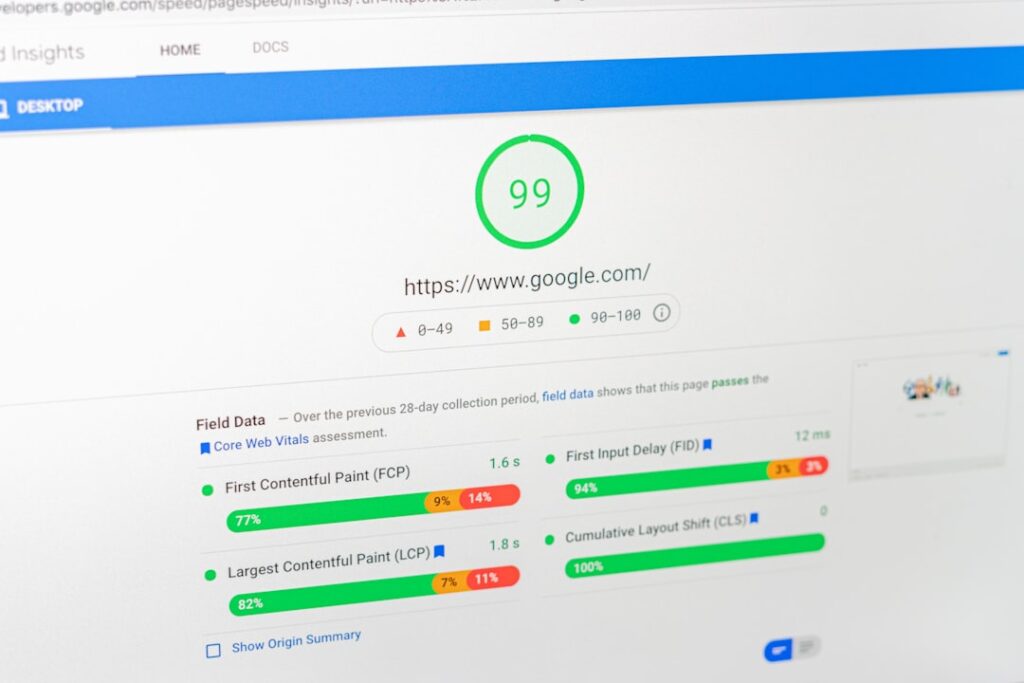
Your page builder choice is one of the biggest levers on your site’s speed and Google rankings. Most guides mention this vaguely. Here’s the specific picture.
Core Web Vitals and Why They Matter
Google measures your site’s user experience through three metrics called Core Web Vitals (CWV): LCP (Largest Contentful Paint, how fast the main content loads), INP (Interaction to Next Paint, how responsive the page feels to clicks), and CLS (Cumulative Layout Shift, how stable the page is while loading). Core Web Vitals are confirmed Google ranking signals as part of the page experience update. Sites that pass all three metrics get a ranking boost over competitors with identical content who fail these thresholds.
Here’s what the real-world data looks like: as of late 2025, only about 44% of WordPress sites on mobile pass all three Core Web Vitals. Compare that to Shopify at around 65% and Wix above 60%. The gap isn’t because WordPress is slow. The problem is what gets added on top: heavy themes, bloated page builders, dozens of plugins each injecting their own JavaScript and CSS, unoptimized images, and cheap shared hosting with slow server response times.
The Real Performance Cost of Popular Builders
Page builders like Elementor, Divi, and WPBakery add enormous amounts of extra HTML, CSS, and JavaScript to every page. Elementor alone can add over 21 MB of unzipped code to a WordPress installation. That’s the overhead cost of convenience.
The fix is not to panic and abandon your builder. Enable Elementor’s “Optimized DOM Output” and “Optimized Asset Loading” features, remove unused widgets, minimize animations, and use a caching plugin like WP Rocket to generate critical CSS and defer JavaScript. Many Elementor sites can achieve passing Core Web Vitals, but you will spend more time and effort maintaining them compared to sites built without a heavy page builder.
The lightest traditional builders by performance ranking: Beaver Builder is often ranked among the fastest builders thanks to its clean frontend code and lower overhead. Oxygen and Bricks often generate extremely lean markup, which helps with speed and SEO.
Mobile Responsiveness: Not All Builders Handle It Equally
Google uses mobile-first indexing. If your mobile Core Web Vitals fail, your rankings suffer — even if desktop passes. Always optimize for mobile first. This matters for builder choice because some builders give you granular responsive controls per breakpoint (Divi, Elementor Pro) while others require more manual work.
Practical tip: before committing to any builder, test a demo page on a real mobile device — not just the browser’s device simulator. The editing experience and the mobile output are two very different things.
The Single Highest-Impact Performance Fix
Your hosting matters more than your builder choice. Page caching delivers 7x faster TTFB (Time to First Byte): cached pages had a median TTFB of 106ms versus 723ms for uncached pages. A tool that calculates how fast your server responds before rendering your page. If TTFB is over 400ms, upgrading hosting will help more than any frontend optimization. Pick managed WordPress hosting with server-level caching before spending time on builder-level speed tweaks.
Pricing Gotchas and Hidden Costs to Watch For

The advertised price is almost never the real price. Here’s what most comparison guides bury in footnotes.
The Renewal Rate Problem
Elementor’s entry price of $59/year for one site looks reasonable. But all subscriptions renew based on your billing cycle at list price. There are no guaranteed renewal discounts. If Elementor raises prices (which it has historically done), your renewal rate goes up with it.
Divi’s annual plan faces the same compounding math. By year three of annual payments, you’ve paid $267. At the five-year mark you’re at $445. At ten years, you will have paid $890 in total for the same product that a Lifetime user bought once for $249. The breakeven point on Divi’s lifetime plan is roughly three years — a detail worth knowing before you sign up annual.
The Add-On Trap
The headline price rarely covers everything you’ll actually need. Beaver Builder’s $99/year plan is legitimate — but as noted, you’ll likely need Beaver Themer ($147/year) to build headers and footers, plus a third-party add-on pack for advanced modules. That $99 can become $250+ before you’ve built your first complete site.
Divi avoids this trap for most users. With Divi, you get the theme, builder, and all Elegant Themes products in one package. Beaver Builder now bundles Themer and its theme with all plans (check the current plan details for the latest inclusions).
What Happens If You Stop Renewing
This is the question nobody asks until it’s urgent. Elementor Pro operates on an annual subscription model, though the plugin continues functioning even if you don’t renew (you just lose access to updates and support). Your existing Elementor Pro installations continue functioning if you don’t renew, but you lose access to software updates, security patches, new features, support, and the template library. For production websites, maintaining an active subscription is strongly recommended for security and compatibility with WordPress updates.
Divi works similarly. If you are on the Annual Plan and your subscription lapses, your existing Divi-built sites continue to function. The theme and builder remain active on your server. Nothing breaks overnight. What you lose when you stop renewing is access to future updates and premium support. You will no longer receive new feature releases, security patches, or compatibility updates for newer versions of WordPress and PHP.
The Shortcode Lock-In Risk
This one stings if you discover it years into a site. Divi relies heavily on its modular shortcode system. This creates a very specific type of lock-in. If you ever deactivate the Divi plugin, you’re left with a screen full of broken shortcodes. Switching builders later means a significant cleanup job. Beaver Builder avoids this by design.
Common Page Builder Mistakes (And How to Avoid Them)
Most mistakes beginners make with a wordpress page builder are predictable. Here are the ones that cost real time and money.
Mistake 1: Installing a Page Builder Before Choosing a Compatible Theme
Your builder and theme need to coexist without fighting over styling. Elementor recommends pairing with their own Hello Elementor theme (free and minimal). Divi comes with its own theme. Beaver Builder works cleanly with most themes but is best paired with its own Beaver Builder Theme. Pick your builder first, then choose a theme confirmed compatible. Reversing this order often means starting your design over.
Mistake 2: Running Too Many Conflicting Plugins
Plugin conflicts are among the most prevalent issues encountered with WordPress page builders. When a multitude of plugins is simultaneously active on a WordPress website, they may disrupt each other’s functionality, leading to various errors or degradation in performance. This tends to be more pronounced when dealing with page builders since incompatible plugins can undermine their operational integrity.
The most common collision: you edit a page in Elementor or Divi, hit publish, and the frontend still shows the old version. Or worse — the page builder’s visual editor loads a cached version of the page and the drag-and-drop interface breaks completely. This happens when a caching plugin and a page builder step on each other. The fix is to exclude builder-related URLs from your caching plugin’s rules — not to disable caching entirely.
If you suspect a conflict: deactivate every plugin on your site except for the actual builder you’re using. Subsequently, reactivate them individually and monitor how well the builder performs after each activation. This method aids in identifying which specific plugin is causing disruption.
Mistake 3: Underestimating the Learning Curve
Every builder has a real learning curve that reviews understate. Elementor is the gentlest for absolute beginners. Divi has a floating panel interface that many users find initially confusing. Divi’s inline editing approach differs from standard WordPress paradigms. Users comfortable with other builders may need adjustment time.
The practical advice here: pick one tool, use it for 30 days, and build something real with it before evaluating alternatives. You cannot accurately judge a builder from YouTube tutorials alone — the muscle memory only develops through use.
Mistake 4: Ignoring Mobile While Building on Desktop
Most page builder editors default to desktop view. It’s easy to build a beautiful desktop layout and then discover your mobile version is broken in ways you can’t see until you preview it on a phone. Build your desktop layout, then immediately switch to mobile preview and fix every section before moving to the next. Fixing mobile retroactively on a completed site is far more time-consuming.
Mistake 5: Switching Builders After Launch
This is the most expensive mistake of all. Switching from Elementor to Divi (or any full builder swap) on a live site means rebuilding every page from scratch. The data doesn’t migrate. There is no import-export bridge between major builders. The decision you make at the start is functionally permanent unless you budget significant time for a rebuild. Start where you are, not where you hope to be in year three.
Frequently Asked Questions
Ready to Build Your WordPress Site?
The right wordpress page builder for your site isn’t the one with the most features — it’s the one that fits your budget, your technical level, and the site you’re actually building right now. Start with Elementor Free or Gutenberg for simple sites. Step up to Elementor Pro or Divi Annual when you hit real design limits. Consider Divi Lifetime or Beaver Builder if you’re managing multiple sites over years. And choose Bricks or Breakdance only if performance and clean code are your primary priorities and you’re comfortable with a developer-level tool.
If you’re still unsure which path makes sense for your specific situation, contact WordPress AI Tools today for personalized guidance — no pressure, no generic advice, just a straight conversation about what actually makes sense for you.
Frequently Asked Questions
What is the best free WordPress page builder?
Elementor offers the most capable free version among dedicated page builders, with 30+ widgets and 40+ templates at no cost. For the absolute lightest option with zero added overhead, the native Gutenberg block editor (built into every WordPress installation) is the best free choice for simple sites and blogs.
Does using a page builder hurt my SEO?
Not directly — but page builders can hurt your Core Web Vitals scores, which are Google ranking signals. Heavy builders like Elementor and Divi add extra CSS and JavaScript that slows page load times. You can mitigate this with caching plugins, image optimization, and enabling the builder’s built-in performance settings. Lighter builders like Beaver Builder and Bricks Builder have a lower performance impact by default.
Can I switch WordPress page builders later?
Technically yes, but practically it means rebuilding every page from scratch. There is no import-export bridge between major page builders. Divi in particular uses shortcodes that leave broken code if you deactivate the plugin. This is why your initial builder choice matters so much — treat it as a long-term commitment and choose based on your real needs, not features you might use someday.
Is Divi’s lifetime plan worth it?
For most users who plan to use Divi for more than three years, yes. The lifetime plan at $249 breaks even compared to the $89/year annual plan at approximately the three-year mark. After that, every year you use it saves you $89. For agencies and freelancers building multiple sites, the lifetime plan covers unlimited websites at no additional cost, making it especially compelling.
What is the lightest WordPress page builder for performance?
Gutenberg (the native block editor) produces the least overhead. Among dedicated page builder plugins, Bricks Builder and Breakdance generate the leanest code output. Beaver Builder is the lightest of the traditional drag-and-drop builders. Elementor and Divi are feature-rich but heavier — both have performance optimization settings that help, but they require more active management to pass Core Web Vitals thresholds.

