
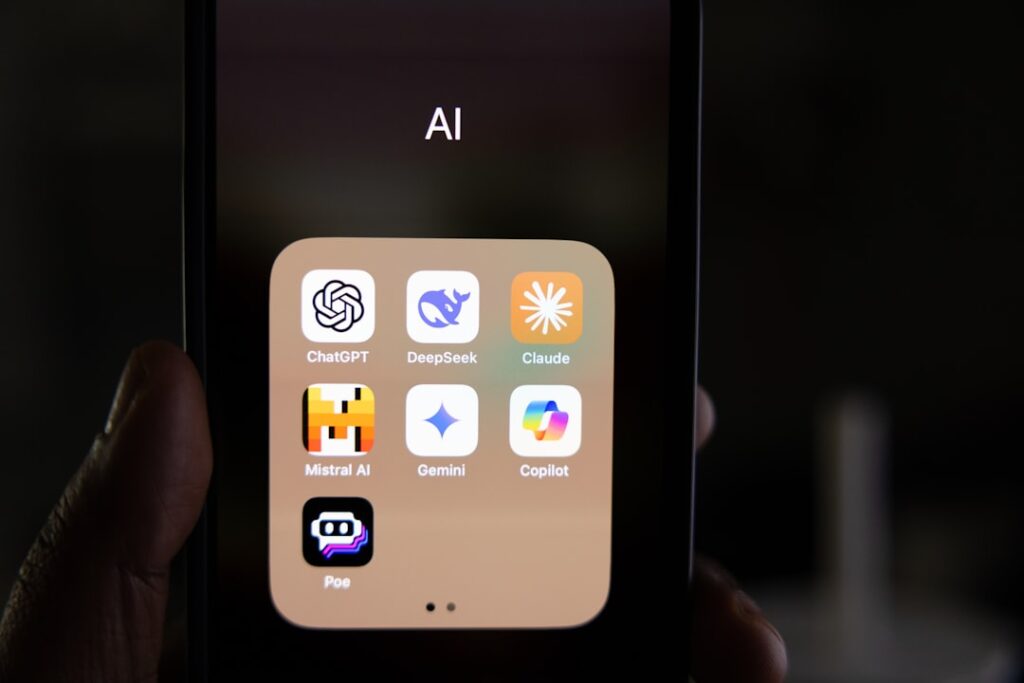
If you’re feeling overwhelmed by the sheer number of AI apps promising to change your life—only to hit a paywall two minutes in—you’re not alone. The good news is that genuinely free AI tools do exist. Not just trials. Not just “free with credit card required.” Real, usable free tiers that let you accomplish actual work without spending a dollar upfront.
This guide covers the best free AI apps across productivity, writing, content creation, and image generation—with honest assessments of exactly what you get on each free plan and where the limitations will bite you. At WordPress AI Tools, we’ve done the research so you can make smart decisions before committing to any tool.
What Makes a Great Free AI App
A great free AI app gives you enough core functionality to accomplish real tasks—not just a demo that teases you into upgrading. The difference matters enormously when you’re budget-conscious and time-starved.
There are plenty of AI tools that offer free trials or severely limited free subscriptions, but the ones worth your time are those where the free plan offers genuine value and access to the tool’s core features—even if you never upgrade to a paid account.
Here’s what separates genuinely useful free tiers from glorified demos:
The Freemium Model: What’s Actually Going On
Free AI tools typically operate on several business models. Some offer completely free access with basic features, while others provide freemium models where core functionality remains free but advanced features require payment. Many AI companies offer generous free tiers to build user bases and gather data that improves their algorithms.
The honest reality is that free tiers come with real trade-offs you should know about upfront. Free tiers often restrict the number of requests, generations, or processing time per day, week, or month. Free AI tools will often have slower processing speeds to encourage users to pay for a faster experience. Free users usually have limited or no direct customer support—you’re often reliant on community forums or self-help documentation. Image and video generation tools might add watermarks to free outputs.
The practical checklist for evaluating any free AI app:
- Core feature access: Can you complete your primary task, or is it locked behind a paywall?
- Usage limits: Are the caps daily, weekly, or monthly—and are they realistic for your workload?
- Output ownership: Can you use what you create commercially, or does the free tier restrict usage rights?
- Watermarks: Will your outputs be branded with the tool’s logo?
- Data privacy: Does the free plan use your content to train their models?
Keep those questions handy as we walk through each category. And remember: if you’re new to AI, free tools allow you to explore its capabilities and experiment with different applications without financial risk. For basic tasks such as summarizing text, generating social media captions, or creating simple images, free AI tools may be sufficient.
Best Free AI Apps for Productivity
The most impactful free AI productivity apps are ones that fit into your existing workflow without requiring a complete overhaul. Below are the tools consistently delivering real value on their free plans.
ChatGPT (OpenAI) — Best All-Purpose AI Assistant
ChatGPT is best for all-purpose AI help: writing, brainstorming, learning and explanations, quick drafts, and everyday “ask anything” support. It remains the most accessible entry point for AI newcomers.
The honest limitation: the free plan gives you up to 10 messages every 5 hours using GPT-5. After reaching this limit, chats will automatically use the mini version of the model until your limit resets. That’s tighter than many users expect. The ChatGPT Free plan provides access to file uploads, basic vision capabilities, limited voice mode, and elementary data analysis tools, but these features are subject to per-session and per-day caps, as well as stricter concurrency rules during times of high demand. Free users may experience temporary unavailability or performance degradation if server load increases.
Free users can search the web, upload files and images, use data analysis, and discover and use GPTs—though caps apply. For occasional research, quick drafts, and brainstorming, the free tier is genuinely useful. For daily heavy use, you’ll bump into the ceiling fast.
Google NotebookLM — Best for Research and Document Analysis
NotebookLM is arguably the most underrated free AI productivity tool available. With NotebookLM, you can create a personalized AI assistant that surfaces insights and provides Audio Overviews on data you upload, including text, video, and audio. It is available on a free plan with set usage limits.
What makes it exceptional: you can upload up to 50 sources, including PDFs, websites, YouTube transcripts, and Google Docs. Questions are answered using only your sources—no hallucinated facts, no internet noise. Just your documents talking back to you.
Users can upload various content types, including PDFs, website links, YouTube videos, Google Drive documents, and manually pasted text to create a centralized research hub. The Audio Overview feature is particularly useful—in December 2024, Google introduced interactive Audio Overviews, allowing users to join the AI-generated conversation by tapping the “Join” option so you can ask questions directly and participate in the discussion.
The honest limitation: any Google account can use NotebookLM for free, including all tiers of Google Workspace, but usage limits are in place and advanced features are not available in free versions of the product. If you need higher usage and more notebooks, NotebookLM Plus requires a paid Google One AI Premium subscription.
Otter.ai — Best Free Transcription Tool
For anyone whose work involves meetings, interviews, or lectures, Otter.ai’s free tier offers real utility. Otter’s free plan includes 300 monthly transcription minutes and unlimited shared meetings. Otter instantly converts your audio and video recordings into searchable, editable, and interactive transcripts. With AI-powered transcription and automated summaries, transcribing your files becomes effortless. Plus, Otter’s AI chat lets you interact with your transcripts for seamless navigation and insights.
The honest limitation: the cap of 300 transcription minutes per month is easily exhausted by just a few hour-long meetings. More critically, the 30-minute maximum duration per conversation means the service will stop transcribing mid-meeting for any call longer than half an hour. Furthermore, the ability to import existing audio or video files for transcription is limited to just three files for the lifetime of the account. That lifetime file import cap is a significant gotcha—worth knowing before you rely on it for regular project work.
Perplexity AI — Best for Cited Research
Perplexity is best for fast research with citations, competitive intelligence, and learning topics without opening 10 browser tabs. Perplexity combines AI with real-time search to provide cited, accurate answers to complex questions.
The free tier includes citation-backed answers with links to sources, chat-style search with follow-up questions, limited access to Copilot-style guided prompts, and basic web search and browsing.
The honest limitation: the free tier has usage caps and limited access to advanced “Deep Research” workflows; heavy researchers will want the Pro plan. But for most everyday research tasks, the free version is surprisingly capable—especially compared to standard search engines.
Top Free AI Apps for Content Creation

Content creators have an embarrassment of riches when it comes to free AI writing tools. The key is matching the right tool to your specific need—each has a distinct strength that makes it genuinely better than its competitors in a particular context.
Grammarly — Best Free AI Writing Assistant
Grammarly is the industry standard for a reason. It is an AI-powered writing assistant available as an app for mobile, desktop, and as a web browser extension. Grammarly goes beyond red squiggly lines: it includes a tone detector—essential for ensuring your client emails don’t sound aggressive—and conciseness suggestions to tighten your writing.
On the free plan, core grammar, spelling, and clarity checks are included, along with tone detection and basic rewrite suggestions—and it works across apps via extensions and keyboards. It also includes 100 free AI prompts per month for quick rewrites.
The honest limitation: advanced writing improvements—full-sentence rewrites, style guides, plagiarism checks, and advanced GrammarlyGO—are locked behind the paid plan. For basic proofreading and clarity improvements, the free tier is excellent. For heavy AI-assisted rewriting, you’ll hit the ceiling quickly.
QuillBot — Best Free Paraphrasing and Summarizing Tool
QuillBot is one of the fastest ways to polish and rephrase text without changing meaning—great for students, researchers, and anyone refining drafts or overcoming writer’s block. It’s a go-to for bloggers who need to rework existing content or simplify complex language for their audience.
The honest limitation: advanced paraphrasing modes—such as creative, expand, and shorten modes—and higher output limits are restricted on the free tier, so longer documents may need a paid plan. For short-to-medium passages, though, the free version is more than capable.
Claude (Anthropic) — Best for Long-Form Writing and Nuanced Tasks
Claude’s free tier is one of the most generous in the AI chatbot category for writers. Claude is a large language model created by Anthropic with the overarching purpose of being a helpful conversational assistant. Where it stands out is in nuanced, longer-form writing tasks—drafting blog posts, refining tone, and following complex multi-part instructions with impressive accuracy.
The honest limitation: like ChatGPT, Claude’s free plan has message limits and will ask you to wait or upgrade during peak usage periods. It also lacks built-in web search on the free tier, so it cannot pull in real-time information. For drafting and editing tasks that don’t require live data, it’s an exceptional free resource.
Google Gemini — Best Free AI for Google Workspace Users
Google Gemini is free to use for users 18 and over with a personal Google Account or a Google Workspace account for which your admin has enabled access to Gemini. If you’re already embedded in the Google ecosystem—Gmail, Docs, Sheets—this is the most frictionless AI assistant to add to your workflow.
While the general Gemini app is free, it comes with its limits. For businesses wanting access to the latest Gemini models, tighter security controls, and integrations with Google Workspace products like Docs and Sheets, there is a paid plan available.
If you’d like to explore how to get the most from AI tools like ChatGPT and Claude for your WordPress content workflow, check out our in-depth AI tools coverage on this site for detailed comparisons and use-case guidance.
Free AI Apps for Image and Video Generation

AI image generation has matured significantly. AI image generation has matured to the point where free tiers are genuinely useful—you can create marketing visuals, concept art, product mockups, and social content without spending anything, if you pick the right tool. But free tiers vary wildly in quality, daily limits, and commercial usage rights. Here’s a clear breakdown.
| Tool | Free Daily Limit | Image Quality | Commercial Use? | Key Limitation |
|---|---|---|---|---|
| Leonardo.AI | ~150 tokens/day (~30–70 images depending on settings) | High — artistic control, custom models | Yes, even on free | All free images are public in community feed |
| Google Gemini | Daily quota (varies by server load) | High — excellent for vivid social media visuals | Yes (you retain ownership) | Can’t generate multiple images simultaneously |
| Meta AI | No strict daily limit reported | Good for everyday use | Check ToS for commercial use | Lower detail accuracy on complex prompts |
| ChatGPT (GPT Image) | Limited daily generations on free plan | Excellent prompt adherence and text in images | Check per-image ToS | Limits not transparently communicated by OpenAI |
| Runway ML | Limited free credits | Professional-grade video/image effects | Limited on free plan | Basic features only; video limited |
| Adobe Firefly | Monthly generative credits (resets monthly) | High — professional design output | Yes — commercially safe training data | Credits deplete quickly with high-res generations |
Leonardo.AI — Most Generous Free Tier for Image Quality
Leonardo.AI offers advanced features usually reserved for paid tools, such as “Image Guidance” (uploading a sketch to control the output structure) and custom model training. It is arguably the most generous free tier for high-quality artistic control—you get 150 fast tokens daily, which is enough for roughly 30–70 images depending on settings. Uniquely, you are allowed to use images commercially, even on the free plan.
The critical gotcha: all images generated on the free tier are public. Your prompts and results appear in the community feed, so do not generate sensitive or stealth-mode brand concepts here. This is a dealbreaker for some business use cases.
Google Gemini Image Generation — Best Free Option for Social Media
Very high image quality is available even without a subscription—Google’s powerful AI model delivers high-quality results in the free version of Gemini. Gemini uses a daily limits system rather than a credit system. Gemini also has a simple built-in editor—after generating an image, you can add text or draw on it using a basic scribble tool with a few color options. It’s not advanced, but it works well for quick edits.
Runway ML — Best Free AI for Video Generation
Runway offers AI-powered video editing tools that were previously only available in expensive professional software. The free tier includes basic generative AI features for image and video manipulation. Content creators use Runway to remove backgrounds, generate variations of images, and apply AI effects that would take hours manually. The tool bridges the gap between amateur and professional content creation.
What to watch for across all free image tools: resolution limits, watermarks, and restrictive licensing terms can render free generations useless for real work. The most practical free tools deliver images at standard web resolution (1024×1024 or higher) without visible watermarking, under licenses that permit commercial use.
How to Choose the Right Free AI App for Your Needs
The right free AI app isn’t the one with the most features—it’s the one that solves your specific bottleneck without adding new friction to your workflow. Here’s a practical decision framework.
Start With One Problem, Not One App
The biggest mistake people make is downloading five AI tools at once and using none of them consistently. Instead, identify your single biggest time drain this week. Is it taking meeting notes? Drafting emails? Creating social media visuals? Pick the tool that solves that one problem, use it for 30 days, and then evaluate whether it’s actually saving you time.
Define specific scenarios where you’ll use each AI tool. For example, use ChatGPT for first-draft content creation every Monday morning, or use Otter.ai for all client meetings on Tuesdays and Thursdays. Creating routine use cases builds muscle memory and ensures the tool becomes part of your natural workflow rather than an occasional experiment.
Match the Tool to the Task
Here’s a practical quick-reference decision guide:
- Writing emails and blog drafts: Start with ChatGPT or Claude (free tier). Both handle conversational writing well.
- Proofreading and grammar: Grammarly’s free plan is the easiest “set and forget” option—it works across every app you already use.
- Research from your own documents: Google NotebookLM is unmatched. Upload your source materials and get AI-grounded answers without hallucinations.
- Meeting transcription: Otter.ai’s free plan works for short meetings under 30 minutes. For longer ones, you’ll need to upgrade.
- Social media images: Google Gemini’s image generator for quick, high-quality visuals. Leonardo.AI for more artistic control.
- Cited research and fact-checking: Perplexity AI. It shows its sources, making it far more trustworthy than general chatbots for factual claims.
Evaluate ROI Before Upgrading
A useful rule of thumb: a tool needs to save at least twice its monthly cost in time to justify the upgrade expense. Track time saved and quality improvements after implementing each tool. Simple metrics like “hours saved per week” or “tasks completed per day” provide concrete evidence of value. After one month, evaluate whether the tool meets expectations. If results are positive, explore advanced features or consider upgrading to paid tiers. If results disappoint, identify whether the issue is tool selection or implementation approach.
Watch Out for Hidden Costs
A critical gotcha to watch for with free AI apps: some free AI apps may have hidden costs, such as in-app purchases, paid features, or subscription plans for premium access. Always check the terms and conditions before using the app to ensure you are fully aware of any potential charges.
Also check whether the free plan uses your data for model training. Many free tiers opt you into data collection by default—something worth reviewing if you’re working with confidential client information or proprietary business data.
If you need help navigating which AI tools make sense for your specific WordPress site or business setup, our team at WordPress AI Tools is here to help—reach out for personalized guidance without any sales pressure.
Frequently Asked Questions About Free AI Apps
Below are the questions we hear most often from beginners and small business owners exploring free AI tools for the first time.
Start Using Free AI Apps Today
The barrier to getting meaningful value from AI has never been lower. There are plenty of genuinely useful free AI tools that let you experiment with and even run real business workflows without spending a dollar. Whether you’re looking for a free AI chatbot, AI writing assistant, sales or marketing tool, or something to help with everyday admin, solid free options exist in nearly every category.
The practical approach: pick one tool from this list that addresses your biggest current frustration. Use it consistently for four weeks. Track whether it’s saving you time or improving your output quality. Only then consider whether a paid upgrade makes financial sense for your situation.
You don’t need to overhaul your entire workflow overnight. Start small, measure honestly, and build from there. And if you’re unsure which free AI app makes the most sense for your WordPress site, content strategy, or small business workflow, contact WordPress AI Tools today—we’re here to help you navigate these decisions with confidence, not pressure. Explore our in-depth tool reviews to find the options that match your specific needs and budget.
Frequently Asked Questions
Are free AI apps actually useful, or are they just trials to push you toward paid plans?
Many free AI apps offer genuine, sustained value without requiring payment. Tools like Google NotebookLM, Perplexity AI, Grammarly’s free tier, and Claude provide real core functionality for free indefinitely. The key is understanding the limits upfront—usage caps, shorter session lengths, or restricted features—so you can decide whether the free tier fits your workload or whether a paid plan is worth the investment.
What is the best completely free AI writing assistant?
Grammarly’s free plan is the most universally useful for everyday writing—it works across nearly every app you already use and catches grammar, tone, and clarity issues automatically. For longer-form drafting and brainstorming, ChatGPT’s free tier (up to 10 messages per 5-hour window) and Claude’s free tier are strong options. QuillBot is particularly good for paraphrasing and summarizing existing text without cost.
Can I use AI-generated images commercially on a free plan?
It depends on the tool. Leonardo.AI explicitly allows commercial use of images generated on its free tier—though all free-tier images are public. Google Gemini’s terms state you retain ownership of content you create, though you grant Google a limited display license. ChatGPT’s image generation terms vary and are not always clearly communicated for free users. Always read the terms of service before using free AI-generated images in client work or commercial products.
What free AI app is best for meeting transcription?
Otter.ai offers 300 free transcription minutes per month with speaker identification, AI summaries, and real-time transcription for Zoom, Google Meet, and Microsoft Teams. The critical limitation is the 30-minute per-conversation cap—any meeting longer than half an hour will stop transcribing. If your meetings routinely run longer, the Pro plan at $8.33/month (billed annually) is worth evaluating.
Will free AI apps use my data to train their models?
This varies by provider and plan. Many free tiers do opt users into data usage for model improvement by default—something particularly important to check if you handle confidential client information or proprietary business data. Paid plans often offer enhanced data privacy controls and clearer opt-out options. Always review the privacy policy and data usage terms before uploading sensitive information to any free AI tool.

