
If you’re feeling overwhelmed by the sheer number of AI tools out there—and the subscription fees attached to most of them—you’re not alone. The honest reality is that many of the most powerful AI tools on the market today offer genuinely useful free tiers that go far beyond what most people expect. At WordPress AI Tools, we’ve tested dozens of free AI platforms so you don’t have to waste time on the ones that aren’t worth it.
This guide breaks down the best AI free options across chatbots, image generators, writing assistants, and more. We’ll tell you exactly what you get for free, where the limitations hit, and how to squeeze maximum value without spending a dollar.
Why Free AI Tools Matter
Free AI tools have become remarkably capable, and the misconception that powerful AI requires a paid subscription no longer holds true. The open-source community and competitive freemium models have democratized access to state-of-the-art AI models, making it possible for anyone to experiment, build workflows, and boost productivity without financial commitment.
Here’s what makes this moment unique for anyone exploring AI on a budget:
The competition is driving generosity. ChatGPT, Google Gemini, Claude, and Perplexity are all racing for users, which means their free tiers keep getting better. Each platform now offers access to models that would have been premium-only just twelve months ago.
Free tools let you test before committing. Rather than locking into a $20/month subscription and hoping it fits your workflow, you can evaluate multiple free AI platforms side by side. This is especially valuable for small business owners and solopreneurs who need to justify every dollar.
Most people don’t need paid plans. Light users sending a handful of AI queries per day will rarely hit free-tier limits. If you’re using AI for occasional research, drafting emails, or brainstorming ideas, free plans cover you completely.
Best Free AI Chatbots and Assistants
The major AI chatbots all offer usable free tiers, but their strengths, limits, and best use cases differ significantly. Here’s an honest breakdown of what you actually get without paying.
ChatGPT (Free Tier)
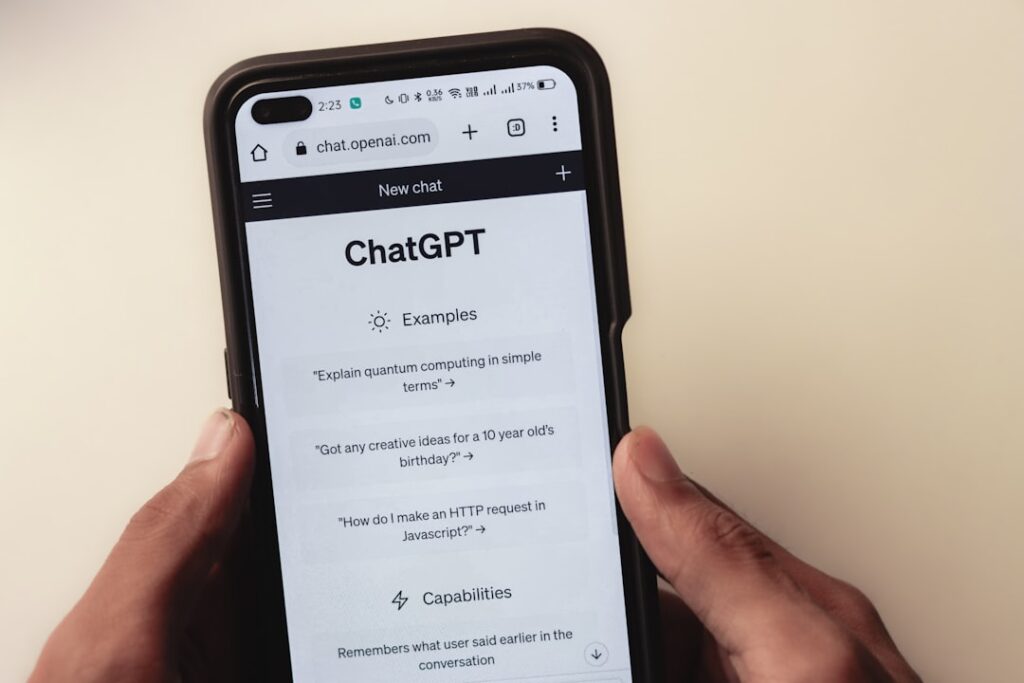
ChatGPT remains the most versatile free AI chatbot for general-purpose tasks. It handles writing, brainstorming, coding help, summaries, and planning without much setup. The free plan gives you access to GPT-5.3 Instant—the same base model paid users get—with a cap of around 10 messages per 5-hour rolling window. After hitting that limit, ChatGPT silently switches you to GPT-5.3 Mini, a lighter model that provides shorter, less detailed answers but keeps working.
What you get for free: Web search, file uploads (limited), image analysis, access to custom GPTs from the GPT Store, and 2-3 image generations per day. Free users also get limited access to Deep Research, which can compile web-based reports, though it uses the lighter Mini model and caps at 5 reports per month.
Key limitations: You can’t create your own custom GPTs (that requires Plus at $20/month). OpenAI also started testing ads on the free tier in the US as of early 2026. By default, your conversations may be used to train OpenAI’s models—though you can opt out in Settings without affecting your experience.
Best for: Beginners exploring AI for the first time, quick one-off tasks, and anyone who needs a reliable all-rounder without complexity.
Google Gemini (Free Tier)
Gemini is strongest when you already live inside Google’s ecosystem. It connects directly to Gmail, Docs, Sheets, and Search, making it an ideal productivity companion for Google Workspace users. The free tier offers up to 30 prompts per day for core access, plus separate quotas for specialized features: up to 20 images per day, 5 Deep Research reports per month, and up to 10 music tracks per day.
What you get for free: Multimodal inputs (text, images, files), audio overviews (up to 20 per day), image generation and editing, music generation, and a Dynamic View feature. Google’s free tier is notably generous with image generation compared to competitors.
Key limitations: The free tier uses a narrower context window than paid plans, and limits may change based on testing and availability. The latest Gemini 3.x models are currently reserved for paid subscribers (Google AI Pro at $19.99/month).
Best for: Google Workspace users, anyone who wants strong image generation capabilities for free, and users who prefer an AI assistant deeply integrated into their existing tools.
Claude (Free Tier)
Claude tends to shine when the task involves longer material or structured reasoning. Drop in a long report, policy document, or messy notes, and Claude often produces clear breakdowns and logical summaries. The free tier provides approximately 15-40 messages per 5-hour window, depending on conversation length and complexity.
What you get for free: Chat on web, iOS, Android, and desktop; text generation (writing, editing, summarizing); code assistance; image analysis; web search; basic app connectors for Notion, Slack, and Google Workspace; and access to Projects and Artifacts—features that were previously paid-only.
Key limitations: No access to the most powerful Opus models, no Claude Code (the integrated coding agent), no priority access during peak hours, and stricter rate limits than paid tiers. The free plan uses a 200K token context window.
Best for: Writers, researchers, and anyone working with long documents who need thoughtful, well-structured analysis rather than quick one-liners.
Perplexity AI (Free Tier)
Perplexity is a free AI-powered answer engine that combines large language models with real-time web search to deliver sourced answers with citations—functioning more like a research assistant than a traditional chatbot. The free tier provides unlimited basic searches, access to search history, and limited file uploads.
What you get for free: Unlimited basic searches with cited sources, search history access, and limited file uploads (up to 5 MB per file, three files per day). The system automatically selects the model for each query.
Key limitations: No access to advanced AI models, no image or video generation, no Deep Research mode, and no ability to select specific models. Heavy research tasks will quickly run into free-tier constraints.
Best for: Fact-checking, quick research queries, students who need cited sources, and anyone who wants AI-generated answers backed by verifiable references.
Free AI Image and Video Generators

Free AI image generation has reached a point where non-designers can produce professional-quality visuals for blog posts, social media, and marketing materials without touching design software. Here are the best free options available right now.
Microsoft Designer (Bing Image Creator)
Microsoft Designer’s Bing Image Creator is the most accessible free AI image generator available. It runs on DALL-E technology, requires only a Microsoft account, and generates four image variations per prompt. Boosted credits replenish daily, and when credits run out, generation continues at a slower speed—so the tool never fully locks you out.
Best for: Casual users, bloggers, and anyone who wants fast results without technical setup. If you use Microsoft Edge or Windows 11, it’s already built into your workflow.
Adobe Firefly
Adobe Firefly stands out as the most commercially responsible free AI image generator. Unlike most AI tools trained on scraped web data, Firefly was trained exclusively on Adobe Stock images, openly licensed content, and public domain works. This makes it one of the few free tools explicitly safe for commercial projects.
Best for: Freelancers, agencies, and businesses that need AI-generated images for client projects or commercial use without legal risk.
Leonardo AI
Leonardo AI offers one of the most generous free token allowances for image generation. Free users receive 150 credits daily, which can produce 50 or more images across multiple AI models. Many users find they never need to upgrade because the daily refresh provides plenty of capacity for regular creative work.
Best for: Content creators who need consistent daily image generation volume without paying for a subscription.
Ideogram
Most AI image generators still struggle to render text correctly in images—Ideogram has solved this problem. Its latest algorithm accurately and reliably includes text along with generated images, making it ideal for logos, social media graphics, and any visual that requires readable typography. The free plan includes 10 credits per week with basic features, though everything you generate on the free tier is public.
Best for: Anyone who needs AI-generated images with text—think social media quote graphics, promotional banners, or mockups with legible typography.
Google Gemini Image Generation
Gemini’s free tier allows up to 100 images per day through the Gemini app—an exceptionally generous daily allocation that leads the market in raw free image volume. The Nano Banana model produces high-quality results at no cost, making Gemini a strong contender for volume-oriented creators.
Best for: Users who need high-volume image generation without daily credit anxiety.
Common Free-Tier Image Limitations
Every free image generator comes with trade-offs. Most free plans cap output at 1024×1024 pixels, which works for web use but falls short for print. Free users typically sit in lower-priority processing queues, meaning longer wait times. And the most advanced models are almost always reserved for paid plans. Always check the terms of service for commercial use rights before using free AI images in paid projects.
If you’re exploring AI tools for your WordPress site, our team at WordPress AI Tools can help you identify which free platforms fit your specific content workflow.
Free AI Writing and Content Tools

AI writing tools do more than generate text—the best free options help you edit, optimize, and repurpose content across your entire workflow. Here are the standout free AI writing tools worth your time.
Grammarly (Free Plan)
Grammarly’s free plan is genuinely free—no ads, no data selling, no time limits. You get grammar, spelling, and punctuation corrections; clarity and tone suggestions; auto-citations in APA, MLA, and Chicago style; and AI-powered brainstorming, drafting, and rewriting assistance. The browser extension works across 500,000+ websites including Gmail, Google Docs, and LinkedIn, providing real-time suggestions as you type.
Key limitation: Advanced sentence rewrites, full-length content generation, and in-depth style suggestions require Grammarly Pro.
Best for: Anyone who writes emails, documents, or web content and wants automatic grammar checking and basic AI writing assistance without a subscription.
Google NotebookLM
NotebookLM is one of the most underrated free AI tools available. Unlike a standard chatbot, it lets you upload sources—PDFs, audio files, websites—and creates a grounded AI expert based only on that specific data. The free tier is remarkably generous: up to 100 notebooks, 50 sources per notebook, and up to 500,000 words per notebook. It can summarize complex papers into study guides, flashcards, or even an Audio Overview—a podcast-style discussion between two AI hosts covering your uploaded material.
Best for: Researchers, students, and professionals who need to synthesize and learn from specific source materials rather than general-purpose AI chat.
Copy.ai and Rytr (Free Plans)
Both Copy.ai and Rytr offer free tiers focused on short-form content generation—marketing copy, social media captions, email subject lines, and product descriptions. They’re particularly useful for solopreneurs who manage multiple social media accounts and need to produce quick promotional content regularly.
Key limitation: Free plans typically restrict word count or generation volume per month, and longer-form content like full blog posts requires upgrading.
Best for: Social media managers, e-commerce sellers, and small business owners who need quick marketing copy without complex setup.
Canva AI (Magic Studio)
Canva quietly transformed itself into an AI platform for non-designers. Magic Studio brings together AI-powered text generation, image generation, background removal, design suggestions, and presentation creation. The free plan includes a generous number of lifetime credits for AI image generation, and the design templates ensure your visuals stay polished. For most creators, Canva’s free tier replaces separate copy tools, basic design subscriptions, and slide software they were paying for anyway.
Best for: Content creators who need both writing and visual design capabilities in a single platform without paying for multiple subscriptions.
Complete Comparison of Free AI Platforms
The table below puts the key free-tier details side by side so you can quickly identify which platform fits your needs. Remember that these limits change frequently—always verify current specifics directly with each provider.
| AI Tool | Category | Free Tier Allowance | Key Free Features | Main Limitations |
|---|---|---|---|---|
| ChatGPT | Chatbot | ~10 messages/5 hours (GPT-5.3), then unlimited on Mini | Web search, file uploads, image analysis, GPT Store access | No custom GPT creation, ads on free tier, limited image generation |
| Google Gemini | Chatbot | 30 prompts/day, 20 images/day, 5 Deep Research/month | Google Workspace integration, image/music generation, audio overviews | Smaller context window, latest models reserved for paid plans |
| Claude | Chatbot | ~15-40 messages/5 hours | Long document analysis, Projects, Artifacts, web search, app connectors | No Opus models, no Claude Code, throttled during peak hours |
| Perplexity | Research | Unlimited basic searches | Cited answers, search history, limited file uploads | No advanced models, no image generation, no Research mode |
| Microsoft Designer | Image | Daily boosted credits, unlimited slow generation | 4 images per prompt, DALL-E powered, no lockout | Lower resolution, no API access |
| Adobe Firefly | Image | Limited monthly credits | Commercially safe images, trained on licensed content only | Generation caps, limited advanced editing features |
| Leonardo AI | Image | 150 credits/day (~50+ images) | Multiple AI models, generous daily refresh | Advanced features require paid plan |
| Ideogram | Image | 10 credits/week | Best-in-class text rendering in images | All free generations are public, limited features |
| Grammarly | Writing | Unlimited basic use | Grammar/spelling/tone, AI brainstorming, auto-citations | Advanced rewrites and style suggestions require Pro |
| NotebookLM | Research | 100 notebooks, 50 sources each | Source-grounded AI, Audio Overviews, study guides | Limited to uploaded sources, no general chat |
| Canva AI | Design/Writing | Lifetime AI credits + templates | Image generation, text generation, design templates, presentations | Advanced AI features (Magic Media) require paid plan |
Tips for Maximizing Free AI Tools
Getting the most from free AI tools isn’t about finding loopholes—it’s about working smarter within the constraints. Here are specific strategies that make a real difference.
1. Use Multiple Platforms Strategically
Don’t rely on a single free AI tool for everything. Use ChatGPT for brainstorming and drafts, Claude for long document analysis, Perplexity for research with citations, and Gemini for image generation. By spreading your usage across platforms, you effectively multiply your free allowance several times over without paying for any single tool.
2. Prioritize Your Best Questions
When you have limited messages per time window, plan your most important questions first. On ChatGPT’s free tier, for example, your first 10 messages in a 5-hour window use the full-powered model. Messages 11 and beyond use the lighter Mini model. Front-load your complex tasks and save simpler queries for after the limit resets—or route them to a different platform.
3. Write Better Prompts
Professional prompt engineers consistently report that prompt specificity accounts for the majority of output quality variance. A detailed, well-structured prompt produces far better results than a vague one—and it saves you from wasting a limited free message on a follow-up clarification. Include the format you want, the audience, the tone, and any constraints up front.
4. Take Advantage of Rolling Windows
Both ChatGPT and Claude use rolling time windows rather than hard daily resets. This means your capacity replenishes continuously as old messages “expire” from the window. If you space your sessions throughout the day rather than sending all your messages in one burst, you can effectively send many more messages than the per-window cap suggests. On ChatGPT, for instance, you could theoretically send 48+ full-powered messages per day by spacing sessions across the full 24 hours.
5. Opt Out of Training Data Collection
Most free AI tiers use your conversations to train future models. If privacy matters to you, disable this in each tool’s settings. On ChatGPT, go to Settings > Data Controls > “Improve the model for everyone.” This doesn’t affect your experience—it just stops your data from being used in training.
6. Monitor for Promotions and Student Offers
AI companies regularly offer promotional upgrades. Perplexity has offered free Pro access to students, US military veterans, and government employees. Google has rolled out free Gemini upgrades for students in multiple countries. ChatGPT periodically surfaces trial offers and referral codes. Keep an eye out for these—especially if you’re in education or the public sector.
Frequently Asked Questions
Explore More AI Resources
Free AI tools keep getting better, but knowing which ones to use—and how to use them effectively—is what separates casual users from people who genuinely save hours each week. The landscape changes fast, and what’s free today may shift tomorrow.
At WordPress AI Tools, we continuously test and review AI platforms so you can make confident decisions about the tools that fit your workflow. Whether you’re building a WordPress site, scaling content production, or just trying to work smarter without adding another subscription, we’ve got you covered.
Explore our in-depth reviews and guides to find the AI tools that match your specific needs—and contact WordPress AI Tools today if you need personalized guidance on building an AI-enhanced WordPress workflow.
Frequently Asked Questions
Are free AI tools good enough for business use?
Yes, for many use cases. ChatGPT, Gemini, and Claude free tiers handle brainstorming, drafting, research, and basic coding tasks well. However, heavy daily users, teams needing admin controls, or businesses requiring advanced models will likely outgrow free plans within weeks. Start free, track your usage for a week, and upgrade only when you consistently hit limits.
Which free AI chatbot is best for beginners?
ChatGPT is the easiest free AI tool for beginners. It handles writing, brainstorming, coding help, and general questions with minimal setup. Google Gemini is the next best choice if you already use Gmail and Google Docs, since it integrates directly into those tools.
Can I use free AI-generated images commercially?
It depends on the tool. Adobe Firefly is explicitly designed for commercial use because it was trained on licensed content. Most other free AI image generators have terms that are vague about commercial rights on free tiers. Always check the specific terms of service before using AI-generated images in paid projects or client work.
How do I avoid hitting free AI tool limits?
Use multiple platforms strategically rather than relying on one. Front-load your most important questions within each time window, write detailed prompts to avoid wasting messages on follow-ups, and space your usage throughout the day to take advantage of rolling reset windows. Combining ChatGPT, Claude, Gemini, and Perplexity effectively multiplies your free allowance.
What’s the biggest gotcha with free AI plans?
Data privacy. Most free AI tiers use your conversations to train future models by default. On ChatGPT, you can opt out in Settings without affecting your experience. Also watch for ads—OpenAI started testing ads on ChatGPT’s free tier in the US in early 2026. Free tiers also throttle you during peak hours, so response times can be noticeably slower than paid plans.

