

There is no single “best artificial intelligence app” for everyone — the right choice depends entirely on how you work, what you need, and what you’re willing to spend. Here’s what most guides won’t tell you: the AI apps dominating the market have converged around similar price points but diverged significantly in what they actually do well. At WordPress AI Tools, we’ve tested and tracked these apps extensively to give you the honest breakdown you need to make the right decision.
This guide evaluates 12 of the most powerful and popular AI apps available right now, scored across AI capability, user experience, pricing transparency, and real-world application. Whether you’re a WordPress beginner looking for content help, a solopreneur managing your site on a budget, or a professional wanting to scale AI across client projects, you’ll find a recommendation here that fits.
What Defines the Best Artificial Intelligence App?
The best artificial intelligence app solves a specific problem better than its alternatives — at a price that makes sense for your situation. That’s the honest definition, stripped of marketing language. An app’s raw AI power matters, but so does how easily you can integrate it into your actual workflow.
Here’s the framework we use at WordPress AI Tools to evaluate any AI app:
AI Capability: How accurately does the model handle complex tasks? Can it reason through multi-step problems, process different media types (text, images, code, files), and maintain context across long conversations? The underlying model matters because it determines the ceiling of what you can accomplish.
User Experience: A brilliant AI model trapped behind a clunky interface wastes your time. The best apps feel intuitive from the first session. They offer keyboard shortcuts, file uploads, conversation history, and — critically — clear feedback when they don’t know something.
Pricing Transparency: Always check the renewal rate before committing. The standard mid-tier price point across major AI providers hovers around $20/month, but what you get for that price varies enormously. Some apps bundle generous usage limits; others throttle you after a handful of queries. A critical gotcha: many “unlimited” plans have hidden rate limits that only appear after you’ve subscribed.
Real-World Application: Can this app actually replace or meaningfully improve an existing workflow? We prioritize apps that deliver measurable results — saving time on content creation, improving code quality, streamlining research — over those with impressive demos but limited practical value.
Our Top 12 AI Apps Reviewed
We’ve organized these from general-purpose powerhouses to specialized tools. For each, you’ll get the honest strengths, the real limitations, and who should actually use it.
1. ChatGPT (OpenAI)
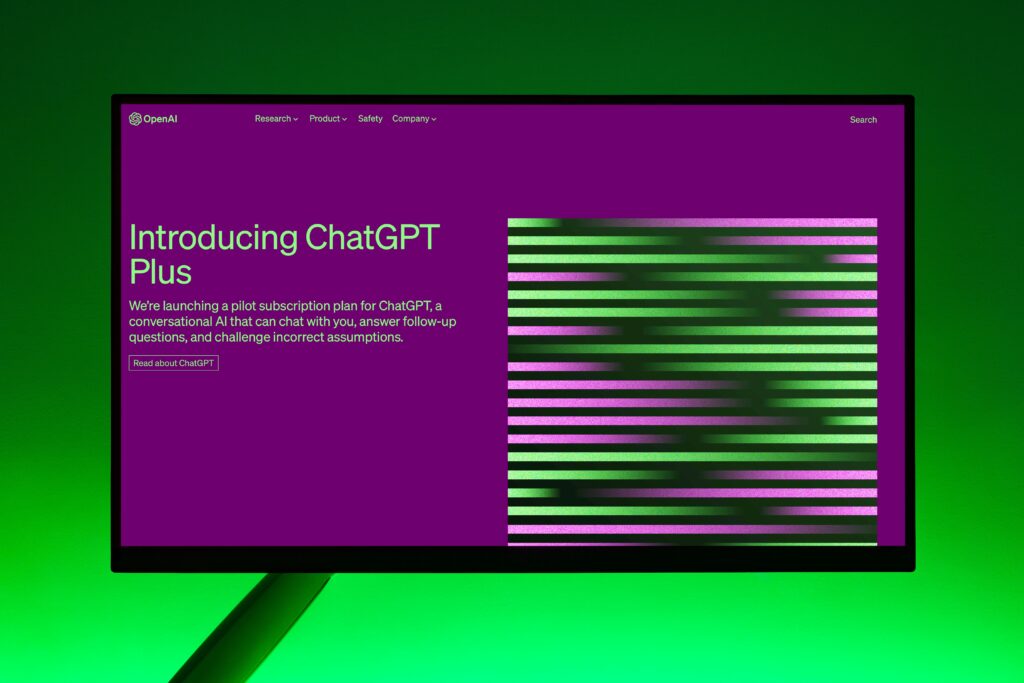
ChatGPT remains the most widely used AI app in the world, and for good reason. It’s the best all-rounder for everyday tasks, brainstorming, and creative work. OpenAI’s latest GPT-5 series models handle writing, coding, image generation (via DALL-E), file analysis, and web browsing from a single interface. ChatGPT’s Memory feature remembers your preferences and context across sessions, which is a genuine productivity advantage over time.
Pricing: Free tier (limited access), Go plan at $8/month, Plus at $20/month with advanced reasoning and agent mode, and Pro at $200/month for unlimited access to the most advanced models. The Team plan costs $25–30/user/month.
Best for: General writing, content creation, coding assistance, image generation, and anyone who wants one interface for multiple AI tasks.
Honest limitation: The free tier is fine for testing, but real productivity gains require the Plus subscription. Also, ChatGPT can sometimes produce overly polished, “marketing brochure” prose that needs editing for natural tone.
2. Google Gemini
Google Gemini is the strongest choice if your workflow already lives inside Google’s ecosystem. It integrates directly with Gmail, Docs, Calendar, and other Google Workspace apps, reducing the “copy-and-paste tax” that wastes time when moving between AI tools and your actual work. The Gemini 3 family includes Flash (speed-first) and Pro (capability-first) models.
Pricing: Free tier with basic access, Google AI Plus at $7.99/month, Google AI Pro at $19.99/month (includes 2TB cloud storage and Deep Research), and Google AI Ultra at $249.99/month for the highest model access and video generation capabilities.
Best for: Google Workspace users, teams needing search-grounded answers, and multimodal tasks involving text, images, and video.
Honest limitation: If you don’t use Google’s ecosystem heavily, you lose most of Gemini’s integration advantage. The Ultra tier at $249.99/month is hard to justify for individual users unless you specifically need the video generation and experimental features.
3. Claude (Anthropic)
Claude excels where precision and sustained quality matter most. It produces clear, thoughtful writing and dominates coding benchmarks. Claude’s Artifacts feature lets you view, edit, and iterate on documents and code side-by-side with your chat. With a large context window capable of processing entire books or lengthy technical manuals, it’s built for deep work — not quick one-shot answers.
Pricing: Free tier with daily caps, Pro at $20/month, Max tiers at $100/month (5× usage) and $200/month (20× usage). Team plans run $25–30/user/month.
Best for: Software development, technical writing, long-document analysis, research, and anyone who needs high-accuracy outputs with strong safety guardrails.
Honest limitation: Claude doesn’t offer native image generation like ChatGPT or Gemini. Anthropic doesn’t publish exact message limits for Pro users — reports suggest approximately 100–150 messages per 5-hour period, which can feel restrictive during heavy work sessions.
4. Perplexity AI
Perplexity is the best AI-powered search engine available today. Unlike ChatGPT or Claude, which generate answers from training data, Perplexity synthesizes real-time information from multiple web sources and presents it with clickable citations so you can verify every claim. Its Pro Search feature performs multi-step research, breaking your question into sub-queries and compiling comprehensive reports.
Pricing: Free tier with unlimited basic searches plus 5–10 daily premium queries, Pro at $20/month or $200/year, Max at $200/month. Enterprise plans start at $40/seat/month.
Best for: Research, fact-checking, competitive analysis, financial research (with its real-time stock data features), and anyone frustrated by traditional search engine results.
Honest limitation: Perplexity is weaker at creative tasks like writing marketing copy or generating images. It’s a research powerhouse, not a creative assistant. Think of it as your AI research analyst rather than your AI copywriter.
5. Microsoft Copilot
Microsoft Copilot is an AI assistant embedded across the Microsoft 365 suite — Word, Excel, PowerPoint, Outlook, and Teams. Its strength is contextual assistance inside the tools enterprise teams already use daily. Agent Mode in 2026 enables multi-step task coordination across apps, like cleaning data in Excel, building a chart, and inserting it into a PowerPoint — from a single prompt.
Pricing: Copilot Chat is available at no additional cost for eligible Microsoft 365 users. Business bundles with Copilot start around $19.90/user/month (promotional pricing). The new Microsoft 365 E7 tier costs $99/user/month. Be aware: pricing is layered and can escalate with agent usage and Azure requirements.
Best for: Enterprise teams already invested in Microsoft 365, organizations needing secure AI with compliance features, and workflows centered on Office documents.
Honest limitation: Copilot’s pricing looks simple until you deploy it across real teams. Hidden costs from usage-based credits, Azure requirements, and agent capacity can make the actual spend significantly higher than the headline price. Excel AI is improving but shouldn’t be trusted for accuracy-critical work yet.
6. Midjourney
Midjourney remains the top AI image generator for creative visuals, branding, and concept art. Its unique visual aesthetic produces hyper-realistic portraits, architectural concepts, product renders, and cinematic artwork that consistently outperforms alternatives in artistic quality and style diversity.
Pricing: Basic plan at $10/month (or $8/month billed annually), Standard at $30/month with approximately 15 GPU hours, Pro at $60/month with 30 GPU hours.
Best for: Designers, marketers, bloggers needing premium visuals, and anyone creating brand imagery or concept art.
Honest limitation: Midjourney operates primarily through Discord, which creates a steeper learning curve for non-technical users. Text rendering in images, while improved, still isn’t perfect for every use case.
7. Grammarly
Grammarly has evolved far beyond basic spell-checking. Its AI-powered writing assistant now checks grammar, spelling, tone, clarity, and brand voice consistency across virtually every platform you write on — from email to WordPress editors to social media dashboards. GrammarlyGO, its generative AI feature, can draft, rewrite, and brainstorm content on demand.
Pricing: Free tier for basic grammar and spelling, Premium at approximately $12/month (billed annually), and Business plans for teams.
Best for: Anyone who writes daily — email marketers, bloggers, content creators, and professionals who need polished communication without hiring an editor.
Honest limitation: Grammarly’s AI suggestions can occasionally flatten your voice if you follow every recommendation blindly. It’s best used as a safety net, not a replacement for your own writing judgment.
8. Notion AI
Notion AI is purpose-built for users who already organize their work inside Notion. It can summarize pages, generate content, answer questions about your entire workspace using natural language, translate text, and auto-fill database properties. The Q&A feature searches across all your Notion documents to surface relevant information instantly.
Pricing: Notion AI add-on starts at $10/month per member, with a free trial available.
Best for: Knowledge workers, product teams, and students who already use Notion as their primary workspace.
Honest limitation: Notion AI is only useful if you already use Notion. It’s confined to Notion’s content ecosystem, so it won’t help with files or data stored elsewhere. If you’re not a Notion user, this isn’t the entry point for AI.
9. Grok (xAI)
Grok is xAI’s AI assistant, most commonly accessed through the X (formerly Twitter) platform. It focuses on real-time and trending topics, with image and video generation capabilities. Grok’s standout feature is its access to real-time X data, making it uniquely positioned for social media monitoring and trend analysis.
Pricing: Free limited tier, X Premium+ at $40/month, standalone SuperGrok at $30/month, and SuperGrok Heavy at $300/month.
Best for: Social media professionals, trend analysts, X power users, and anyone who needs real-time social data integrated with AI capabilities.
Honest limitation: Grok’s complex access structure through both X and standalone subscriptions creates confusion. The SuperGrok Heavy tier at $300/month is the priciest consumer AI option on the market, and it’s unclear whether it delivers proportional value over cheaper alternatives.
10. GitHub Copilot
GitHub Copilot is the leading AI coding assistant, built directly into development environments like VS Code. It reads your code context and generates suggestions, completions, and entire functions in real time. For professional developers and WordPress theme/plugin developers, it’s a genuine productivity multiplier.
Pricing: Individual plan at $10/month or $100/year, Business at $19/user/month, Enterprise at $39/user/month.
Best for: Software developers, WordPress developers building custom themes or plugins, and engineering teams seeking faster code delivery.
Honest limitation: GitHub Copilot is purely a coding tool — it won’t help with writing blog posts, analyzing data, or creative tasks. It also occasionally suggests code that looks correct but contains subtle bugs, so code review remains essential.
11. Fireflies.ai
Fireflies.ai specializes in AI-powered meeting transcription, capturing notes, action items, and key discussion points automatically. It integrates with major video conferencing platforms and, when connected through automation tools, can push meeting intelligence into your CRM, project management apps, and email workflows.
Pricing: Free tier for limited transcription, Pro plans starting around $10/month per user.
Best for: Sales teams, consultants, project managers, and anyone who spends significant time in meetings and needs automated documentation.
Honest limitation: Transcription is just the first step — you’ll need integrations (via Zapier or similar tools) to turn meeting notes into actual downstream actions. Accuracy can dip in noisy environments or with heavy accents.
12. Lovable
Lovable is a newer entrant that lets you build web apps and websites by describing what you want in plain language — no coding required. It generates working software from prompts, handling everything from portfolio sites to simple productivity tools and interactive widgets.
Pricing: Free tier available, paid plans for expanded usage. Check current pricing as this tool is actively evolving.
Best for: Marketers, solopreneurs, and non-technical founders who want to prototype or launch simple web applications quickly.
Honest limitation: Lovable works well for straightforward projects, but it’s not a replacement for professional development teams on complex, enterprise-grade applications. Think of it as a powerful starting point, not a full development solution.
Detailed Comparison and Ratings

Here’s how these 12 AI apps stack up across the four criteria that matter most. We’ve rated each on a 5-point scale based on our testing and real-world usage.
| AI App | AI Capability | User Experience | Pricing Value | Best Use Case | Starting Price |
|---|---|---|---|---|---|
| ChatGPT | ⭐⭐⭐⭐⭐ | ⭐⭐⭐⭐⭐ | ⭐⭐⭐⭐ | General-purpose AI assistant | Free / $20/mo |
| Google Gemini | ⭐⭐⭐⭐⭐ | ⭐⭐⭐⭐ | ⭐⭐⭐⭐ | Google Workspace integration | Free / $19.99/mo |
| Claude | ⭐⭐⭐⭐⭐ | ⭐⭐⭐⭐ | ⭐⭐⭐⭐ | Coding, writing, long documents | Free / $20/mo |
| Perplexity AI | ⭐⭐⭐⭐ | ⭐⭐⭐⭐⭐ | ⭐⭐⭐⭐ | Research and fact-finding | Free / $20/mo |
| Microsoft Copilot | ⭐⭐⭐⭐ | ⭐⭐⭐⭐ | ⭐⭐⭐ | Microsoft 365 workflows | Free / $19.90/mo |
| Midjourney | ⭐⭐⭐⭐⭐ | ⭐⭐⭐ | ⭐⭐⭐⭐ | AI image generation | $10/mo |
| Grammarly | ⭐⭐⭐⭐ | ⭐⭐⭐⭐⭐ | ⭐⭐⭐⭐ | Writing assistance | Free / $12/mo |
| Notion AI | ⭐⭐⭐ | ⭐⭐⭐⭐ | ⭐⭐⭐⭐ | Workspace knowledge management | $10/mo add-on |
| Grok | ⭐⭐⭐⭐ | ⭐⭐⭐ | ⭐⭐⭐ | Real-time social media insights | Free / $30/mo |
| GitHub Copilot | ⭐⭐⭐⭐⭐ | ⭐⭐⭐⭐ | ⭐⭐⭐⭐⭐ | Software development | $10/mo |
| Fireflies.ai | ⭐⭐⭐ | ⭐⭐⭐⭐ | ⭐⭐⭐⭐ | Meeting transcription | Free / $10/mo |
| Lovable | ⭐⭐⭐⭐ | ⭐⭐⭐⭐ | ⭐⭐⭐⭐ | No-code app building | Free tier |
A note on pricing: The $20/month standard tier has become the industry norm for flagship AI access. ChatGPT Plus, Claude Pro, and Perplexity Pro all land at this price point. However, what you actually get — usage limits, model access, and features — differs substantially. Start with free tiers to understand each app’s strengths before committing your budget.
Use Cases and Industry Applications

The honest reality is that there’s no longer a universal “best AI” — there’s the best AI for your specific use case. Here’s how to match your primary need to the right app.
For WordPress Content Creators and Bloggers
Start with ChatGPT for drafting, brainstorming headlines, and generating featured images. Layer Grammarly on top for polish and tone consistency. Use Perplexity for research and data-backed claims. This three-tool stack covers the full content creation workflow for under $60/month total — less if you use free tiers strategically.
If you’re experiencing decision paralysis about which AI tools to integrate into your WordPress workflow, our team at WordPress AI Tools can help you build a personalized stack that matches your content goals and budget.
For Small Business Owners
ChatGPT or Google Gemini as your general-purpose assistant, depending on whether you’re a Google Workspace or Microsoft 365 shop. Add Fireflies.ai if you run frequent client calls. Start with one tool, test it on real tasks for 30 days, and scale only when you see clear results. Expect 10–20% productivity improvements in the first month on repetitive tasks like email drafting and meeting prep.
For Developers and Technical Teams
Claude is the reference for code quality and technical precision. GitHub Copilot handles real-time code completion inside your IDE. For WordPress plugin and theme development specifically, using both Claude for architecture decisions and GitHub Copilot for in-editor suggestions is a powerful combination.
For Enterprise and Agency Teams
Microsoft Copilot makes sense if you’re already deep in the Microsoft ecosystem, but budget carefully — costs scale with users and usage in ways that aren’t immediately obvious. For agencies managing multiple client sites, a combination of ChatGPT Team and Perplexity Pro provides broad coverage for both content creation and research tasks.
How to Evaluate AI App Quality
If you’re feeling overwhelmed by these options, you’re not alone. Here’s a practical decision framework to cut through the noise, step by step.
Phase 1: Define your primary pain point. Don’t start with the tool — start with the problem. Are you spending too long writing blog posts? Struggling to keep up with meeting notes? Need faster code reviews? The best AI app is the one that directly addresses your biggest time sink.
Phase 2: Test the free tier first. Every major AI app offers a free tier or trial. Use each for a full week of real work before making any purchase decision. Pay attention to when you hit limitations — that tells you whether the paid upgrade is justified.
Phase 3: Check the real cost of ownership. A plan advertised at $20/month might cost more in practice. Watch for: rate limits that interrupt your workflow, features locked behind higher tiers, and especially team pricing that scales per-user. For Microsoft Copilot specifically, factor in Azure requirements and usage-based credits that can inflate costs beyond the per-seat price.
Phase 4: Measure actual impact. After 30 days of paid usage, audit the results. Track time saved on specific tasks, quality improvements in output, and whether you’re actually using the premium features. If the ROI isn’t clear after a month, consider downgrading or switching.
Here’s a quick action plan: pick one app from this list that matches your primary need. Sign up for the free tier today. Use it on three real tasks this week. If it genuinely saves time, upgrade. If not, try the next option on your shortlist.
Future Trends in AI Applications

The AI app landscape is shifting from simple “ask and answer” chatbots toward autonomous agents that can plan, execute, and manage complex multi-step tasks independently. Here’s what to watch for in the coming months.
Agentic AI is the big shift. Microsoft Copilot is already introducing Agent Mode that coordinates work across multiple Office apps. Claude’s Cowork feature executes multi-step workflows on your desktop without requiring you to write code. This isn’t theoretical — these features are rolling out now and will reshape how we interact with AI apps by late 2026.
Price convergence continues. The $20/month standard tier has become the industry norm for individual users. Premium tiers ($100–$300/month) are emerging for power users and enterprise applications. At the API level, prices continue dropping dramatically — making it cheaper to build AI-powered features into your own products and websites.
Ecosystem lock-in is growing. Google is embedding Gemini deeper into every Google product. Microsoft is bundling AI into baseline subscriptions starting July 2026. The practical implication: the best AI app for you will increasingly depend on which tech ecosystem you’re already invested in.
Multi-model access is becoming standard. Apps like Perplexity now let you switch between GPT-5.2, Claude, and Gemini models within a single interface. This trend toward “model-agnostic” platforms means you may not need to choose just one AI — you can use the best model for each specific task.
For WordPress site owners, the most practical implication is that AI-powered features will become standard in themes, plugins, and hosting platforms. Starting to build AI fluency now — even with just one tool — positions you ahead of the curve.
Frequently Asked Questions
Find Your Perfect AI Solution
The best artificial intelligence app isn’t the one with the most features or the highest benchmark score — it’s the one that consistently saves you time and improves your output on the tasks that matter to your business. Start with one tool, test it on real tasks, and scale only when you see clear results.
If you need guidance tailored to your specific WordPress setup, contact WordPress AI Tools today — we’re here to help you make informed decisions without the hype. Explore our in-depth reviews and guides to find the tools that match your specific needs and budget.

