
If you’ve spent the last hour reading about “content management systems” and ended up more confused than when you started, you’re not alone. The confusion usually isn’t about complexity. It’s about jargon arriving before context. This guide skips the buzzwords and answers the questions that actually matter: what is a WordPress content management system, does it fit your situation, and what will it really take to get started?
What Is a Content Management System (And Why It Matters)
A content management system is software that lets you create, edit, organize, and publish digital content without writing raw code. Think of it like a word processor for your website: you type, click, and publish. The CMS handles the behind-the-scenes technical work.
Before CMSs existed, updating a website meant editing HTML files directly, uploading them via FTP, and hoping nothing broke. That process kept website ownership firmly in the hands of developers. A CMS changes that by separating your content (words, images, videos) from the code that displays it. You log into a dashboard, write or edit content, hit publish, and the system formats and delivers it to your visitors automatically.
Why does this matter practically? Because your ability to update your own website, without waiting on a developer or paying an hourly rate for every text change, has a direct effect on how useful your site is as a business tool. A CMS gives you that independence. The question is which one, and at what cost in time and complexity.
WordPress as a CMS: The Plain-Language Explanation
WordPress is the world’s most widely used content management system, commanding a global market share of over 43% as of 2025. That’s an almost incomprehensible footprint. To put it in competitive context: the next runner-up, Shopify, has a market share of 4.8%, followed by Wix (3.7%), Squarespace (2.3%), Joomla (1.5%), and Drupal (0.8%).
But what does WordPress actually do? At its core, it gives you a dashboard where you can write pages and posts, install themes that control how your site looks, and add plugins that extend what your site can do. Initially launched as a blogging tool, WordPress has evolved into a comprehensive and versatile website-building platform that supports everything from personal blogs to enterprise-level websites.
The key technical detail worth knowing: WordPress is open-source software. That means anyone can download it, use it, modify it, and redistribute it for free. There’s no single company that owns it or charges a licensing fee for it. WordPress is freely available for anyone to use for any purpose, and its lack of licensing fees means you only have to pay for hosting and a domain to have your own website online.
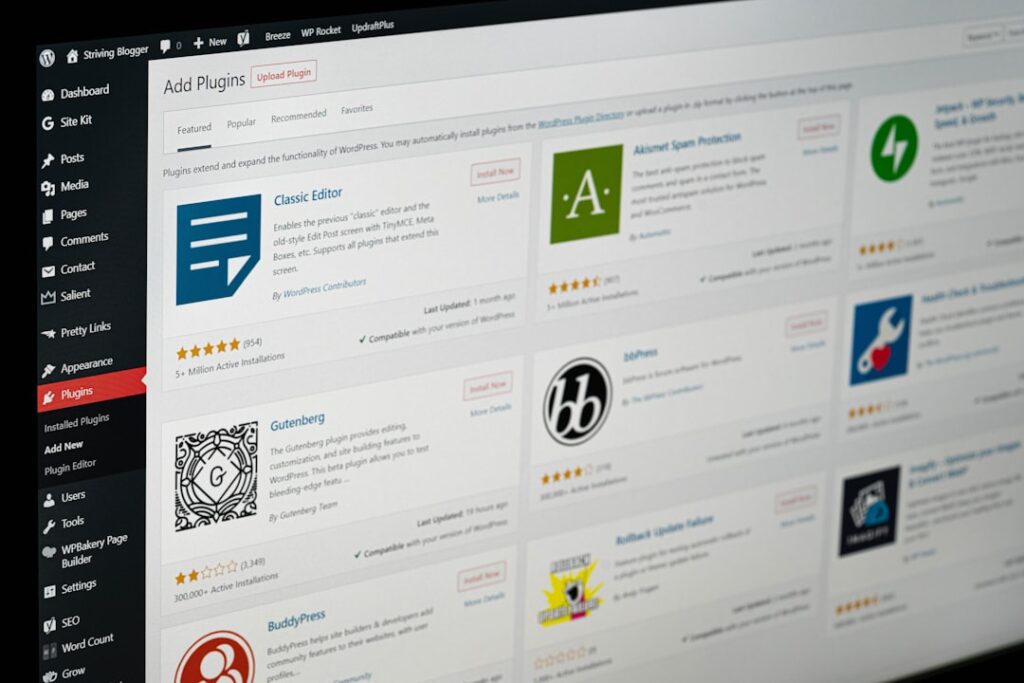
The plugin ecosystem is what gives WordPress its real power. Over 64,000 free plugins are available to download from the WordPress plugin directory as of April 2025. These plugins add specific features: contact forms, SEO tools, ecommerce stores, membership portals, booking systems, and hundreds of other functions, most of them without a single line of code required from you.
If you’re already using WordPress and looking to extend it further with AI-powered tools, the Hostinger AI WordPress plugin is one example of how AI is now being layered directly into the WordPress workflow for content creation and SEO optimization.
The Honest Trade-Offs: When WordPress Makes Sense (And When It Doesn’t)
There’s no universally best CMS. There’s only the best CMS for your specific situation. Here’s an honest breakdown of where WordPress wins, where it struggles, and which alternatives are genuinely worth considering instead.
| Situation | WordPress Fit | Better Alternative |
|---|---|---|
| Personal blog or portfolio, low traffic | Strong fit. Free themes, easy publishing, huge community. | WordPress.com (hosted) if you want zero server management. |
| Small business lead-gen site (5–20 pages) | Strong fit. Full control, SEO plugins, scalable. | Squarespace if design matters more than flexibility. |
| Online store with physical products | Good fit via WooCommerce. 1 in 3 online shops run on WordPress-powered WooCommerce. | Shopify if you want a fully managed commerce platform with less setup. |
| Simple one-page site or landing page | Overkill. WordPress adds complexity you don’t need. | Carrd, Webflow, or a static site generator. |
| Content-heavy site (news, magazine, multi-author blog) | Excellent fit. Built-in user roles, editorial workflow, categories. | Few alternatives match WordPress here. |
| Membership or subscription site | Good fit with the right plugins. More setup required. | Kajabi or Teachable if you want an all-in-one platform. |
| Non-technical user who wants zero maintenance | Poor fit unless using managed hosting. Updates and security require attention. | Squarespace or Wix for true hands-off management. |
| Developer building custom client sites | Excellent fit. REST API, custom post types, massive talent pool. | Webflow for design-led projects requiring less back-end customization. |
The honest trade-off is this: WordPress gives you more control and flexibility than almost any other CMS, but that control comes with responsibility. You are responsible for updates, security, backups, and plugin compatibility. Some users report frustrations with plugin compatibility, core updates, and security management. Those frustrations are real, and they’re worth weighing honestly before you commit.
Understanding WordPress.org vs WordPress.com: A Critical Distinction
This is the single most common source of confusion for new WordPress users, and it trips up even people who’ve been researching for weeks. WordPress.org and WordPress.com are not the same thing. Choosing the wrong one can mean an expensive migration later.
WordPress.org gives you the open-source software you can install on your own web host, while WordPress.com is a platform that hosts the software for you, with extra tools, features, and support built in. The analogy that actually makes this click: WordPress.com is like renting a furnished apartment where everything is managed for you but you’re limited by house rules. WordPress.org is like owning your own house where you have complete freedom but full responsibility for maintenance.
WordPress.org (Self-Hosted)
With WordPress.org, you can download the WordPress source code for free and upload it with a hosting provider of your choice. To get started, you’ll need to download the WordPress software, find and pay for a third-party hosting service, install WordPress on your host’s web server, and then build and maintain your website on your own.
The upside: total control. You can install any plugin or theme you want, monetize however you choose, and move your site to a different host at any time. The downside: you manage everything. Security patches, plugin updates, backups, server performance. None of that is handled for you automatically unless you pay for managed hosting.
WordPress.com (Hosted Platform)
WordPress.com includes managed hosting, which publishes your website to the world and optimizes it for speed, security, and performance. Managed hosting takes care of many technical aspects of your site for you. This is genuinely appealing if you want to focus on content rather than server management.
The catch: you need to upgrade to a paid plan to use advanced themes or plugins. Also, certain eCommerce functionalities are only available in their most expensive plan. Most businesses eventually outgrow WordPress.com’s limitations.
A critical gotcha to watch for: it’s common for domain names and hosting providers to offer discounted prices for the first year. After that, renewal rates can jump significantly. For example, a $3 per month hosting plan might renew at $8 to $10 per month. Always check the renewal rate before committing.
What You’ll Actually Need to Get Started

Getting a WordPress site live requires three core components: a domain name, hosting, and the WordPress software itself. Here’s what each realistically costs, without the promotional spin.
Domain Name
A domain name typically costs $10 to $20 per year. This is your web address (yoursite.com). Many hosting providers include a free domain for the first year as part of a bundle, which lowers your initial outlay. Just confirm what the renewal rate is after year one, because it’s often higher than the promotional price.
Web Hosting
This is where the biggest variable sits. Web hosting typically runs $3 to $30 per month, depending on the type of hosting you choose. The tiers break down roughly like this:
Shared hosting ($3–$10/month): Shared hosting is the most affordable choice, perfect for new websites. Your site shares server resources (CPU, RAM) with other sites, which keeps costs low. The downside is that a traffic surge on a neighboring site can slow yours down. Good for beginners, personal blogs, and low-traffic small business sites.
Managed WordPress hosting ($20–$60/month): Managed WordPress hosting is a premium service specifically designed and optimized for WordPress websites. The hosting company handles all the technical aspects, including security, speed, updates, and backups. This is the right choice for any business where site downtime or slow load times have a real dollar cost.
Themes and Plugins
A premium theme is optional and typically costs $50 to $100 per year. Plugins range from free to $200 per year, depending on your needs. Many beginners start with entirely free themes and plugins, which is a perfectly reasonable approach for a first site.
Realistic annual totals: building and running a WordPress site costs between $50 and $300 per year for a basic blog, $100 to $500 per year for a small business site, and $300 to $1,500+ per year for an ecommerce site.
If you’re evaluating which AI-powered page builder to layer on top of your WordPress setup, our Divi AI review covers one of the most popular options in detail, including its honest trade-offs for agencies versus solo site owners.
The Real Learning Curve: What Most Guides Won’t Tell You

Most guides tell you WordPress is “easy to learn.” That’s technically true at the most basic level and misleading about everything beyond it. Here’s the honest version, broken into three tiers that actually match how most people use the platform.
Phase 1: Basic Site Management (Days to 2 Weeks)
At the beginner level (basic blogs and simple sites), it takes a few days to a few weeks. You’ll learn to navigate the dashboard, create content, and use themes and plugins. No coding is required for basic use. WordPress themes and plugins let you build functional websites without writing code.
What most guides won’t tell you: the hardest part of this phase isn’t the software, it’s the terminology. The WordPress ecosystem contains features and terminology that are unique to the platform. For example, it’s easy to get confused about the difference between themes and templates since both affect the appearance of your site. Terms like “widgets,” “slugs,” “custom post types,” and “child themes” may also take some time to fully grasp. Give yourself permission to not understand everything at once.
Phase 2: Customization and Optimization (1–3 Months)
The intermediate level involves a few weeks to a few months. This includes CSS editing, SEO practices, and strategic plugin management. This is where most small business owners and serious bloggers land after a few months of regular use. You don’t need to code, but you do need to understand how plugins interact, how to configure your site for search engines, and how to manage basic performance.
Phase 3: Advanced Development (6 Months to 2+ Years)
Developer-level WordPress (custom themes and plugins) takes several months to years. It requires mastering HTML, CSS, PHP, and JavaScript for deep customization. Most business owners and bloggers will never need to reach this level. If you do need custom functionality, hiring a developer is almost always more cost-effective than learning it yourself.
The platform’s constant evolution also means learning never truly stops. Even experts continually adapt to new features and best practices. That’s not a reason to avoid WordPress. It’s just reality you should factor into your planning.
Decision Framework: Is WordPress the Right CMS for Your Situation?

Skip the hype and run through these questions honestly. Your answers will tell you more than any “best CMS” ranking.
Budget Check
Can you comfortably spend $100–$500 per year on hosting, a domain, and possibly a premium theme? If yes, WordPress.org (self-hosted) is a viable option with excellent long-term ROI. If your budget is closer to $0–$50 per year and you want everything handled for you, a hosted platform like WordPress.com’s paid plans or Squarespace may be a better starting point.
Technical Comfort Check
Are you comfortable Googling error messages, following step-by-step tutorials, and spending a weekend figuring something out? WordPress rewards that kind of patience. If the thought of a plugin conflict causing a white screen at 11pm before a product launch fills you with dread, either invest in managed WordPress hosting (where that’s largely handled for you) or consider a more fully managed platform like Squarespace.
Growth Ambition Check
Do you plan to scale your site significantly over the next two years? Add ecommerce, a membership section, or a team of content contributors? WordPress handles all of those without requiring you to migrate platforms. For organizations choosing a CMS today, the decision depends on specific needs: WordPress for flexibility and ecosystem, Shopify for commerce, Webflow for design control, or headless solutions for omnichannel delivery.
Control vs. Convenience Check
How much do you want to own your platform? With WordPress.org, you own your content, your data, and your site outright. You can move hosts, modify code, and build whatever you want. With hosted alternatives, you’re operating within another company’s ecosystem. That’s fine for many use cases. But if data portability and long-term ownership matter to you, WordPress.org is the stronger choice.
Done is better than perfect. Pick the CMS that fits your current needs, not your aspirational ones, and optimize from there. Most successful WordPress sites started as something much simpler than what they are today.
Frequently Asked Questions About WordPress CMS
Next Steps: Getting Started Without Overwhelm
The biggest mistake beginners make is trying to make every decision perfectly before starting. You don’t need to decide on the perfect theme, the perfect hosting plan, and the perfect plugin stack before you publish your first page. Start with a reputable shared hosting provider, install WordPress, pick a free theme, and learn by doing. Every question you encounter in the first month is one you’ll never have to ask again.
Phase 1: Get your domain and hosting sorted. Phase 2: Install WordPress and a clean free theme. Phase 3: Publish three pages (Home, About, Contact) and one post. Then evaluate what you actually need next, because what you think you need before you start is almost never the same as what you need after you’ve spent two weeks with a live site.
The WordPress CMS ecosystem is large enough that there’s always a tool, a plugin, or an AI-powered solution that fits your workflow. At WordPress AI Tools, we cover that ecosystem in detail, from AI writing plugins to builder comparisons to hosting decisions, so you can make informed choices without wading through affiliate-driven rankings.
If you’re unsure which setup fits your specific goals, budget, or technical situation, contact WordPress AI Tools today for personalized guidance tailored to your situation. No pressure, no generic advice. Just a straight conversation about what actually fits your workflow and where you’re trying to go.
Frequently Asked Questions
Is WordPress free to use?
The WordPress software itself is free to download and use. However, running a live WordPress site requires paying for web hosting (typically $3–$30 per month) and a domain name ($10–$20 per year). Optional costs include premium themes and plugins. Total annual costs range from around $50 for a basic blog to $500 or more for a small business site.
What is the difference between WordPress.org and WordPress.com?
WordPress.org is where you download the free, open-source WordPress software to install on your own web host. You get full control but manage everything yourself. WordPress.com is a hosted platform that handles server management, security, and updates for you, but limits your ability to install custom plugins and themes unless you upgrade to higher-tier paid plans. Think of .org as owning your house and .com as renting an apartment.
Do I need to know how to code to use WordPress?
No. You can build and manage a functional WordPress website without writing a single line of code, using themes and plugins to control design and functionality. Basic code knowledge (HTML and CSS) becomes useful for intermediate customization, but it is not required to publish content, install plugins, or run a small business site.
How long does it take to learn WordPress?
Most beginners can learn the basics in 2 to 4 weeks of regular practice. This covers navigating the dashboard, creating pages and posts, installing themes and plugins, and configuring core settings. Intermediate skills like SEO optimization and plugin management take 1 to 3 months. Advanced development skills such as building custom themes or plugins can take 6 months to 2 years.
Is WordPress a good choice for a small business website?
Yes, for most small businesses, WordPress is an excellent choice. It offers full control over design and content, strong SEO capabilities through plugins, scalability as your business grows, and a lower long-term cost than fully managed platforms. The main trade-off is that you are responsible for updates and security, which managed WordPress hosting largely addresses.

