
If you’re a WordPress blogger or small business owner searching for ai software free options, the good news is that genuinely useful AI tools exist at zero cost. The frustrating news? The word “free” rarely means what the marketing suggests. Some tools cap you at a few hundred words per month. Others give you generous access, then quietly move key features behind a paywall after you’ve built your workflow around them. A few are legitimately free and genuinely powerful — if you know which ones to start with.
This guide cuts through the noise. You’ll find honest assessments of what free AI tools can realistically do for your WordPress site, which categories deliver the most value without spending a dollar, and a clear decision framework for knowing when it’s finally time to upgrade.
Why Free AI Software Matters for WordPress Users (And What ‘Free’ Really Means)
Free AI tools matter because they lower the barrier to entry for solo creators and small business owners who can’t justify $50–$150 per month on AI subscriptions before they’ve seen real results. For WordPress users specifically, the AI landscape has expanded dramatically: WordPress itself has been integrating AI capabilities, including the Jetpack AI assistant block for customizable content creation and AI Paragraph and AI Image blocks for post auto-completion and prompt-based image creation. That means AI is coming to your workflow whether you plan for it or not — the question is whether you pay for it or find strategic free alternatives.
But here’s what most guides won’t tell you: “free” in the AI world is a spectrum, not a binary. There are at least four distinct flavors you need to recognize:
- Genuinely Free: No credit card, no usage cap — tools like the base versions of ChatGPT and Claude, Rank Math’s core SEO plugin, and the Hemingway Editor web app.
- Freemium: A real free tier with meaningful limits. Most AI writing tools fall here — you get enough to test the tool, but not enough to build a serious content workflow.
- Free Trial: Full access for 7–14 days, then automatic billing. Always check the renewal rate before committing.
- “Free” with API costs: The plugin is free, but you supply your own API key from OpenAI or Anthropic — meaning you pay per query, which adds up fast at volume.
While the appeal of free AI writing tools is undeniable, it’s essential to understand their hidden costs. Free versions often come with significant limitations that can affect your productivity and content quality — and what many users don’t realize is that these limitations can lead to unexpected costs in terms of time spent working around restrictions or needing to supplement with additional tools.
The Honest Reality: What Free AI Tools Can (and Can’t) Do
Free AI tools can genuinely accelerate your WordPress workflow for drafting, editing, image creation, and basic SEO optimization. Where they consistently fall short is scale, customization, and reliability under heavy use.
Free AI writing tools like Claude and ChatGPT are genuinely useful — not crippled free plan versions. They can generate content, brainstorm ideas, help overcome writer’s block, and assist with the entire writing process. The free version limitations (usage caps) only matter if you’re creating content at high volume daily. For most solo content creators, free AI writing assistance should cover 90% of writing tasks without paid plans.
That’s encouraging — but it comes with a catch that matters to WordPress bloggers specifically. Relying too much on AI is bad for SEO and the usefulness of your content in general. But using AI to assist with brainstorming, researching, and outlining will not negatively impact SEO — in fact, it can help your SEO by leading to higher-quality output. The message is clear: free AI tools work best when they assist a human writer, not replace one.
A critical gotcha to watch for: free AI tools often work great — until they don’t. Most free plans come with usage limits, throttling, downtime, or a lack of support. When your AI-generated workflows stall mid-campaign or your chatbot hits a usage cap on launch day, there’s no one to call. Free tools are experiments, not SLAs. You’re trading reliability for access. Don’t build mission-critical content pipelines on a free-tier tool without a backup plan.
Top Free AI Software Categories for WordPress
The table below summarizes the main categories of free AI software relevant to WordPress users, with honest assessments of their free tier value and the key trade-off you’ll encounter at each one.
| Category | Best Free Option(s) | Free Tier Value | Key Trade-off | Upgrade Trigger |
|---|---|---|---|---|
| AI Writing / LLMs | ChatGPT (Free), Claude (Free) | High — real models, no hard word limit | Daily message caps; slower model on free tier | Publishing 5+ posts/week |
| Writing Polish / Grammar | Grammarly Free, Hemingway Editor | Medium — grammar/spelling solid; advanced AI capped at ~100 prompts/month | Plagiarism check, full-sentence rewrites locked behind Pro | Client work or published content requiring polish |
| AI Image Generation | Leonardo.ai, Bing Image Creator, Adobe Firefly Free | Medium — daily credit limits apply (150/day on Leonardo) | Commercial rights vary by tool; watermarks on some free plans | Need branded, consistent imagery at scale |
| WordPress SEO (AI) | Rank Math Free, Yoast SEO Free | High — Rank Math’s free tier rivals many paid plugins | Content AI credits very limited on free tier (5 credits) | Competing in a high-volume niche |
| Productivity / Planning | Notion Free (workspace only), Google Gemini Free | Low-Medium — core workspace free; AI features moved to paid tiers | Full AI Agents require Business plan ($20/user/month) | Managing a content team or complex editorial calendar |
| WordPress AI Plugins | AI Engine (free core), Jetpack AI (limited free) | Medium — useful for chatbots and basic content generation | API key costs from OpenAI/Anthropic on top of plugin fee | Need automated content workflows inside WordPress dashboard |
Best Free AI Writing Tools for Content Creation

For most WordPress users, the most impactful free AI software category is writing assistance. The good news here is that the two best free options — ChatGPT and Claude — are also among the most capable AI writing tools available at any price.
ChatGPT (Free Tier)
ChatGPT’s free tier gives you access to GPT-4o with message limits that reset every few hours. For a WordPress blogger publishing two to three posts per week, this is genuinely sufficient for drafting, outlining, repurposing content to social media, and brainstorming ideas. The free version of ChatGPT is an excellent option, although it requires copying and pasting text since there’s no native WordPress plugin. That copy-paste workflow is a minor friction point — not a dealbreaker. The honest trade-off is that ChatGPT’s operating costs are enormous, and those who aren’t paying get access to the mini model, which costs significantly less to run than the full-sized LLM. You’re getting real capability, just not always the most powerful model.
Claude (Free Tier)
Claude from Anthropic is arguably the most underutilized free AI writing tool for bloggers. Claude’s free tier includes approximately 30–40 messages with Claude 3.5 Sonnet per month, making it best for long-form content and complex reasoning. Claude shines for writing that requires maintaining context across 10,000+ words. For WordPress content creators, this makes Claude particularly strong for long-form pillar posts, research-heavy articles, and editing drafts for clarity and flow. Many AI writing tools are just putting a prettier interface on the same AI technology you can access directly through Claude or ChatGPT — the wrapper becomes valuable only when it solves a real workflow problem, like SEO integration or bulk generation.
Grammarly Free + Hemingway Editor
These two tools serve different purposes and work well together. Grammarly Free is not a trial version with a countdown timer — it is a permanent, fully functional product that covers the fundamentals of writing assistance: grammar and spelling correction, catching subject-verb agreement errors, misplaced commas, misspellings, article errors, and basic punctuation problems. However, the meaningful gap between Free and Pro comes down to AI prompt limits (100 vs. 2,000 monthly) and plagiarism detection, which is completely unavailable in the free tier. With only 100 monthly prompts, free users can perform approximately 3–4 AI interactions per day before exhausting their allocation. A critical gotcha to watch for: auto-renewal practices have generated billing complaints, with some users reporting unexpected annual charges following trial periods — proactive cancellation management is essential.
Hemingway Editor’s web version, meanwhile, is completely free with no signup required. It highlights complex sentences, passive voice, adverbs, and readability issues in real time — making it a powerful second-pass editing tool after you’ve drafted content with AI assistance.
AI Engine WordPress Plugin (Free Core)
If you want AI writing directly inside your WordPress dashboard, AI Engine is the most-installed AI plugin for WordPress with 80,000+ active sites. It provides chatbots, content generation, image creation, and supports OpenAI, Anthropic, and Google Gemini. The honest caveat: AI Engine requires your own API keys, meaning ongoing costs from OpenAI or Anthropic on top of the plugin price. Configuration is also complex for non-technical users. Think of it as a powerful free container — you still need to supply the fuel.
Free AI Image Generators That Actually Work

Stock photos are generic, hiring a designer is expensive, and WordPress posts without visuals lose reader engagement fast. Free AI image generators have become one of the most valuable free tools in a content creator’s stack — as long as you understand what each one is actually good at.
Leonardo.ai — Best for Volume
Leonardo.AI offers the most generous free AI image generation allowance with 150 tokens daily — enough for serious creative work. Leonardo AI is a generative platform for creating images and textures, with tools for generating characters, environments, and product visuals, as well as an AI Canvas for editing and refining results. For WordPress bloggers who need fresh featured images, social media graphics, or blog section illustrations on a consistent basis, Leonardo’s free tier is the most practically useful option.
Bing Image Creator — Best for Quick Quality
Bing Image Creator excels at photorealistic generation, architectural visualization, and marketing imagery. The platform’s integration with Microsoft’s ecosystem makes it particularly valuable for business users. While limited to 15 daily generations, the consistent quality and zero learning curve make it ideal for occasional users needing professional results immediately. Importantly, Bing Image Creator allows commercial use on the free tier — which matters if you’re using images on a business WordPress site.
Adobe Firefly — Safest for Commercial Use
Adobe’s Firefly is trained on licensed content, making it the safest free AI image generator for commercial projects. The free tier gives you access via Adobe Express with a limited number of monthly generative credits. Canva’s integrated AI image tool offers a clear credit system with 50 free text-to-image uses per account, a user-friendly interface suitable for both beginners and professionals, integrated with Canva’s massive design toolset and template library — perfect for combining AI images with other graphic design elements.
Google Gemini — Best Overall Free AI Image Tool
Of the free tools for AI image generation, Gemini is probably the best overall option. It’s capable of generating and editing images and creating multiple poses of characters. If you want to create multiple images starting with a photo of a real person, Gemini is an excellent choice.
One warning that applies across all free image generators: while “free” platforms eliminate subscription fees, they may require significant time investment, impose usage limits, or restrict commercial rights on some platforms. Always read the terms of service before using AI-generated images on a commercial WordPress site. Most explicitly allow commercial use of images, although some require a paid plan for commercial use. Some tools will make your generated images public, especially on a free plan. Some will train their AI on your images, including uploaded reference images.
Free AI SEO and Productivity Tools Worth Your Time
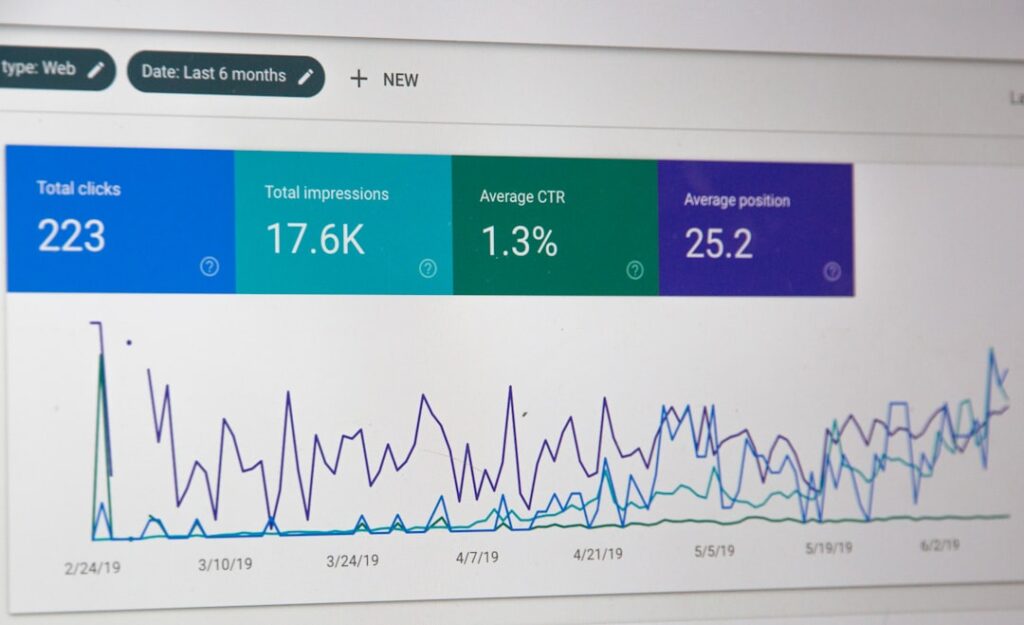
SEO is where free AI tools deliver some of their most reliable ROI for WordPress users. Two plugins in particular offer genuinely impressive free tiers that most beginners never fully exploit before reaching for paid alternatives.
Rank Math SEO — The Free Tier That Rivals Paid Plugins
Rank Math has earned its reputation by giving away features that competitors charge for. The free version includes unlimited keyword optimization per post, a redirect manager, 404 monitoring, Google Analytics 4 integration, Google Search Console data inside WordPress, and 18 pre-defined schema types. Most site owners will never need to upgrade.
Rank Math’s “Content AI” tool is a highlight — it looks at your content and compares it to the top-ranking pages for your target keyword, then gives you real-time tips on word count, headings, and keywords to include. It helps you write content that’s designed to perform well in search. The important caveat: the free plan gives you only 5 Content AI credits. Pro plans with more credits start from $59/year. Those 5 credits are enough to learn the tool and test it on your most important posts — but not enough for ongoing daily use.
Yoast SEO Free — Best for Beginners
With over 13 million active installations, Yoast SEO remains the most widely used SEO plugin and the one most WordPress tutorials reference. Its traffic-light scoring system provides instant visual feedback on both SEO optimization and content readability, making it genuinely intuitive for non-technical users. The free version covers essential SEO analysis, readability scoring, XML sitemaps, and basic schema support with one focus keyword per post.
The honest trade-off: Yoast’s AI features — including AI Generate for titles and meta descriptions, AI Optimize for keyphrase placement, and AI Summarize — are included in Premium only. Rank Math offers more free features than Yoast, including advanced schema, 404 monitoring, and keyword tracking. However, Yoast SEO is more beginner-friendly with an easier learning curve.
Google Gemini Free — Best Free AI Productivity Companion
For productivity and content planning outside WordPress, Google Gemini’s free tier is the most useful zero-cost AI assistant available. Unlike Notion AI, which eliminated its separate AI add-on in May 2025 and now requires the Business plan at $20/user/month for full AI features, Gemini’s base tier gives you real AI capabilities including research, content summarization, drafting, and image generation with no credit card required.
For WordPress content workflows, the most practical free productivity stack is: Google Gemini (research and planning), ChatGPT or Claude (drafting), Hemingway Editor (readability editing), and Rank Math or Yoast Free (on-page SEO). This free combination effectively replaces expensive subscriptions like Jasper ($39/month), Figma ($12/month), and dedicated Notion AI plans.
If you’re not sure which combination makes the most sense for your specific WordPress setup, our team at WordPress AI Tools is happy to help you map it out — no obligation, no generic advice.
Critical Gotchas: Free Tier Limitations You Need to Know
If you’re feeling burned by a free AI tool that seemed great at first, you’re not alone — and the limitations are predictable once you know what to look for. Here are the most common traps.
Gotcha #1: The “Bring Your Own API Key” Model
Many free WordPress AI plugins advertise themselves as free but require you to supply an OpenAI or Anthropic API key. This shifts costs to a per-query model that can be unpredictable. The biggest trap in AI pricing is the “per-use” model — it might look cheap upfront, but your costs can balloon as you use it more. Flat-rate monthly fees are safer: you can grow without worrying about a surprise bill. Always check whether a “free” plugin needs an API key before installing it.
Gotcha #2: Credit Systems That Drain Without Warning
AI plugins often have both free and premium plans. Free versions are great for testing, but advanced features like AI automation, bulk generation, or integrations usually live behind paywalls. Credit systems are particularly tricky because credits can be consumed faster than expected. Rank Math’s 5 free Content AI credits sound reasonable — until you realize a single detailed content audit can consume 2–3 credits.
Gotcha #3: Auto-Renewal Traps
Always check the renewal rate before committing to any AI tool “trial.” Several popular AI platforms advertise a low first-year price then charge significantly more on renewal. AIOSEO introductory prices double at renewal — and this pattern exists across many AI SaaS tools. Set calendar reminders when you start any free trial. If renewal terms aren’t clearly displayed before checkout, treat that as a red flag.
Gotcha #4: “Free” Image Tools with Commercial Use Restrictions
Most free image generators have usage limits, lower priority processing, or fewer features than paid plans. Some add watermarks. More importantly, some tools make your generations public by default on the free plan — which could be problematic if you’re generating images for a brand or product before launch. Always verify commercial rights and privacy settings before using any AI-generated image on a monetized WordPress site.
Gotcha #5: The “Freemium Treadmill”
The most insidious free tier trap isn’t a hard paywall — it’s a tool designed to make you dependent on it before gradually shifting useful features to paid plans. The allure of free AI productivity tools masks significant limitations that often cost more in lost productivity than premium subscriptions. Notion AI’s free tier, for example, provides limited AI usage within free workspace plans, creating a trial experience rather than a sustainable solution — teams testing it hit usage limits quickly during typical workflows.
Gotcha #6: Data Privacy in Free Tools
Uploading sensitive data into just any “free” AI tool is not experimenting — that’s gambling with your IP. AI tools often handle user data, so choose plugins that are transparent about where your data goes and how it’s stored. For WordPress site content that includes proprietary information, customer data, or unpublished strategic plans, use only AI tools with clearly documented data policies.
Decision Framework: Which Free AI Software Should You Start With?
Decision paralysis is real when you’re staring at dozens of free AI tools, each promising to transform your content workflow. Here’s a simple framework: match the tool to your most urgent bottleneck, not the tool with the longest feature list.
Step 1: Identify Your Actual Bottleneck
Before downloading any AI tool, answer this one question honestly: where do I spend the most time or feel the most stuck in my WordPress content workflow? Most WordPress users fall into one of four patterns:
- “I stare at blank screens for too long” → Start with ChatGPT or Claude for drafting and ideation. These are your highest-ROI free tools.
- “My content looks amateur” → Start with Grammarly Free for writing quality and Canva (with its free AI features) for visuals.
- “I publish but never rank” → Start with Rank Math Free and use its limited Content AI credits on your most important posts.
- “I need visuals but can’t afford a designer” → Start with Leonardo.ai for volume or Adobe Firefly for commercial-safe images.
Step 2: Use One Tool for 30 Days Before Adding Another
Not every plugin delivers real value. Random installations slow your site and create chaos. The same principle applies to free AI tools outside WordPress. Installing six AI tools simultaneously and using each for a week tells you nothing about whether any of them genuinely improves your output. Pick one, use it seriously for a full month, then evaluate before adding to your stack.
Step 3: Upgrade Strategically, Not Emotionally
Most people don’t need paid AI tools. Start with free AI tools (Claude/ChatGPT) and only upgrade when you hit specific bottlenecks. A reasonable rule: a tool needs to save at least twice its monthly cost in time to justify the expense. If you’re a blogger earning $200/month from your site, a $49/month AI SEO tool is hard to justify. If you’re generating $5,000/month, it’s a clear investment.
Step 4: Build a “Free Stack” Before Paying for Anything
The optimal starting stack for most WordPress bloggers and small business owners costs exactly $0:
- Writing: ChatGPT Free (daily drafting) + Claude Free (long-form and complex pieces)
- Editing: Grammarly Free (grammar/spelling) + Hemingway Editor (readability)
- Images: Leonardo.ai (volume, 150 credits/day) + Adobe Firefly (commercial-safe)
- SEO: Rank Math Free (on-page optimization, schema, redirects)
- Research: Google Gemini Free (topic research, summarization, competitor analysis)
This stack handles writing, editing, visuals, SEO, and research — the core of any content workflow — before you’ve spent a single dollar. Use it until you can clearly articulate which specific limitation is costing you time or revenue. That’s your upgrade signal.
Frequently Asked Questions About Free AI Software
Your Action Plan: Testing Free AI Tools Without Overwhelm
Done is better than perfect — especially with AI tools. The biggest mistake WordPress beginners make isn’t choosing the wrong tool; it’s spending two weeks researching instead of spending two hours testing. Here’s a low-pressure action plan:
This week: Sign up for ChatGPT Free and use it to draft your next blog post outline. Don’t optimize — just get familiar with prompting. Use Hemingway Editor on your last published post to see what readability improvements are possible for free.
Week two: Install Rank Math Free if you haven’t already. Run its setup wizard and check the SEO score on your three most important posts. Use your 5 free Content AI credits on your highest-traffic page.
Week three: Try Leonardo.ai for your next post’s featured image. Compare the result to your typical stock photo sourcing process — both in time spent and visual quality.
Week four: Review your workflow. Which tool saved you the most time? Which limitation most frustrated you? That evaluation tells you exactly which upgrade — if any — is worth paying for.
If you’d like a personalized recommendation for which free AI tools fit your specific WordPress setup, publishing schedule, and goals — or you’re ready to explore where paid tools genuinely move the needle — contact WordPress AI Tools today. We offer straightforward, practical guidance tailored to your situation, no pressure and no generic advice. Reach out when you’re ready.
Frequently Asked Questions
Can I really run a WordPress blog using only free AI software?
Yes, for most solo bloggers publishing 2–4 posts per week, the free tiers of ChatGPT or Claude (writing), Grammarly Free plus Hemingway Editor (editing), Leonardo.ai or Bing Image Creator (images), and Rank Math or Yoast Free (SEO) cover the core content workflow at zero cost. Free AI tools start to show their limits when you need to scale to high-volume publishing, require consistent branded visuals, or are competing in a highly competitive SEO niche.
What is the difference between a ‘freemium’ AI tool and a ‘free trial’?
A freemium tool has a permanent free tier with real (if limited) functionality — you can use it indefinitely without paying. A free trial gives you full access to a paid product for a limited period (typically 7–14 days) before automatic billing begins. Always check whether a ‘free’ AI tool is truly free forever or a trial with auto-renewal. Set a calendar reminder to cancel before the trial ends if you decide not to upgrade.
Do free AI WordPress plugins require me to pay for API access separately?
Many of them do. Popular free WordPress AI plugins like AI Engine require you to supply your own OpenAI or Anthropic API key, meaning you pay per query on top of the plugin cost. This ‘bring your own API key’ model can be cost-effective at low volumes but becomes expensive at scale. Always check a plugin’s setup requirements before installing — some plugins, like Agent Builder, include usage in their free tier and don’t require an external API key.
Are AI-generated images from free tools safe to use commercially on my WordPress site?
It depends on the tool. Bing Image Creator, Adobe Firefly, and NeoSpark allow commercial use on free tiers. Some tools, like older versions of Stable Diffusion online platforms, may require a paid plan for commercial use or make your generated images publicly viewable by default. Always read the Terms of Service for any AI image generator before using images on a monetized website. Adobe Firefly is the safest choice for commercial projects because it is trained exclusively on licensed content.
When should I stop using free AI tools and upgrade to a paid plan?
Upgrade when you hit a specific, recurring bottleneck that a paid feature directly solves — not just because a tool prompts you to. Common upgrade triggers include: publishing more than 5 posts per week (ChatGPT/Claude free tier message limits become restrictive), needing consistent branded visuals at scale (paid image tools like Midjourney), actively competing in a high-traffic SEO niche (Rank Math Pro’s Content AI credits), or producing content for clients where quality consistency and plagiarism detection matter (Grammarly Pro). A useful rule of thumb: a tool should save at least twice its monthly cost in time before it’s worth paying for.

