
Here’s what most guides won’t tell you about AI programs: the sheer number of options available right now can paralyze you into doing nothing. With hundreds of AI tools launching every month, figuring out which ones actually deserve your time — and which are overhyped — is a real challenge. At WordPress AI Tools, we’ve cut through the noise to help you understand what AI programs are, how they’re categorized, and which ones are genuinely worth trying in 2026.
Whether you’re a small business owner looking to save time on content creation, a WordPress blogger trying to scale operations, or a freelancer juggling multiple client projects, this guide breaks down everything you need to know — honestly and without the marketing fluff.
Understanding AI Programs: What They Are and How They Work
AI programs are software applications that use artificial intelligence — specifically machine learning and deep learning models — to perform tasks that traditionally required human intelligence. Think of them like highly specialized assistants: each one is trained on massive datasets to recognize patterns, generate content, analyze information, or automate repetitive workflows.
The technology behind most modern AI programs falls into a few core approaches:
Large Language Models (LLMs) power chatbots and writing assistants like ChatGPT and Google Gemini. These models are trained on billions of text samples and predict the most likely next word in a sequence — which is why they can write essays, answer questions, and even generate code.
Diffusion Models drive image generators like Midjourney and DALL-E. They work by learning to reverse a noise-adding process, essentially learning to create images from random static based on text descriptions.
Transformer Architectures underpin most of today’s AI programs, from coding assistants to music generators. This architecture allows AI to process information in parallel rather than sequentially, making it dramatically faster and more capable than older approaches.
The honest reality check: AI programs are productivity multipliers, not magic wands. They accelerate your work and handle repetitive tasks, but they don’t replace your expertise, judgment, or creativity. Every output still needs a human eye for accuracy, tone, and relevance.
Categories of AI Programs
AI programs broadly fall into six major categories, each solving a distinct set of problems. Understanding these categories helps you identify exactly which tools match your actual needs — rather than getting distracted by flashy features you’ll never use.
AI Chatbots and Conversational Assistants
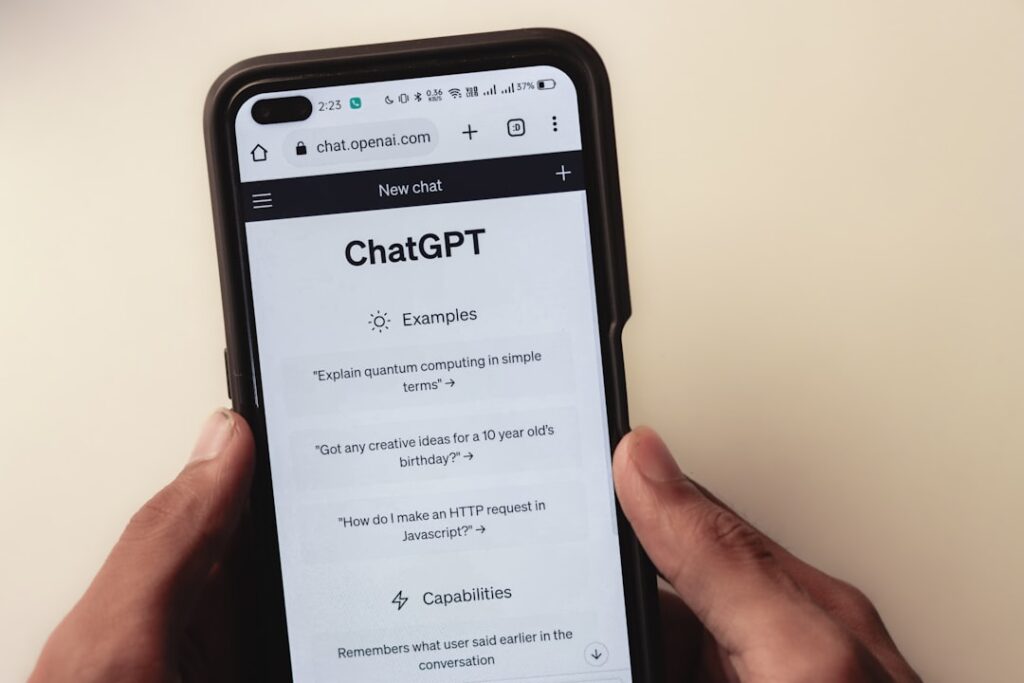
These are the most well-known AI programs. They handle natural language conversations, answer questions, summarize documents, brainstorm ideas, and perform research tasks. Popular examples include ChatGPT, Google Gemini, and Claude. They’re the Swiss Army knives of AI — versatile but not always the best tool for highly specialized tasks.
AI Writing and Content Tools
These programs focus specifically on content creation and editing: blog posts, marketing copy, social media captions, email newsletters, and more. Tools like Jasper, Grammarly, and Copy.ai fall into this category. The trade-off is that while they speed up drafting significantly, the output often requires editing to match your brand voice and ensure factual accuracy.
AI Image and Design Generators

These programs generate or edit images from text prompts. Midjourney, DALL-E 3, Adobe Firefly, and Stable Diffusion are the leading options. They’re transformative for WordPress site owners who need custom visuals without hiring a designer, though quality varies widely based on your prompting skills.
AI Coding Assistants
Coding assistants like GitHub Copilot, Cursor, and Amazon CodeWhisperer help write, debug, and optimize code. For WordPress users working with theme customization, plugin development, or site troubleshooting, these tools can save hours — especially if you’re not a developer by trade.
AI Video and Audio Tools
These programs handle video generation, editing, voiceovers, transcription, and music creation. Tools like Runway, Descript, ElevenLabs, and Suno are reshaping multimedia content creation. The limitation is that fully AI-generated video still struggles with realism and consistency, though it’s improving rapidly.
AI Productivity and Automation Tools
These programs integrate AI into your existing workflows — email management, scheduling, data analysis, and project management. Notion AI, Microsoft Copilot, and Zapier AI fall here. They tend to deliver the most tangible ROI for busy solopreneurs and small business owners because they eliminate time spent on repetitive administrative tasks.
Best AI Programs by Category

If you’re feeling overwhelmed by the options, you’re not alone. Here’s a curated comparison of the strongest AI programs in each category, with honest assessments of what they do well and where they fall short. We’ve focused on tools that are most relevant to WordPress users, content creators, and small business owners.
| Category | Top Pick | Best Free Option | Starting Price (Paid) | Best For |
|---|---|---|---|---|
| AI Chatbots | ChatGPT (GPT-4o) | Google Gemini | $20/month | Research, brainstorming, general tasks |
| Writing/Content | Jasper | Grammarly (Free Tier) | $39/month | Blog posts, marketing copy, SEO content |
| Image Generation | Midjourney | Adobe Firefly (Free Tier) | $10/month | Custom blog images, social media visuals |
| Coding Assistants | GitHub Copilot | Cursor (Free Tier) | $10/month | WordPress theme/plugin customization |
| Video/Audio | Descript | CapCut | $24/month | Video editing, podcasts, transcription |
| Productivity | Microsoft Copilot | Notion AI (Free Tier) | $30/month | Workflow automation, document analysis |
A critical gotcha to watch for: Many AI programs advertise their monthly price but lock the most useful features behind annual billing or higher-tier plans. Always check the renewal rate before committing, and read the fine print on usage limits — particularly for image generators and coding assistants where output caps can be surprisingly low on cheaper plans.
Quick Takes on the Top Picks
ChatGPT remains the most versatile AI chatbot for general-purpose tasks. The free tier gives you access to GPT-4o with usage limits, while the Plus plan at $20/month removes most restrictions. It’s the best starting point if you’ve never used an AI program before.
Google Gemini is the strongest free alternative, especially if you’re already embedded in Google Workspace. Its integration with Google Docs, Sheets, and Gmail makes it practical for small business owners managing daily operations.
Midjourney produces the most aesthetically polished AI images, but there’s no free tier — plans start at $10/month. If you need occasional images without paying, Adobe Firefly’s free tier is the most reliable option with commercially safe outputs.
GitHub Copilot is a game-changer for anyone doing WordPress development work. It auto-completes code, suggests functions, and can explain existing code — making it invaluable even for non-developers who need to troubleshoot PHP or CSS issues.
If you’re unsure which combination of AI programs fits your specific WordPress workflow, our team at WordPress AI Tools can help you find the right stack without the trial-and-error.
Free vs. Paid AI Programs: What to Expect
Free tiers of AI programs are genuinely useful — but they come with predictable limitations. Understanding these trade-offs upfront saves you from frustration and helps you budget wisely for the tools that actually need paid plans.
What Free Tiers Typically Include
Most free AI programs give you access to the core model with usage caps. For chatbots like ChatGPT and Gemini, you’ll get a limited number of messages per day with the latest model, then get downgraded to an older, less capable version. For image generators, free tiers usually cap you at a handful of generations per day. Coding assistants often limit the number of code completions or restrict access to advanced features like multi-file editing.
When Paid Plans Are Worth It
Here’s the honest framework we use: a paid AI program is worth the investment when it saves you more time (valued at your hourly rate) than it costs. For most WordPress site owners and content creators, these scenarios justify paying:
Content production at scale: If you’re publishing more than a few blog posts per month, a paid writing assistant like Jasper or a ChatGPT Plus subscription will pay for itself in time saved on first drafts alone.
Client-facing design work: Free image generators often include watermarks or restrict commercial use. If you need images for client sites or commercial projects, paid plans from Midjourney or Adobe Firefly remove those restrictions.
Development workflows: GitHub Copilot at $10/month is arguably the best value in AI tools if you write any code at all. The time saved on debugging and boilerplate code alone justifies the cost within the first week.
The Real Cost Over 12 Months
For most beginners, you don’t need every paid AI tool at once. A practical starter stack might look like: ChatGPT Plus ($20/month) + Grammarly Free + one specialized tool for your main workflow. That’s roughly $240/year — far less than the $500+ you’d spend subscribing to every shiny new AI product that launches.
Always calculate the real annual cost before committing. Stacking multiple $10-$30/month subscriptions adds up faster than most people expect.
How to Get Started with AI Programs
The fastest path to getting value from AI programs is a phased approach — not trying everything at once. Start with one free tool, learn to prompt effectively, then expand based on actual needs rather than hype.
Phase 1: Pick One Chatbot and Learn Prompting (Week 1-2)
Start with either ChatGPT or Google Gemini — both have generous free tiers. Spend two weeks using it daily for tasks you already do: drafting emails, brainstorming blog post ideas, summarizing articles, or researching topics. The key skill to develop here is prompting — giving the AI clear, specific instructions with context about your audience, tone, and desired format.
A weak prompt: “Write me a blog post about WordPress hosting.”
A strong prompt: “Write a 300-word introduction for a blog post about managed WordPress hosting for small business owners. Use a conversational tone. Address the reader’s concern about cost vs. performance. Include a specific comparison to shared hosting.”
The difference in output quality between those two prompts is enormous.
Phase 2: Add One Specialized Tool (Week 3-4)
Once you’re comfortable with a chatbot, add one specialized AI program that addresses your biggest time sink. If you spend hours on blog images, try an image generator. If you’re constantly editing drafts, add Grammarly. If you wrestle with code, try a coding assistant. Don’t add more than one new tool per phase — the learning curve is real, and trying to master five tools simultaneously means you’ll master none.
Phase 3: Evaluate, Upgrade, and Integrate (Month 2+)
After a month of active use, you’ll have a clear picture of which tools earn their keep and which ones collect digital dust. This is when it makes sense to evaluate paid upgrades — but only for the tools you’re actually using regularly. Look for AI programs that integrate with your existing WordPress workflow, whether that’s through plugins, browser extensions, or API connections.
Common Questions About AI Programs
These are the questions we hear most frequently from WordPress site owners and small business operators exploring AI programs for the first time.
Next Steps: Try These AI Programs Today
You don’t need to overhaul your entire workflow overnight. The most effective approach is to start small, build competence with one or two AI programs, and expand from there. Here’s your action plan:
Today: Sign up for a free account with ChatGPT or Google Gemini. Use it for one real task you’d normally handle yourself — drafting an email, outlining a blog post, or researching a topic.
This week: Explore one free-tier specialized tool from the table above that matches your biggest pain point.
This month: Evaluate whether the time you’ve saved justifies upgrading to a paid plan for your most-used tool.
If you need personalized guidance on which AI programs fit your WordPress site, content strategy, or business workflow, contact WordPress AI Tools today. We help you make confident decisions about AI tools — without the hype, pressure, or wasted subscriptions.

