
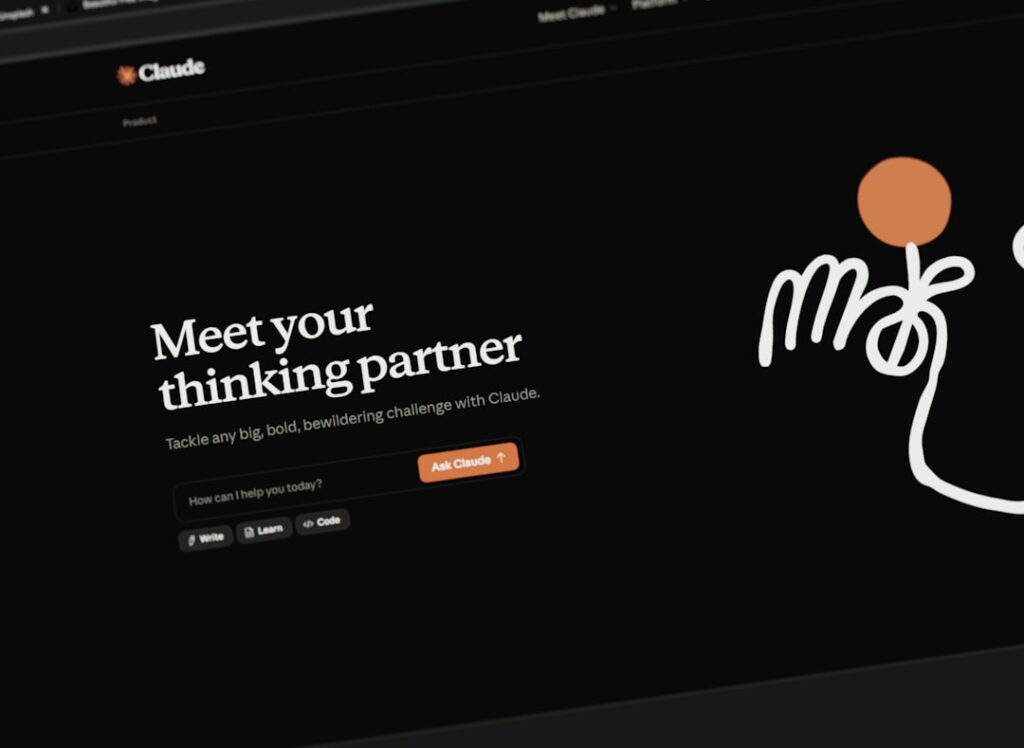
If you’ve spent a Saturday afternoon comparing AI chatbots and ended up with seventeen tabs open and zero clarity, you’re not alone. The free AI chatbot landscape has exploded, every tool claims to be the best, and most comparison articles skip the part you actually need: the honest trade-offs. This post skips the hype and gives you the real picture, including what “free” actually means, which limits will hit you first, and which chatbot fits your specific situation.
Why Most “Free AI Chatbot” Guides Miss the Mark
Most guides rank chatbots by feature count and call it a day. That approach fails small business owners and WordPress site operators almost every time, because the features that look impressive in a screenshot often have nothing to do with your actual workflow.
Here’s the core problem: “free” means something different on every platform. Free means something different on every platform. ChatGPT gives you access to its flagship model, then cuts you off after roughly 16 messages. Google Gemini offers around 30 prompts per day. DeepSeek has no stated limits at all. Meta AI has no paywall because it makes money from ads instead of subscriptions.
Then there’s the conflict of interest problem. Most AI comparison sites are compensated based on which tool you click, not which one will actually serve your workflow. Your instinct to dig deeper is exactly right.
The second failure: generic rankings ignore your ecosystem. A Google Workspace user and a solopreneur running a WooCommerce store have radically different needs. There is no universally best free AI chatbot. There’s only the best one for your specific use case, budget, and the tools you already have in place.
Finally, most guides bury the privacy issue entirely. On several major tools, your free conversations are used to train the next version of the model by default. It’s legal, it’s disclosed in the fine print, and the opt-out is usually buried — but you should know it’s happening. If you’re drafting client proposals or handling sensitive business data in a free chatbot, that matters.
What Makes a Free AI Chatbot Actually Worth Your Time

A free AI chatbot earns a spot in your workflow if it does at least one high-value task consistently well, without requiring you to upgrade every time you try to use that feature. That’s the bar. Anything below it is a demo, not a tool.
For WordPress users and small business owners specifically, the criteria that actually matter are:
Response Quality on Real Business Tasks
Can it write a product description that doesn’t sound robotic? Draft a reply to a customer complaint without hallucinating facts? Brainstorm blog post angles grounded in your niche? Free options are sufficient for most basic tasks, including answering questions, writing assistance, brainstorming, and general research. However, they all share common limitations: restricted message counts, delayed response times during peak usage, and limited access to the most advanced models.
Practical Message Limits
Free tiers usually start you on the best model, then quietly swap you to a smaller, faster, less capable “mini” version once you’ve sent a handful of messages. You’re rarely told this is happening — the chatbot just gets a little dumber mid-session. A chatbot that throttles you after ten messages is effectively useless for any serious content or support workflow.
Ecosystem Fit
ChatGPT is a versatile all-rounder for general users, Gemini integrates tightly with Google tools, Copilot shines in developer and Microsoft workflows, Claude emphasizes safe and accurate outputs, Perplexity specializes in real-time knowledge retrieval, and Grok is optimized for fast, conversational use on social platforms. Choose the tool that plugs into the ecosystem where your work already lives.
Transparent Upgrade Paths
The best free tiers are generous enough that you can do real work, and honest enough that you know exactly when you’ll need to pay. The worst ones are designed to frustrate you into upgrading before you’ve gotten genuine value. The safest habit is to test the free tier first, then upgrade only when a paid limit blocks real work.
9 Best Free AI Chatbots Compared: Honest Trade-Offs
The table below reflects current free-plan capabilities and real limits as of mid-2026. Pricing and limits change frequently, so verify the current details on each provider’s official page before making decisions.
| Chatbot | Free Model | Key Free Limit | Best For | Paid Upgrade | Hidden Gotcha |
|---|---|---|---|---|---|
| ChatGPT | GPT-5.5 Instant | ~16 msgs before throttle; ads on free tier | All-around writing, brainstorming, versatility | $20/mo (Plus) | Ads introduced Feb 2026; model swaps to lighter version at limit |
| Claude | Claude (limited) | Strict daily message cap; no Projects access | Long-form writing, nuanced content, document drafting | $20/mo (Pro) | Free tier reveals quality but gates the full experience hard |
| Google Gemini | Gemini 2.5 Flash | ~30 prompts/day; resets midnight Pacific | Google Workspace users, multimodal tasks | $19.99/mo (AI Pro) | Credit-based system makes throughput harder to predict |
| Microsoft Copilot | GPT-4o | Varies by demand; no hard cap published | Windows/Microsoft 365 users, web research | $20/mo (Copilot Pro) | Tied to Microsoft ecosystem; less useful outside it |
| Perplexity | Sonar model | Unlimited standard; only 5 Pro searches/day | Research, fact-checking, cited answers | $20/mo (Pro) | Dramatically cut Deep Research limits in early 2026 |
| Meta AI | Muse Spark (Llama-based) | No stated hard limit; ad-funded model | Casual use, social platform integration | No paid consumer tier | Data used for ad targeting; no file uploads on free |
| DeepSeek | DeepSeek R1 / V3 | No stated limits on web app | Deep research, long-form reasoning, open-source workflows | API usage-based only | Chinese company; data privacy concerns for sensitive business use |
| Microsoft Copilot | GPT-4o | Effectively unlimited for standard chat | Windows users, Office integration | $20/mo (Pro) | Heavy Microsoft ecosystem lock-in |
| HuggingChat | 115+ open-source models | Varies by model; no hard account cap | Developers, open-source enthusiasts, model comparison | None (open source) | Interface less polished; response quality varies by model |
| Poe (by Quora) | Multiple models (limited) | Daily “compute point” limit | Multi-model access without multiple accounts | $4.99/mo (Plus) | Free tier severely limits access to flagship models |
A Closer Look at the Top Picks
ChatGPT (OpenAI): ChatGPT is the tool that began the AI boom, and it’s easily the most recognizable name in the space. ChatGPT does just about everything well, including coding, research, image generation, voice conversation, and more. For WordPress content creators, its combination of writing versatility and ecosystem of custom GPTs makes it the most practical all-rounder. The critical gotcha to watch for: ChatGPT Free now includes ads (US, since February 2026), a first among major AI chatbots.
Claude (Anthropic): Claude stands out for precision, safety, and formal document handling. For small business owners drafting proposals, policy pages, or long-form blog content, Claude’s output quality is exceptional. The trade-off: the free tier gives you just enough to see how good it is, and the paid tier gives you the full experience. The limit is real, and you’ll feel it quickly.
Google Gemini: Google Gemini Free includes Deep Research, Gemini Live voice mode, and 100 monthly video generation credits — the most generous free tier feature set. If you’re already in Google Docs and Drive daily, Gemini is the obvious choice. Its 1 million token context window on paid plans is also the largest of any standard subscription.
Perplexity: Perplexity is a different product from the others on this list. It’s an AI answer engine — search and research first, creative work a distant last. Where it wins is source citation. Every sentence of every response is numbered and linked to the supporting webpage. You can verify any claim in one click. For WordPress bloggers fact-checking content before publishing, that’s a genuine competitive advantage. However, be aware that Perplexity has a complicated track record: Pro subscribers started noticing a significant drop in answer quality and found out that Perplexity was silently routing queries to smaller models, swapping out Claude Sonnet for Haiku at times, while the interface still showed the premium model you selected. Free users are largely insulated from this, but it’s worth knowing.
DeepSeek: DeepSeek is a free app with robust AI models, accessible both on your browser and phone. Since the models are open source, you can host the model yourself to build your own AI solutions, without having to pay anything. For technically-minded WordPress developers, DeepSeek is a remarkable free option. For solopreneurs handling sensitive client data, the data privacy considerations around a Chinese-based company should factor into your decision.
Meta AI: There are no stated usage limits and no paid tier for consumers. Meta monetizes through advertising rather than subscriptions. It’s genuinely free and already integrated into tools billions of people use daily. The limitation: Meta AI is built for consumer queries and social context. It falls short of ChatGPT, Claude, or DeepSeek on coding, data analysis, and structured tasks.
Decision Framework: Match Your Needs to the Right Chatbot
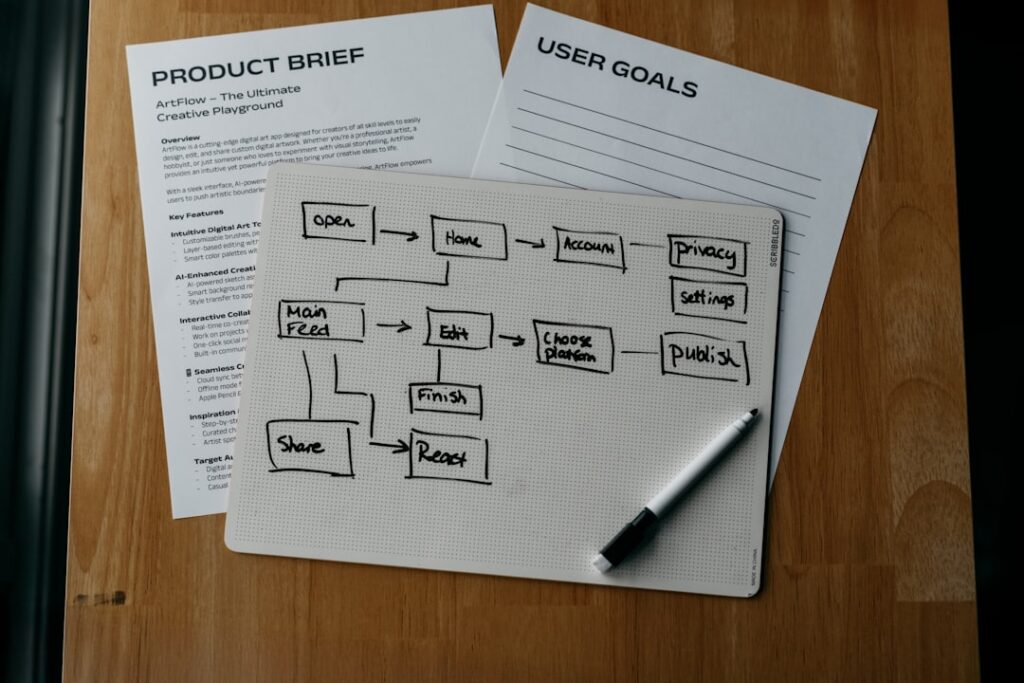
Stop trying to find the “best” chatbot in the abstract. Instead, answer these four questions to narrow your choice to one or two tools worth testing this week.
Question 1: What is your single most time-consuming daily task?
If your answer is writing blog content or product copy, start with ChatGPT (free) or Claude (free). Both produce genuinely publishable drafts with the right prompts. Claude tends to produce cleaner long-form prose; ChatGPT handles a wider variety of formats.
If your answer is researching competitors, trends, or verifying facts, Perplexity’s free tier with its 5 daily Pro searches is the most defensible tool for this job. It gives you cited, verifiable answers rather than confident-sounding hallucinations.
If your answer is customer support or FAQ management on your WordPress site, the general-purpose chatbots above (ChatGPT, Claude, Gemini) are great for drafting your support scripts, but you’ll need a purpose-built WordPress plugin to deploy that content on-site. More on that in the integration section below.
Question 2: Which digital ecosystem do you already live in?
This is the most underrated selection criterion. Gemini is best for Google Workspace users and real-time, multimodal tasks. Copilot is ideal for Microsoft 365 users and coding workflows. The best choice depends on your ecosystem: Google users benefit from Gemini, Microsoft users from Copilot, and everyone else from ChatGPT. Choosing a chatbot that fights against your existing tools is a recipe for abandoning it within a week.
Question 3: How much volume do you actually need?
If you only use AI a few times a week, the free limits likely won’t bother you. If your AI usage is sporadic and for non-critical tasks, sticking with a free plan makes a lot of sense. If you’re using AI for several hours a day, you’ll hit limits fast. Apply a simple litmus test: does the tool save at least twice its monthly cost in time? If you’d upgrade to $20/month, it needs to save you at least 40 minutes a week at a $25/hour labor rate to break even. Be honest with yourself before paying.
Question 4: Is your data sensitive?
If you’re drafting legal documents, financial proposals, or sharing client-specific information, the data handling terms of your free chatbot matter. Free tiers usually prohibit commercial use, lack API access for integration, provide no priority support, and include no service level agreements (SLAs). For privacy-sensitive workflows, consider a paid plan with explicit data retention policies, or a self-hosted open-source option like DeepSeek running locally.
Hidden Limitations in Free Plans (What They Don’t Tell You)
Free plans are designed to convert you. That’s not a conspiracy — it’s a business model. But knowing exactly where the pressure points are helps you use free tiers intelligently instead of hitting a wall at the worst possible moment.
The Model Swap Problem
This is the hidden limitation most guides never mention. Free tiers usually start you on the best model, then quietly swap you to a smaller, faster, less capable “mini” version once you’ve sent a handful of messages. You’re rarely told this is happening — the chatbot just gets a little dumber mid-session. If you notice a sudden drop in output quality mid-conversation, you’ve probably been downgraded.
Rolling Windows vs. Daily Caps
ChatGPT uses rolling time windows — usage resets per hour or per day, not at midnight. Claude uses a 5-hour rolling window. Grok’s limits are not publicly documented. Gemini uses daily limits resetting at midnight Pacific. Perplexity tracks Pro Searches per day. Understanding which clock your chatbot resets on changes how you schedule heavy AI work.
Feature-Gating vs. Usage-Gating
Some free plans restrict which features you can use (feature-gating). Others restrict how often you can use them (usage-gating). Feature-gating is the more frustrating of the two: some advanced functionalities, like longer context windows (remembering more of the conversation) or specialized tools, are often reserved for paying customers. On Claude, the Projects feature (persistent memory across sessions) is a paid-only feature — meaning every free session starts cold.
The “AI Shrinkflation” Pattern
Limits can shrink after you’ve committed to a tool. A viral thread in April 2026 even nicknamed the new pattern “AI shrinkflation” — same monthly price, noticeably less headroom. Perplexity is the most dramatic recent example: Deep Research limits were cut from 500+ daily queries in late 2025 to just 20 per month in early 2026. Before building a workflow around any free feature, check whether the provider has historically reduced free-tier limits over time.
The Data Privacy Catch
Meta collects interaction data to improve its models and may use it for ad targeting within its platforms. For casual blog brainstorming, this is a tolerable trade. For anything touching client data, competitive strategy, or proprietary processes, read the privacy policy before you type a single sensitive word into a free chatbot.
If you’re unsure which option fits your specific WordPress setup and workflow, the team at WordPress AI Tools can help — no pressure, no generic advice, just honest recommendations based on what you’re actually building.
When Free Is Enough vs. When to Upgrade
Free is enough for the majority of WordPress users. Only about 3% of the people using AI tools actually pay for them, according to Menlo Ventures’ 2025 State of Consumer AI report. The other 97% get by just fine on free tiers. The question is whether you are in that 97%.
Free Is Enough If…
You use AI a few times a week for drafting, brainstorming, or quick research. The free limits on ChatGPT, Claude, and Gemini won’t touch you at this volume. Stack two free tiers if you need more headroom: when you hit ChatGPT’s daily limit, pivot to Gemini or Perplexity rather than paying for one.
Your tasks are well-contained. Writing a weekly newsletter, generating product descriptions for a small catalog, or drafting customer FAQ responses — these are tasks where free tools deliver real ROI with zero cost.
You’re still validating whether AI fits your workflow. Free AI chatbots are fantastic for casual use, learning, and simple tasks. They prove the concept and show you the potential without any financial commitment. Run three months on free tiers before paying for anything.
Upgrade When…
You’re hitting rate limits during your actual work hours. If you’re regularly frustrated by a “you’ve reached your limit” message in the middle of a client project, the upgrade math is simple: the tool is now blocking revenue.
You need memory and context across sessions. Free tiers on most platforms reset context with each new conversation. Paid plans from Claude (Projects) and ChatGPT (Memory) let the AI retain context about your business, your brand voice, and your past instructions — dramatically reducing the setup time for every session.
You need API access for WordPress integration. Deploying an AI chatbot on your WordPress site (not just using one in your browser) requires API access, which is a paid feature on every major platform. Free tiers usually prohibit commercial use, lack API access for integration, provide no priority support, and include no service level agreements. The moment you want AI to power something on your site, free plans stop being sufficient.
These tiers make sense if you’re an AI researcher, a power user who hits rate limits daily, or a company buying for teams. For normal people, even heavy users, the $20 tier handles 95% of use cases. If you do upgrade, the $20/month tier from any of the major providers is where the genuine value step-change happens.
How to Integrate AI Chatbots with Your WordPress Site
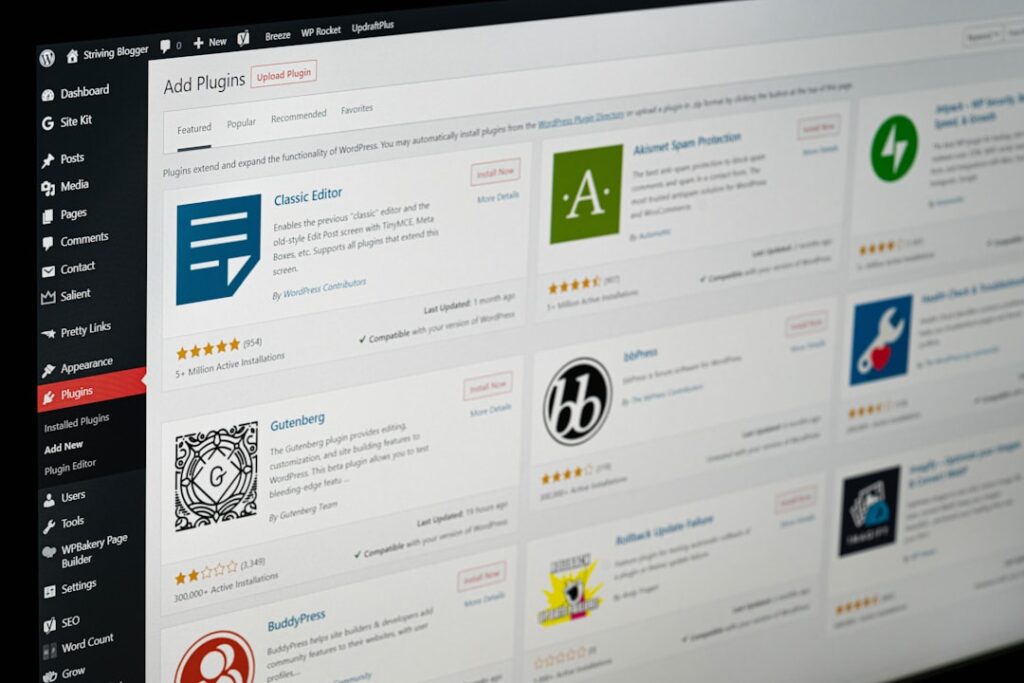
Using a chatbot in your browser is one thing. Deploying one directly on your WordPress site — so it handles visitor questions, captures leads, and supports customers 24/7 — is a different project entirely, and it requires a dedicated WordPress plugin.
The Two-Layer Architecture
Think of it like this: the general-purpose AI chatbots (ChatGPT, Claude, Gemini) are the engine. A WordPress plugin is the car around that engine. The plugin handles the user interface, the conversation flow, the site-specific training, and the integration with your WooCommerce store or contact forms. The AI model handles the actual language generation.
WPBot Pro is a next-generation AI ChatBot plugin for WordPress that orchestrates multiple LLMs, including OpenAI ChatGPT, Claude, Gemini, DeepSeek, and Grok, alongside Google Dialogflow CX. The free version of WPBot provides basic chatbot functionality and simple Q&A responses without spending a dime, making it a reasonable starting point for WordPress beginners.
For developers and technically advanced users, AI Engine has built-in connectors for OpenAI, Anthropic, Google, xAI (Grok), Mistral, Perplexity, OpenRouter, Replicate, Azure (OpenAI), plus a Custom (OpenAI-compatible) connector for Ollama, LM Studio, vLLM, llama.cpp, LocalAI, or any self-hosted server. It’s the most flexible option for custom deployments.
What the Free WordPress Chatbot Plugins Actually Do
A WordPress AI chatbot plugin gives you a way to meet visitor expectations without hiring extra support staff or staying online 24/7. It works directly within your site, automating key tasks like answering product questions, guiding users, and qualifying leads. Unlike basic contact forms or static FAQs, chatbots create an interactive experience. They keep users engaged, reduce drop-offs, and help turn casual visitors into paying customers.
A critical gotcha to watch for: free WordPress chatbot plugins are often limited to reading your public website content. A chatbot is only as smart as you let it be. A chatbot that can only read your public website is like a support agent who has never seen your internal documents. It can’t answer specific questions about a customer’s order or explain a nuanced company policy. The best tools connect to your help desk, internal wikis, and past tickets to give genuinely helpful answers.
The Real Cost of a WordPress AI Chatbot Deployment
The plugin itself might be free or low-cost, but the AI model running behind it is usually not. A bot that just returns canned FAQ replies might cost almost nothing. But once you move into the territory of GPT-4 or Claude-level assistants that can understand context and generate conversational responses, costs rise fast. Because those models consume more tokens per interaction, vendors often charge per token or per resolution.
For most small WordPress sites, the most cost-effective path is: start with a free WordPress chatbot plugin, train it on your existing FAQ and product content, and test it for 60 days before adding any paid AI API credits. Gartner predicted in 2025 that chatbots can handle up to 80% of routine inquiries, cutting customer support costs by up to 30%. That ROI is real, but only if the chatbot is properly trained on your content first.
At WordPress AI Tools, we help WordPress site owners design and implement AI chatbot setups that actually match their traffic volume, content, and budget — rather than defaulting to whatever plugin happens to rank first. If you’re exploring a WordPress AI chatbot deployment, we’re happy to walk through the options with you.
Frequently Asked Questions About Free AI Chatbots
The most common questions we hear from WordPress users and solopreneurs are answered below.
Getting Started Without Decision Paralysis
Done is better than perfect. The chatbot you actually use for three months will teach you more than another afternoon of comparison research. Here’s the simplest possible starting framework:
If you’re a WordPress blogger or content creator: Start with the ChatGPT free tier today. Use it for one specific task — drafting blog outlines, writing meta descriptions, or generating social media captions. Do that for four weeks before evaluating anything else.
If you’re a small business owner who needs customer support help: Use Claude’s free tier to draft your FAQ content and refine your support scripts. Then explore a free WordPress plugin like WPBot to deploy those scripts on your site. Upgrade the API only when the volume justifies it.
If you’re a developer or agency building for clients: Test AI Engine on a staging site with your own OpenAI API key. Start with the lowest-cost model (GPT-4o mini or Gemini Flash) and scale up only when client traffic demands it.
When you hit one tool’s free limit, you bounce to the next instead of paying. Stacking free tiers gets you most of the way to a paid plan, for nothing. That’s not a workaround — it’s a legitimate strategy for solopreneurs who want to stay lean while AI tools mature.
The AI chatbot landscape will look different again in six months. The companies competing for your attention have pushed real capabilities into free tiers specifically to win you over. Use that to your advantage. Test freely, commit slowly, and upgrade only when the math is undeniable.
If you’re unsure which option fits your specific WordPress setup, content strategy, or customer support workflow, contact WordPress AI Tools today. We provide honest, situation-specific guidance — no upsells, no generic answers, just practical advice based on what you’re actually trying to build.
Frequently Asked Questions
Are free AI chatbots good enough for running a small business?
For many small business tasks — drafting content, brainstorming ideas, answering customer FAQs, and basic research — free tiers from ChatGPT, Claude, and Google Gemini are genuinely sufficient. The limits start to matter when you need persistent memory across sessions, API access to deploy the chatbot on your website, or high daily message volume. For most solopreneurs and early-stage WordPress businesses, free tiers can serve 90% of needs for 6-12 months before an upgrade makes economic sense.
What is the biggest hidden cost of a free AI chatbot?
The biggest hidden cost isn’t monetary — it’s time lost to model downgrading. Most free tiers quietly swap you from the flagship AI model to a smaller, less capable ‘mini’ model after a handful of messages, without telling you. You get slower, less accurate responses and often don’t realize why. A secondary hidden cost is data privacy: on most free plans, your conversations may be used to train the model by default. Check the settings and opt out if you’re handling any business-sensitive information.
Can I add a free AI chatbot to my WordPress site without coding?
Yes, several WordPress plugins let you deploy an AI chatbot without touching code. WPBot and Tidio both offer free tiers with visual setup tools. The process typically involves installing the plugin, connecting your API key from your chosen AI provider, and training the chatbot on your existing site content (pages, FAQs, product descriptions). The plugin handles the chat widget and conversation flow; the AI model handles the responses. The main limitation on free plans is that the AI model access itself usually requires a paid API key from the underlying provider like OpenAI or Anthropic.
Which free AI chatbot is best for WordPress content creation?
For blog post drafting, ChatGPT’s free tier is the most versatile starting point — it handles outlines, introductions, social captions, and meta descriptions well. Claude’s free tier produces cleaner long-form prose but has stricter message limits. For research-backed content where you need to verify claims before publishing, Perplexity’s free tier (with 5 Pro searches per day) provides cited, source-linked answers that reduce the risk of publishing hallucinated statistics. Many WordPress creators use both: Claude for drafting, Perplexity for fact-checking.
When does it make sense to pay for a ChatGPT or Claude subscription?
Upgrade when the free tier actively blocks your revenue-generating work. Concrete signals: you’re hitting daily message limits during client projects, you need memory across sessions to avoid re-explaining your brand and business context every single conversation, or you need API access to power an on-site WordPress chatbot. The $20/month tier from ChatGPT (Plus) or Claude (Pro) is where the meaningful step-change in usability happens. For most freelancers and small business owners, this investment justifies itself if it saves more than 45 minutes of work per week.

