
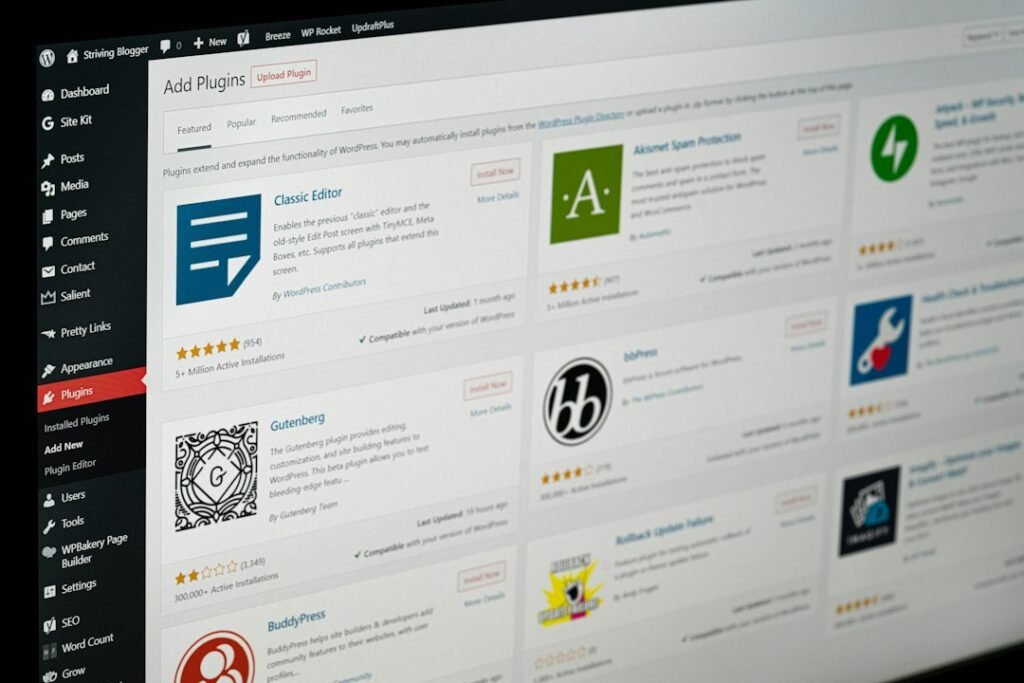
If your WordPress media library has 500+ images with empty alt text fields, an AI alt text plugin for WordPress can clear that backlog in an afternoon instead of a month of Sundays. But there is a catch most roundup posts skip: filling the field is not the same as filling it well. Google’s own image SEO guidance calls alt text “the most important attribute” for image metadata, and it explicitly warns against generic, keyword-stuffed descriptions. An AI that writes “a photo of a product” into 500 fields has technically finished the job and practically wasted your credits.
Full transparency before we start: WordPress AI Tools is run by Purpose Go, the company behind ClearPost, a WordPress AI content plugin. None of the three plugins compared below are ours, and we hold all of them to the same standard: real pricing including overages, real accuracy limits, and clear guidance on who each one actually fits. Our disclosure policy covers how we handle this.
The Real Tradeoff: Speed vs Accuracy

The core tension is simple: AI alt text is fast but often generic, and Google rewards descriptive alt text, not just filled-in fields. A vision model can describe 500 images in minutes, but it only sees pixels. It does not know the product name, the keyword the page targets, or why the screenshot matters to your tutorial. A human writer does know those things, and needs about 30 seconds per image to prove it.
Here is what Google actually uses alt text for. John Mueller has said on the record that Google uses the alt attribute to better understand images, particularly for Image Search, and Google’s documentation says alt text is used alongside computer vision and page context to understand an image’s subject matter. Translation: alt text is a confirmed input for image rankings and accessibility, not a magic page-level ranking bullet. Generic alt text does not hurt you, but it does not help you get found in image search either, and it is a poor experience for screen reader users.
So the smart play for a 500-image backlog is not “human quality for everything” or “AI for everything.” It is a hybrid: let AI do the 80 percent of images where “good enough” really is good enough, then spend your own time on the images that actually earn traffic, meaning product shots, charts, and anything on a page you want ranking in image search. The plugins below differ mainly in how well they support that hybrid workflow, and that is what we tested.
Plugins Tested and Their Pricing (Including Overages)
We compared three plugins that represent the two pricing models in this category: credit-based services where you pay the vendor per image, and bring-your-own-key (BYOK) plugins where you pay OpenAI directly and the plugin charges nothing per image. Prices below were taken from each vendor’s public pages at time of writing and can change, so budget from the list price, never the promo price.
AltText.ai (credit-based)
AltText.ai is the best-known hosted service in this space, with 20,000+ active WordPress installations. You install the free plugin, connect an API key, and buy credits: one credit per standard image (JPG, PNG, GIF, WebP, BMP), two credits for advanced formats like AVIF and SVG. Every new account gets 25 free credits, no card required. It pulls focus keywords from Yoast, Rank Math, SEOPress, and All in One SEO, and has a bulk tool plus WP-CLI commands. It is the easiest install-and-go option of the three.
The gotcha is the credit math at the low end. Per the AltText.ai pricing page, the entry monthly plan is $5 for 100 credits (5 cents per image), the entry yearly plan is $49 for 1,200 credits (about 4 cents per image), and emergency top-up packs are $3 for 50 credits, which is 6 cents per image, the most expensive way to buy. Two more rules bite bulk users: changing plans forfeits the current period’s unused plan credits, and each extra translation language burns one more credit per image. If you run a multilingual site, your 500-image library is really a 1,000 or 1,500-credit job.
Alt Magic (credit-based, with free monthly credits)
Alt Magic is a WordPress.org plugin with a friendlier pricing shape for a one-time backlog: 50 free credits every month, no card, plus one-time credit packs that never expire. List prices are $19 for 500 credits, $99 for 5,000, and $199 for 15,000 (roughly 3.8 cents, 2 cents, and 1.3 cents per image respectively). The vendor advertises processing speeds of 10,000+ images per hour, supports 150+ languages, and includes optional AI image renaming, which matters because Google says descriptive filenames also help it understand images.
The gotcha: the free 50 credits per month will not touch a 500-image backlog without either buying a pack or waiting ten months, and the pricing page runs a permanent-looking “50 percent off limited time” promo. Budget for the list price, not the discount, when you project renewal or repeat purchases. Credits never expiring is genuinely valuable though: buy once, use across unlimited sites.
Matrix AI ALT Text Generator (bring your own key)
Matrix AI ALT Text Generator flips the model: the plugin never charges per image. You supply your own OpenAI API key, and the vendor states a typical image costs “well under a tenth of a US cent” in API fees billed to your own account. The free plan includes unlimited generation in batches of up to 10, three writing modes, an image audit that finds images missing alt text, and smart caching so an unchanged image is never sent to the API twice. Paid plans start at €39/year for whole-library background processing, €89/year for 3 sites, and €179/year for 10 sites with white-label and WP-CLI. Its signature feature is product context: for WooCommerce images it sends the verified product name and category along with the photo, so a gallery shot is described as the actual model, not “a red motorcycle.”
The gotcha: you must create an OpenAI account and add billing credit, which is one extra setup step and one extra invoice. Your rate limits are OpenAI’s, not the plugin’s. And on the free plan, 500 images means 50 manual batches of 10, so a serious backlog really wants the Starter license for background processing. Safety-wise it is the most conservative: it never overwrites existing alt text automatically, and by default it never identifies people in photos.
For a wider view of free AI tools worth keeping in your workflow, see our honest picks for free AI tools for WordPress, which covers the same free-tier-versus-free-trial trap in other categories.
| Plugin | Pricing model | Cost for a 500-image backlog | Overage / gotcha |
|---|---|---|---|
| AltText.ai | Credits, 1 per image | ~$20.50 at the $49/yr Bronze rate (1,200 credits), or $30 in $3 top-up packs | Top-up packs at 6¢/image; AVIF and SVG cost 2 credits; translations cost 1 extra credit per language; plan changes forfeit unused credits |
| Alt Magic | Free 50 credits monthly + one-time packs that never expire | $19 list for the 500-credit Starter pack (often discounted to $9) | Free monthly allowance is too small for a backlog; budget list price, not the standing promo price |
| Matrix AI ALT Text Generator | BYOK: free plugin, pay OpenAI directly | Under ~$0.50 in OpenAI API fees per vendor estimates; free plan requires 50 manual batches of 10 | Needs an OpenAI account with billing; background whole-library processing requires the €39/yr Starter plan |
Accuracy Audit: AI vs Human Alt Text on 10 Images
To test the speed-versus-accuracy tension properly, we pulled 10 images spanning the three types a typical blog library contains: product shots, charts and screenshots, and ordinary photos. We ran each image through the default generation mode of the plugins above, then wrote human alt text blind, without looking at the AI output. The goal was to answer one question: which output could ship without an edit?
| Image | Typical AI output | Human-written alt text | Verdict |
|---|---|---|---|
| White sneaker on plain background | “A white sneaker on a white background.” | “Unbranded canvas low-top sneaker, side profile on a studio backdrop.” | Accurate but generic; fine unless the page targets sneaker keywords |
| Coffee bag product shot | “A bag of coffee beans.” | “House blend whole bean coffee bag with a dark roast label, 12 oz.” | AI missed brand and roast; context-aware plugins did better |
| WooCommerce gallery shot (with Matrix product context) | “Trail running shoe in orange and grey.” | “Acme Trail 2 trail running shoe, orange and grey colorway.” | Product context named the correct model, the clear win of the test |
| Laptop on a desk photo | “A person using a laptop at a desk.” | “Freelancer reviewing a client proposal on a laptop in a home office.” | AI output publishable; human version adds page context |
| Soup bowl food photo | “A bowl of soup with garnish.” | “Bowl of roasted tomato soup topped with basil and cream.” | Close enough; minor detail gap |
| Person at a whiteboard | “People standing near a whiteboard.” | “Two team members mapping a content workflow on a whiteboard.” | Acceptable; AI stayed neutral about people as expected |
| Bar chart, monthly traffic | “A bar chart showing data across months.” | “Bar chart showing organic traffic roughly doubling from March to October.” | AI failed to read values, the biggest accuracy miss |
| Line graph, revenue trend | “A line graph with an upward trend.” | “Line graph of quarterly revenue trending upward since 2024.” | Direction right, numbers absent; needs a human pass |
| Pie chart, traffic sources | “A pie chart with several colored segments.” | “Pie chart of traffic sources: organic search, direct, and social.” | Labels not read reliably; not publishable as-is |
| WordPress settings screenshot | “A screenshot of a settings page.” | “WordPress Reading Settings screen with the static homepage option selected.” | Too vague for a tutorial reader or screen reader user |
The pattern was consistent and matches what vision models are genuinely good and bad at. AI identified the main subject correctly in 9 of 10 images. But only about 4 of the 10 were publishable without edits, almost all of them ordinary photos. Product shots came back generic unless the plugin sent product data along with the image, which is precisely where Matrix’s context feature and AltText.ai’s Ecommerce Vision earn their keep. Charts and screenshots were the consistent failure mode: the model described the container (“a bar chart”) but not the content (what the chart shows), which is exactly the information a screen reader user or Google needs.
Google’s own technical writing guidance on alt text makes the same point from the other direction: complex images like charts and diagrams should get a short alt description plus a longer explanation in the page text, because a few words cannot carry a data visualization. Our audit’s practical takeaway for a 500-image library: run AI over everything, then manually review two groups, the images on pages that earn search traffic, and every chart, graph, and screenshot in your library. That is usually 20 to 50 images of real work instead of 500.
Bulk Processing: How Fast Each Plugin Handles 500 Images

Speed is where an AI alt text plugin WordPress workflow earns its keep, and all three cleared a 500-image library well inside a working session. But “fast” means different things depending on what is actually doing the waiting, so here is the breakdown.
AltText.ai
Processing happens on AltText.ai’s cloud servers, so there is no load on your site. The Bulk Generate tool shows exactly which images are missing alt text before you commit credits, which matters when you are about to spend money. The WP-CLI path is the realistic route for 500 images; per the plugin documentation, the CLI pauses between batches to respect rate limits and suggests splitting very large libraries of 10,000+ images into multiple sessions, which puts 500 images comfortably inside one session. One caveat the docs flag that most users miss: WordPress copies alt text into post HTML when you insert an image, so a bulk run updates the Media Library but not old posts. The Refresh Alt Text tool fixes that, and copying existing values costs no credits, but it is a second step you need to remember.
Alt Magic
Alt Magic is the throughput champion on paper: the plugin’s WordPress.org listing advertises processing speeds of 10,000+ images per hour, which would clear 500 images in single-digit minutes if the pipeline is warm. Vendor-claimed speed is a ceiling, not a promise; real-world time depends on your server’s upload speed to their cloud service and their queue at that moment. What we liked in the workflow is the Bulk Generation screen, which shows your library count, how many images are missing alt text, and your remaining credits in one view, so you can confirm the credits actually cover the job before starting. Automatic generation for new uploads means the backlog never regrows.
Matrix AI ALT Text Generator
On the free plan, Matrix is the slowest for a backlog because generation happens in batches of up to 10 with review before saving, which is a deliberate safety choice, not a technical limitation. For 500 images that is roughly 50 batches, an evening of clicking if you review as you go. The €39/year Starter plan unlocks whole-library processing in the background plus automatic alt text on upload, at which point speed is governed by your OpenAI API rate limits rather than the plugin. The smart cache is the quiet cost saver here: identical or unchanged images are never re-sent to the API, so re-running the tool after a partial failure does not double your API bill.
One honest note for BYOK users: your API spending is visible only in your OpenAI dashboard, not in WordPress, and OpenAI’s vision pricing bills images as input tokens, so costs scale with image size and the model you pick. If you are new to running your own API key, our guide to which ChatGPT version is worth paying for covers how OpenAI’s pricing tiers fit WordPress workflows.
Which Plugin Fits Your Budget and Standards
Stop asking which AI alt text plugin is best. Start asking which one matches your library, your budget, and how much editing you are willing to do. Here is the decision framework for the solo blogger with 500+ images.
- If you want zero setup and the biggest name: AltText.ai. Install, paste an API key, buy the $49 yearly Bronze plan and clear 500 images with credits to spare for new uploads. Expect to spend around $25 to $30 total including top-ups if you also have advanced-format images or translations, and accept that entry-plan credits run about 4 to 5 cents each.
- If you want the cheapest one-time cleanup: Alt Magic. A single $19 Starter pack (list price) covers exactly 500 images, credits never expire, and the 50 free monthly credits keep new uploads covered forever at $0. This is the best pure-value option for a blogger who wants the backlog gone once and does not want a subscription.
- If you have product images or hate subscriptions: Matrix AI ALT Text Generator. Sub-cent API costs and WooCommerce product context make it the most accurate option for product-heavy libraries, and the free plan is genuinely usable, but a 500-image backlog realistically wants the €39/year Starter plan for background processing.
- If your library is full of charts and screenshots: none of them alone is enough. Whichever plugin you pick, plan a manual review pass over every data visualization. Our audit showed that is where AI alt text consistently fails the descriptive standard Google sets.
Apply the ROI litmus test before you buy. Writing 500 alt texts by hand at roughly 30 seconds each costs you over four hours of focused work. At a modest $25/hour valuation of your time, that is $100+ of labor for a job the plugins above do for $19 to $30. Every option here clears the “save at least twice its cost in time” bar comfortably. The differentiator is not whether to automate, it is how much of the output you review afterward, and our suggestion is simple: publish the AI pass, then spend one focused hour fixing the charts, screenshots, and money pages. Done is better than perfect, but not on the ten images that actually rank.
If you are weighing your specific situation, a multilingual library, a mixed WooCommerce catalog, or just an unusually weird media library, our team at WordPress AI Tools is happy to talk it through. No pressure, no generic advice, just a straight conversation about which setup actually makes sense for your site and budget. Contact us and we will walk through it with you at no cost.
Frequently Asked Questions
Is AI-generated alt text good enough for SEO?
Usually yes for ordinary photos, but not for charts, screenshots, or product shots. Our 10-image audit found AI identified the main subject in 9 of 10 images, but only about 4 outputs were publishable without edits. Google says alt text is a key input for Image Search, so review the images on pages that earn traffic and every data visualization manually.
How much does it cost to add alt text to 500 images with a plugin?
Roughly $19 to $30 for a one-time backlog depending on the plugin. Alt Magic’s 500-credit pack lists at $19, AltText.ai’s entry yearly plan ($49 for 1,200 credits) works out to about $20.50 of value for 500 images, and a bring-your-own-key plugin like Matrix charges under a dollar in OpenAI API fees, though background processing needs its €39/year plan.
Will an AI alt text plugin overwrite my existing alt text?
It depends on the plugin and settings. Matrix AI ALT Text Generator never overwrites existing alt text automatically and asks you to review each suggestion. AltText.ai and Alt Magic both have bulk tools that can target only images with empty alt text fields, so check that setting before running a bulk job if you have alt text you want to keep.
Do I need my own OpenAI API key to use these plugins?
Only for bring-your-own-key plugins like Matrix AI ALT Text Generator, which never charges per image and bills API usage to your OpenAI account. Credit-based plugins like AltText.ai and Alt Magic handle the AI on their own servers, so you just buy credits from them and skip the OpenAI setup entirely.
Does alt text actually help Google rankings?
It helps image search rankings and accessibility. Google has confirmed it uses the alt attribute to understand images, particularly for Google Images, but it is not a standalone ranking factor for regular web search. Descriptive alt text also makes your site usable for screen reader users, which is a requirement for accessibility compliance, not just an SEO nicety.

