
If you’ve ever clicked on a “free AI tool” only to hit a credit card wall three minutes in, you’re not alone. An AI tool promises it’s “completely free,” you click through excited to try it, and then the signup page asks for your credit card to “start your free trial.” That’s not free — that’s a payment trap with a short grace period.
This guide is different. Every free AI program listed below offers a genuinely usable free tier — not a trial that expires or a demo that blocks you after ten minutes. A useful free tier must do something meaningful; if the free tier is so limited that you hit the paywall within 10 minutes, it didn’t make this list. We’ve organized them by what you actually need to do, flagged every real limitation up front, and applied a simple ROI test: does this tool save you enough time to justify the energy it takes to learn it?
What “Free AI Program” Actually Means (And the Gotchas to Watch For)
The word “free” covers a wide spectrum in the AI world. Before you invest time in any tool, it helps to understand which type of free you’re actually dealing with.
The Three Types of “Free”
Some tools are completely free open-source with no payment options whatsoever — you can use them without creating an account, attaching a credit card, or hitting a usage limit. Most mainstream tools like ChatGPT, Gemini, and Grammarly are freemium: they offer high-quality output with limited access to advanced models. A third category — and the one to watch out for — is the time-limited trial, which masquerades as a free tier but expires after 7–30 days and requires payment to continue.
The key difference: free trials end after 7–30 days and require payment; free tiers continue indefinitely with limitations (features, usage caps, or rate limits). Always check which one you’re signing up for before spending time on setup.
Common Gotchas That Catch People Off Guard
Even legitimate free tiers come with friction points. Here are the ones most guides skip:
Dynamic usage limits. Dynamic limits mean your access can change hour by hour. ChatGPT caps you at roughly 10 messages per 5 hours on its most powerful model before falling back to a lighter model. Claude drops to 10–15 messages during peak traffic.
Data privacy tradeoffs. Most free chatbots — ChatGPT, Gemini, Claude — use your conversations for training by default. Don’t paste API keys, customer data, financial records, or proprietary code into a free AI chatbot. Enterprise “zero retention” features are paid-only.
Quality and reliability gaps. Free versions still make mistakes. Whether it’s a weird sentence, bad formatting, or just plain wrong information — you often have to clean things up manually before publishing.
Export and feature walls. A tool seems amazing until you hit the paywall. Suddenly you can’t export, can’t generate more outputs, or have to wait hours to try again.
The ROI litmus test we apply throughout this guide is simple: a free AI program must demonstrably save you more time than it takes to learn and work around its limitations. If a tool’s free tier is so restrictive that you spend 20 minutes fighting limits to save 5 minutes of work, it fails the test — no matter how impressive the demo looks.
Free AI Programs for Content Creation and Writing

For WordPress site owners and content creators, writing tools are where free AI programs deliver the most immediate ROI. The free AI writing tools available are powerful enough to support serious content creation — from bloggers building audiences to freelance writers serving clients to marketers running campaigns. While paid tools offer unlimited words and advanced models, free tiers provide genuine value that would have cost thousands of dollars just a few years ago.
| Tool | Free Tier Limit | Best For | Key Gotcha | Upgrade Threshold |
|---|---|---|---|---|
| ChatGPT | ~10 messages per 5 hrs on top model; falls back to mini model after | Drafting, brainstorming, outlines | Rate limits during peak hours; no DALL·E image generation on free tier | When you need daily high-volume drafting |
| Claude (Anthropic) | 10–15 messages/day (traffic-dependent) | Long-form writing, nuanced editing, complex prompts | No web browsing on free; strict daily cap | When you hit the wall mid-project regularly |
| Google Gemini | Flash model free; Pro model limited | Research-backed content; Google Docs integration | Most powerful model (Pro) is paywalled | When you need Docs/Gmail integration daily |
| Grammarly Free | Unlimited grammar/spelling checking | Proofreading and editing any written content | No tone detection, plagiarism check, or AI generation on free | If you need plagiarism checking or team brand consistency |
| Perplexity Free | Unlimited standard searches; 5 Pro searches/day | Research with verifiable citations | Advanced models (Claude, GPT-4o) require Pro | When you need unlimited deep research daily |
| Copy.ai Free | 2,000 words/month | Short-form marketing copy, social captions, ad headlines | Refreshes monthly; not suitable for high-volume content | When marketing copy volume exceeds 2K words/month |
ChatGPT Free: The Versatile Starting Point
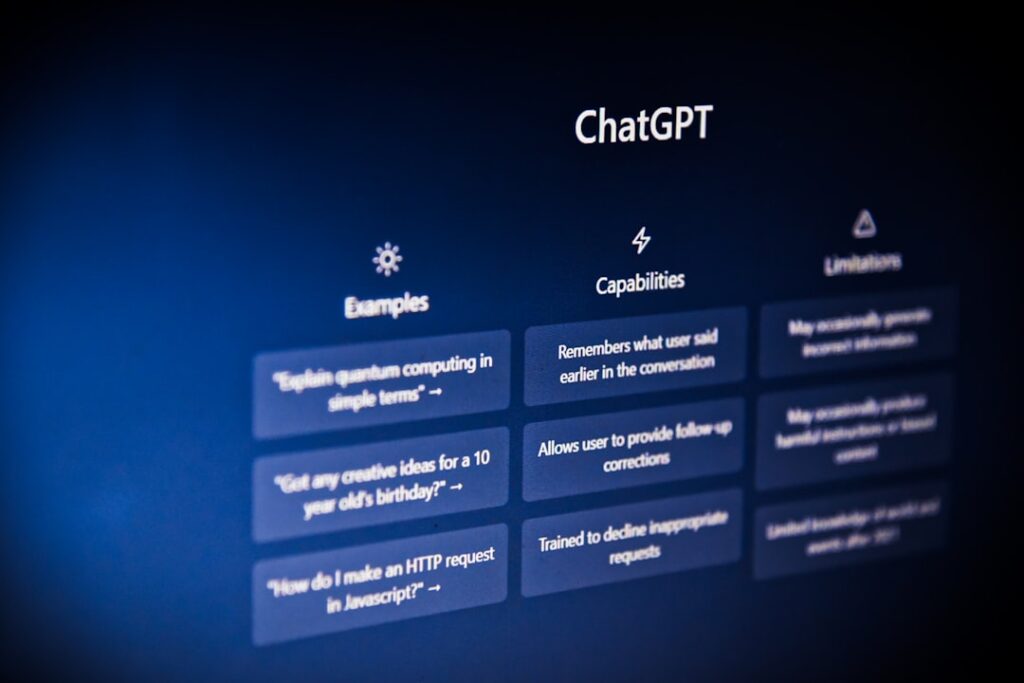
ChatGPT is an advanced conversational AI developed by OpenAI. It helps users write, code, brainstorm, summarize, and answer questions across various topics. Powered by GPT-4o, ChatGPT is free to use with limited daily access, making it one of the most accessible and capable AI assistants available today.
The honest trade-off: ChatGPT’s free tier is genuinely excellent for light-to-moderate use — drafting post outlines, generating headline variations, writing email drafts, or repurposing content for social media. Free limits on the top model run approximately 10 messages per 5-hour window, with 5 Deep Research reports per month and web browsing included. Once you hit the cap, it downgrades to a less capable mini model automatically. For WordPress bloggers publishing two or three articles a week, this is usually enough. For agencies or solopreneurs producing content daily, you’ll feel the friction quickly.
Pro tip for WordPress users: Use ChatGPT to generate your article outline, headers, and meta description. Then write the body yourself (or use Claude for longer sections). This workflow stretches your free message allowance because each interaction accomplishes something structural rather than word-for-word drafting.
Claude Free: The Best Free Prose Quality
Claude Sonnet produces text that reads like a person wrote it — less robotic than ChatGPT and better at following complex, multi-step instructions. It’s especially strong for coding tasks where you need the model to hold a logical chain across 200+ lines. For content creators, this translates to more natural blog introductions, more coherent long-form drafts, and fewer robotic-sounding transitions to edit out.
The critical gotcha: skip Claude if you need reliable availability. Daily limits are strict and traffic-dependent. During peak hours, you may get just 10–15 messages before hitting a wall. This makes Claude unreliable for time-sensitive deadlines. Use it for your best work when you have flexibility, and keep ChatGPT as your fallback during peak hours.
One especially useful tactic: use Claude’s “Projects” feature to upload style guides, previous writing samples, and reference materials. This context persists across sessions, effectively multiplying your free message allowance because the AI already understands your voice and doesn’t need re-briefing each time.
Grammarly Free: The Permanent Safety Net
Grammarly is the oldest name on this list and still the most used writing assistant in the world. The free tier hasn’t changed dramatically in capability, but it remains the most reliable baseline grammar and spell-check layer available. In 2026, it’s best understood as a complementary tool rather than a standalone AI writer — use it on top of whatever you generate with ChatGPT or Claude.
Free plan details: unlimited text checking for grammar, spelling, and punctuation, available as a browser extension, desktop app, and mobile keyboard. No clarity suggestions, tone detection, or plagiarism checker on the free tier. That said, the grammar and spelling layer alone catches embarrassing errors before they go live on your WordPress site — and it works silently everywhere you type, including inside the block editor, your email client, and social media.
The Power-User Stack: Combining Free Tools
The smartest approach to free AI writing isn’t picking one tool — it’s building a deliberate stack. Use ChatGPT to generate blog post outlines, Claude to write sections, Grammarly to polish the prose, and Canva to create featured images. This assembly-line approach leverages each tool’s strengths while distributing usage across multiple free tiers. The compound effect often matches or exceeds what single premium tools provide.
Free AI Programs for Image and Visual Generation

Free AI image generation has improved dramatically. AI image generation has matured to the point where free tiers are genuinely useful. You can create marketing visuals, concept art, product mockups, and social content without spending anything — if you pick the right tool. The catch is that “the right tool” depends heavily on what you’re creating. No single free option excels at everything.
Microsoft Designer (Bing Image Creator): Highest Free Volume
Microsoft Designer offers 15 priority boosts per day with unlimited standard-speed generations after the boosts are used. It requires a Microsoft account but no payment information, and integrates with Bing, Windows, and Edge. There is no signup friction for most users. The interface is designed for non-designers: describe what you want in plain language, select a size, and generate.
The honest trade-off: Microsoft Designer positions itself as one of the best free AI image generators for quick, everyday creative tasks. Its core strength lies in its simplicity and seamless integration within the Microsoft ecosystem. All you need is a free Microsoft account to access its text-to-image capabilities, powered by DALL-E, and a straightforward design canvas. Quality is solid for blog headers and social media graphics, but it won’t replace a specialized tool for branding or commercial work.
Ideogram: Best for Images With Text
If you need to generate images with readable text inside — event banners, social media quotes, promotional graphics — Ideogram is in a category of its own. Logos, posters, and social graphics with readable words: other generators garble text, while Ideogram renders it cleanly in 100+ fonts and multiple languages. The 2.0 model also handles photorealistic scenes and isometric illustrations.
Free tier: about 25 generations per day. Best for images with text, logos, posters, and infographics. Skip if you want full commercial rights — check Ideogram’s current terms before using free-tier outputs in paid commercial campaigns.
Leonardo AI: Best for Volume and Style Variety
Leonardo also includes a built-in canvas for image editing and extension, available within the free token allowance. The interface is more complex than Designer or Canva, but for AI character work and creative experimentation, that depth rewards users who spend time with it. Free tier: 150 tokens per day, multiple models including Flux, no watermark.
150 daily tokens is genuinely generous — enough for serious creative exploration without paying. The trade-off is a steeper learning curve than Canva or Microsoft Designer.
Canva AI (Magic Studio): Best for WordPress Content Workflows
For WordPress users and bloggers, Canva AI deserves special mention because of its workflow integration. Canva integrates AI image generation directly into its design platform, letting you generate images directly inside your designs. Free users get a limited number of AI image generations per month (approximately 50). The real value is the seamless workflow: generate an image and immediately use it in a social media post, presentation, or flyer without leaving Canva.
The critical gotcha: free Canva users get 50 lifetime generations, not 50 per month — so use them strategically for your best-performing templates rather than experimenting freely.
A Note on Adobe Firefly
Firefly was widely recommended for free commercial use through 2025, but Adobe removed its free generative credits in early 2026. You now need an Adobe Creative Cloud subscription or a standalone Firefly plan starting at $9.99/month. The quality remains excellent, especially for commercial photography and design assets, but it is no longer accessible without paying. If you see recommendations for “free Adobe Firefly,” double-check whether they were written before this change.
Free AI Programs for Productivity and Automation

Productivity and automation is where free AI programs can genuinely transform a small business’s output — but it’s also where the gap between “free enough” and “you need to pay” becomes most stark. The tools below are organized from beginner-friendly to technical, because the right tool depends entirely on your comfort level with setup.
Google NotebookLM: Free Research and Document Intelligence
NotebookLM is one of the most underrated free AI programs for WordPress content creators. Upload your research PDFs, client briefs, or competitor content, and it becomes an AI that can answer questions specifically about those documents. Unlike general chatbots that hallucinate facts, NotebookLM grounds its answers in what you’ve actually given it. The free tier is genuinely capable — no hidden paywall for core features.
Best for: Bloggers who do heavy research, consultants summarizing client documents, and site owners building FAQ content from existing documentation.
Zapier Free: Beginner Automation With a Low Ceiling
Zapier pioneered the no-code automation space and remains the most user-friendly option. Its linear, step-by-step builder guides you through creating automations without any technical knowledge required. With 8,000+ integrations, Zapier covers more apps than any competitor. If an app exists, Zapier probably connects to it.
The honest free tier reality: Zapier’s free plan includes 100 tasks per month. Zapier’s limited free plan allows for building only two-step Zaps. Multi-step Zaps or premium apps require upgrading to a paid plan. This means you can automate simple single-action workflows — like “when I publish a WordPress post, share it to Twitter” — but anything involving conditional logic, multiple steps, or premium app integrations requires payment. The free tier is best used to test whether automation fits your workflow before committing to $20/month.
Make (formerly Integromat) Free: More Visual Power
Make sits between n8n and Zapier in terms of technical complexity. Its canvas-based interface lets you build workflows visually, including branching paths and parallel processing that Zapier’s linear approach can’t handle as elegantly. The platform offers one of the most generous free tiers: 1,000 operations monthly with two active scenarios. For teams testing the automation waters, this provides meaningful capability without cost.
Make’s free tier is meaningfully more capable than Zapier’s for building complex multi-step automations. If you want to connect your WordPress form submissions to a spreadsheet, trigger email sequences, and log data — all in one workflow — Make can handle that on the free tier.
n8n: Truly Free If You Can Self-Host
n8n takes a different approach than its competitors. It’s open-source at its core, meaning you can self-host it on your own servers for free. This isn’t a limited free tier — it’s the full platform with unlimited executions. It includes 70+ AI nodes with LangChain integration, making it a serious contender for teams building AI-powered workflows.
The caveat is real: n8n does lean towards users who are comfortable with a bit more technical detail. You might need to bring your own AI model keys, and it’s not quite as point-and-click simple as some other tools if you’re just starting out with automation. For non-technical WordPress site owners, Zapier or Make is a better starting point. n8n shines for developers and technically inclined agencies who want unlimited automation power without monthly fees.
AI Engine for WordPress: Free Plugin, Your API Key
If you want AI capabilities directly inside your WordPress dashboard, AI Engine connects WordPress with AI models, letting you build intelligent chatbots, generate content, create AI forms, and automate tasks — all from your WordPress dashboard. The plugin itself is free in the WordPress repository. The real cost comes from the AI API usage (OpenAI, Anthropic, etc.) which you pay for separately based on actual usage — often far cheaper than a bundled SaaS tool charging a flat monthly fee.
Free AI Programs for Code and WordPress Development

For WordPress developers, theme customizers, and technically adventurous site owners, AI coding tools have gotten remarkably good — and the free tiers are genuinely usable for real work. The free tiers have gotten substantially better in 2026.
GitHub Copilot Free: The Best Free Coding AI
GitHub Copilot Free is the best free AI coding tool available. It gives you a monthly allocation of code completions and chat messages across all supported languages, with solid quality powered by the same models as the paid tier — just with usage caps.
You have access to 2,000 code completions and 50 chat messages per month, simply by signing in with your personal GitHub account. Code completions have a monthly cap on inline suggestions — as of early 2026, it’s enough for roughly 2–3 hours of active coding per day. You get multi-line suggestions, not just single-line completions.
The honest picture of when free is enough: on light coding days (1–2 hours of active coding), the cap is never hit. On normal coding days (3–4 hours), the completion cap is occasionally hit toward the end of the day. Chat messages are usually fine. For WordPress developers doing occasional custom CSS, plugin customizations, or PHP snippets, the free tier is more than sufficient. Full-time developers will want to upgrade.
ChatGPT and Claude for WordPress Code Help
Both ChatGPT and Claude function as capable free coding assistants even outside a dedicated IDE. For WordPress users who need help with:
ChatGPT and Claude both offer strong coding assistance, with Claude often providing more detailed explanations. Use ChatGPT to quickly generate a functions.php snippet, a custom shortcode, or a basic WooCommerce modification. Use Claude when you need the AI to understand context across a longer block of code and explain what it’s changing and why. Both free tiers handle common WordPress development tasks without hitting limits during a normal working session.
Google Gemini Code Assist: Free for Individual Developers
Google Gemini Code Assist is an AI-powered coding assistant that integrates with IDEs like Visual Studio Code, JetBrains IDEs, and Android Studio. It offers features such as code completion, generation, and a conversational assistant that provides context-aware coding help. Gemini Code Assist supports multiple programming languages and adapts to the developer’s coding style over time. The tool allows developers to initiate smart actions and commands within the IDE. With a free tier available for individual users, Gemini Code Assist presents a compelling alternative to GitHub Copilot.
When Free Is Enough vs. When You Should Upgrade
This is the question most AI tool roundups refuse to answer honestly. Here’s a clear framework.
Free Is Genuinely Sufficient When…
You publish fewer than 3 articles per week. The combined free tiers of ChatGPT, Claude, and Grammarly cover the average blogger’s weekly output without hitting walls. For most users, free tiers provide 80% of the value at 0% of the cost.
You need image generation for personal or low-volume use. Microsoft Designer’s unlimited slow generations plus Ideogram’s daily free quota covers most bloggers’ featured image needs without spending a dollar.
You’re evaluating whether AI fits your workflow. Start with a free tier that matches your primary use case, run your actual projects through it, and upgrade when you hit limits that matter.
You code part-time or do occasional WordPress customizations. GitHub Copilot’s free tier with 2,000 monthly completions is more than enough for light or occasional development work.
Upgrade Makes Sense When…
You’re hitting limits multiple times per week. Repeatedly working around free-tier caps costs more time than the monthly subscription saves. Apply the ROI test: if a $20/month upgrade saves you 3+ hours of friction per month, it pays for itself immediately.
You need commercial image rights. Free tiers on most image generators either restrict commercial use or place your generations in a public gallery. It depends on the tool — always check each tool’s terms for commercial use rights.
You’re producing content for clients. When client work is on the line, free-tier unreliability (peak-hour slowdowns, unexpected daily limits) becomes a business risk, not just an inconvenience.
Data privacy is a business requirement. Most free chatbots use your conversations for training by default. Enterprise zero-retention features are paid-only. If you handle client data, sensitive business information, or anything proprietary, you need either a paid tier or a self-hosted solution.
The Honest “Free Stack” for WordPress Users
If you’re just starting out and want to maximize free AI without any costs, this combination covers most WordPress content needs:
Writing: ChatGPT (outlines, drafts, repurposing) + Claude (long-form quality, complex edits) + Grammarly (proofreading, browser-wide)
Images: Microsoft Designer (blog headers, social graphics) + Ideogram (any image with text overlays)
Productivity: Google NotebookLM (research and document intelligence) + Make or Zapier (simple workflow automation)
Code: GitHub Copilot Free (IDE suggestions) + ChatGPT or Claude (on-demand code explanation)
This stack costs $0 per month and handles the full workflow of a blogger or small business site owner producing content regularly. The moment any single tool becomes a bottleneck that slows you down more than three times a week — that’s your signal to consider a targeted upgrade, not a full paid suite.
If you’re unsure which upgrade makes sense for your specific WordPress setup and workflow, the team at WordPress AI Tools can help you map it out. Reach out to our team and we’ll give you a straight answer — no generic advice, no pressure.
Frequently Asked Questions About Free AI Tools
Finding the Right Free AI Program for Your Needs
If there’s one thing this guide should leave you with, it’s this: the “best” free AI program is the one that fits your specific use case and actual usage patterns — not the one with the flashiest demo or the most Google results. The free tiers in 2026 are genuinely good. ChatGPT gives you access to powerful models. Claude hands you Sonnet. Gemini connects to your entire Google Workspace. The tools are better than ever. The real work is matching them to your situation.
Start with one tool from the writing section — ChatGPT or Claude — and use it for two weeks before adding anything else. Learn its limits. Identify where the friction points are. Then add a second tool (Grammarly is always a smart add-on since it works invisibly everywhere). Build your stack deliberately, one layer at a time, rather than signing up for ten tools at once and abandoning them all.
When your free tools start slowing you down more than they save you time — and you’ll know when that’s happening — that’s the signal to run the ROI math on a targeted upgrade. Not before. The goal isn’t to use the most AI tools. It’s to spend less time on repetitive tasks and more time on the work that actually moves your WordPress site forward.
At WordPress AI Tools, we help WordPress users, solopreneurs, and small business owners cut through the noise and build AI workflows that fit their actual budget and goals. If you want a second opinion on which tools make sense for your setup, contact us today for personalized guidance — no pressure, no generic recommendations.
Frequently Asked Questions
Are there truly free AI programs with no credit card required?
Yes. ChatGPT, Claude, Google Gemini, Grammarly, Microsoft Designer, and GitHub Copilot all offer permanent free tiers that require no credit card. The key distinction is between a free tier (permanent, with usage limits) and a free trial (expires after 7-30 days and requires payment to continue). Always check which type you’re signing up for before investing time in setup.
What are the real limitations of free AI writing tools?
The main limitations are: message or usage caps (ChatGPT limits heavy-model messages to roughly 10 per 5-hour window; Claude to 10-15 messages per day during peak hours), reduced access to the most powerful models, no data privacy protection (free tiers typically train on your conversations), slower response times during peak hours, and missing features like plagiarism detection or tone analysis. These limits are workable for light-to-moderate use but create friction for daily heavy users.
Can I use free AI image generators for commercial WordPress projects?
It depends on the tool. Microsoft Designer and Ideogram both allow commercial use on their free tiers, but you should always verify against each tool’s current terms of service before using generated images commercially. Some tools place free-tier generations in a public gallery, which means others can see and use your images too. Always check the terms directly — policies change frequently.
When does it make financial sense to upgrade from a free AI plan?
Apply this test: if a paid upgrade saves you more than its monthly cost in time, it’s justified. A tool needs to save at least twice its monthly cost in time to be worth it. Practical triggers include hitting free-tier limits more than three times per week, producing content for paying clients (reliability becomes a business risk), needing commercial image rights, or handling sensitive client data that shouldn’t be used for AI training.
Which free AI programs work best directly inside WordPress?
The AI Engine plugin (free in the WordPress plugin repository) connects your WordPress dashboard to models like GPT-4o and Claude — you pay only for API usage, which is often cheaper than bundled SaaS tools. For SEO, Rank Math’s free tier includes an AI Content Assistant for on-page optimization. For general writing, ChatGPT and Claude work best as browser-tab companions alongside the block editor, though both require copy-pasting rather than native integration on the free tier.

