

If you’re feeling overwhelmed trying to pick an AI assistant for your WordPress site, you’re not alone. The market is flooded with tools making nearly identical promises — “save time,” “write better content,” “automate everything” — with very little honesty about the real trade-offs, hidden costs, or who each tool actually serves well. This guide cuts through that noise.
At WordPress AI Tools, we’ve evaluated general-purpose AI assistants and WordPress-native plugins across three core workflows: content creation, site management, and customer support. The goal isn’t to crown one “winner.” It’s to help you match the right tool to your specific situation — your budget, your tech comfort level, and the actual bottlenecks slowing down your site.
What Makes an AI Assistant ‘Best’ for WordPress Work
The honest answer: there’s no single best AI assistant for WordPress users. The right tool depends entirely on your primary use case. A solopreneur publishing twice a week needs something completely different from a WooCommerce store owner drowning in customer support tickets.
That said, every tool worth considering should clear the same baseline bar. Here’s what that looks like in practice:
The Four Filters That Actually Matter
1. Friction to First Result — How quickly can you get useful output without learning a complex interface or wrestling with API keys? Some tools like AI Engine give you significant power, but you’ll need to configure API keys. Others are essentially one-click tools that require almost no setup. Neither is objectively better — it depends on your technical comfort level.
2. WordPress-Native vs. Bolt-On — Tools that live inside your WordPress editor reduce friction dramatically compared to those that require tab-switching. Jetpack AI, for instance, integrates directly into the Gutenberg block editor, making it feel like a native extension rather than a bolted-on tool — unlike standalone AI writers such as ChatGPT or Jasper, which don’t inherently “speak WordPress.”
3. Measurable Time Savings — A tool needs to save at least twice its monthly cost in time to justify the expense. Companies using AI for content creation realize an average cost reduction of $480 per blog post ($131 AI-assisted vs. $611 human-only), representing 4.7x cost efficiency, while saving 12.3 hours per week per content creator. But that’s the aggregate picture — your savings depend entirely on how you use the tool.
4. Honest Renewal Pricing — More on this below, but introductory pricing is rarely what you’ll pay in year two. Always check renewal rates before committing. This is probably the single most important thing most AI tool reviews skip.
The 11 AI Assistants We Tested (And Why We Chose Them)
We chose tools that cover all three primary WordPress workflows — content, SEO/site management, and customer support — across a range of price points and technical complexity. Here’s the full comparison:
| Tool | Primary Use Case | WordPress Integration | Starting Price | Key Trade-off |
|---|---|---|---|---|
| ChatGPT (Plus) | General-purpose writing, brainstorming, research | Via copy-paste or plugins | $20/month | Most versatile, but no native WP integration |
| Claude (Pro) | Long-form writing, strategy docs, nuanced editing | Via copy-paste or API | $20/month | Best writing voice; free tier is extremely limited |
| Google Gemini (AI Pro) | Research, Google Workspace users, multimodal tasks | Via copy-paste or API | $19.99/month | Best value if already in Google ecosystem; weaker standalone writing |
| Jetpack AI Assistant | In-editor content creation, tone adjustment, translation | Native Gutenberg block | $10/month (after 20 free requests) | Best native WP integration; limited to Gutenberg users |
| Jasper AI | Marketing copy, brand-voice content, agencies | WordPress plugin available | ~$49/month (Creator) | Best for high-volume marketing output; expensive for solopreneurs |
| Rank Math Content AI | SEO-focused writing inside WordPress editor | Native WordPress plugin | Included with Rank Math Pro (~$6.99/mo) | Best for SEO-first bloggers; limited beyond content optimization |
| GetGenie AI | Blog writing + built-in keyword research | Native WordPress plugin | Paid plans from ~$19/month | Good all-in-one for SEO publishers; less polished UI |
| AI Engine | Custom chatbots, content generation, developer control | Deep native WordPress integration | Free (Pro from $59/year) | Most flexible WP plugin; requires API key setup |
| Tidio (Lyro AI) | Customer support chatbot, WooCommerce automation | Native WordPress plugin | Free tier; Lyro AI from $39/month add-on | Best-in-class chat UX; costs escalate fast with volume |
| Divi AI | Page building, image generation, design + content | Native to Divi theme/builder only | ~$7.42/month (bundled with Divi) | Unlimited generations; locked to Divi ecosystem |
| Yoast SEO Premium (AI) | AI-generated meta titles, descriptions, SEO guidance | Native WordPress plugin | ~$99/year | Trusted SEO brand; AI features are narrow in scope |
Best AI Assistants by Use Case: Match Your Workflow

Don’t pick a tool based on feature lists. Pick based on the single biggest bottleneck in your current WordPress workflow. Here’s how each tool maps to the most common real-world needs.
For Content Creators and Bloggers
Best native option: Jetpack AI Assistant. Jetpack AI works directly in the WordPress block editor (Gutenberg), generates blog posts, tables, lists, and even featured images, and includes a tone adjustment feature that lets you switch between formal, casual, or persuasive writing with one click. For WordPress-first bloggers, this eliminates the copy-paste workflow entirely.
Real user experience shows it saves approximately 1 to 1.5 hours per post through automation of tedious tasks, with a clear and measurable ROI. At $10/month, the math works quickly for anyone publishing more than twice a week.
Best for high-volume publishing: Jasper AI. Jasper lets you feed the AI specific brand voice guidelines and knowledge bases, meaning generated content aligns with your company’s unique style — making it an excellent choice for those wanting to generate high-quality content while maintaining a consistent tone. It’s ideal for anyone looking to enhance content production without sacrificing quality.
The honest trade-off: Jasper is overkill for most bloggers — more features, roughly five times the price of Jetpack AI, which is sufficient for typical content creation needs at a fraction of the cost.
For SEO-Focused WordPress Sites
Best option: Rank Math Content AI. Unlike many standalone AI tools, Rank Math Content AI is fully embedded into the WordPress editor, meaning you can generate optimized paragraphs while simultaneously tracking keyword density and readability — making it ideal for bloggers focused heavily on search engine optimization.
It assists in generating AI-powered meta descriptions, titles, and content suggestions tailored to your website’s goals, and supports WooCommerce SEO optimization for eCommerce websites as well. For anyone already using Rank Math as their SEO plugin, the Content AI add-on is a natural extension rather than a separate tool to learn.
For Small Business Owners and Customer Support
Best option: Tidio with Lyro AI (with caveats — see pricing section). Lyro, Tidio’s conversational AI, can handle up to 70% of customer inquiries automatically, saving time and improving response speed. The WooCommerce integration lets you view visitor carts, order history, and send product cards directly in chat.
Lyro AI can understand and respond in 45+ languages, making it a strong choice for businesses serving international customers. The setup is fast and requires no coding — a genuine advantage for non-technical small business owners.
For General-Purpose Use (Writing, Research, Strategy)
Best starting point: ChatGPT (free tier) or Claude (Pro). ChatGPT offers three consumer tiers: Free (limited access), Plus at $20/month, and Pro at $200/month with unlimited access to advanced reasoning models. Claude provides Free access with daily caps, Pro at $20/month, and two Max tiers at $100/month and $200/month.
The real difference between the two: ChatGPT offers the best developer ecosystem, most stable tool execution, and strongest chain-of-thought reasoning — ideal for automation, AI agents, and APIs. Claude offers the best writing voice, safest outputs, and excels at strategy and business documents with deep, slow-thinking analysis. For most WordPress content creators, Claude’s writing quality gives it a slight edge for long-form work.
Google AI Pro at $19.99/month bundles top-tier AI not just as a chatbot but as 2TB of storage and deep integration into Docs, Gmail, and Slides, with a massive context window allowing you to upload entire books or codebases — incredible value if you already pay for Google Drive storage.
Critical Features That Actually Matter for WordPress Users
Most reviews focus on what AI tools can do. Here’s what actually moves the needle for WordPress workflows specifically.
In-Editor Integration (The Biggest Time Multiplier)
The single biggest productivity unlock is eliminating the copy-paste loop between your AI tool and your WordPress editor. For WordPress users, Jetpack AI Assistant fits perfectly into the workflow — embedded directly into the WordPress editor, with an intuitive interface that invites you to engage with AI as if chatting with a colleague, letting you generate diverse content on command.
Tools like ChatGPT and Claude are powerful, but every interaction requires leaving WordPress, generating content, copying it, pasting it into Gutenberg, then reformatting blocks. That friction adds up fast across a publishing workflow.
Brand Voice and Context Memory
Generic AI output is the fastest way to produce generic content. Tools that learn your brand voice deliver dramatically better results over time. Divi AI learns from your website’s content and context using a local vector database of your existing style — every suggestion it makes is accurate and brand-aligned, enhancing readability, translating languages, correcting grammar, and improving tone seamlessly.
Elementor’s AI Context feature similarly learns your brand’s tone of voice so generated content stays consistent. If you’re on Elementor or Divi, these built-in AI tools are worth trying before adding another subscription.
WooCommerce Awareness for Store Owners
Generic chatbots fail WooCommerce stores because they can’t answer questions about specific products, current stock, or order status. Look for tools with genuine WooCommerce data access. For online stores, the AI agent must integrate with platforms like WooCommerce to handle order inquiries, answer product questions, and even assist with the checkout process.
Tidio’s WooCommerce integration lets support agents view visitor carts and order history directly in chat, while AI Engine offers flexible API connections to bring similar data awareness to custom chatbot builds.
SEO Output Quality (Not Just Content Quantity)
Google’s helpful content updates didn’t kill AI content as some predicted — they killed lazy AI content. Sites using these tools strategically, as a starting point rather than a copy-paste solution, are outperforming those doing everything manually. The implication: you need tools that support editing and optimization, not just generation.
Organizations using AI writing tools publish a median of 17 articles per month compared to 12 without AI assistance, representing a 42% increase in output — but only when the content is reviewed and refined by a human before publishing.
Pricing Reality Check: Monthly Costs vs. Renewal Rates

This is the section most AI tool reviews bury or skip entirely. A critical gotcha to watch for: many tools lead with attractive introductory or annual pricing, then increase rates substantially at renewal — sometimes without notification.
General-Purpose AI Assistants
The 2026 AI subscription market has matured around a $20/month standard tier that provides access to flagship models from each provider. Users seeking maximum capability face a choice between ChatGPT Pro and Claude Max at $200/month, or Google AI Ultra at $250/month for those needing the full suite.
The practical budget reality for most WordPress users: the $20/month tier from ChatGPT, Claude, or Gemini will cover most content creation and research needs. Subscription-wise, the $20–$30 range is standard for individual users, with specialized tiers ($100–$300) for heavy or enterprise users.
WordPress-Native Plugins
AI Engine: Annual plans start at $59/year for one WordPress site, with lifetime plans starting at $449 for five sites. Support depends on license type — lifetime license holders receive support for the first year only; after that, you need to purchase a new yearly license to continue receiving support. This is a classic gotcha worth knowing upfront.
Tidio (Lyro AI): This is where pricing gets genuinely tricky. Tidio has one of the most complicated pricing models in the support software space — the mix of conversation-based billing, separate AI add-ons, and strict limits on chatbot visitors can make the real cost much higher than it first appears.
Lyro AI and Flows are billed separately, starting at $39/month and $29/month respectively — often doubling the total cost. If you exceed your Lyro quota, the AI simply stops responding until you purchase more credits. One real user reported their annual cost went from $150 in 2021 to $500 by 2024 — with zero notification sent before the charge.
Jasper AI: The Creator plan costs $49/month for one user seat, the Teams plan costs $125/month for three user seats, and the Business plan provides custom pricing for companies needing 10+ seats. Purchasing annually saves 20% on any plan.
Yoast SEO Premium with AI: AI features are only available in more expensive plans — the Business plan starts at $199.50/year.
Hidden Cost Warning: API Usage Fees
Several tools (AI Engine, GetGenie, some chatbot plugins) use a “bring your own API key” model where the plugin itself is cheap or free, but you pay your AI provider (OpenAI, Anthropic, Google) directly per token used. In addition to the plugin fee, you’ll pay your AI provider’s API costs directly.
This can be significantly cheaper for low-volume users — but be careful about agentic workflows. Agent workflows where AI talks to AI to solve a problem are popular, but a loop that gets stuck or iterates 50 times can drain your API credit balance overnight. Always set spend limits.
WordPress Integration: Which Assistants Play Nice with Your Site
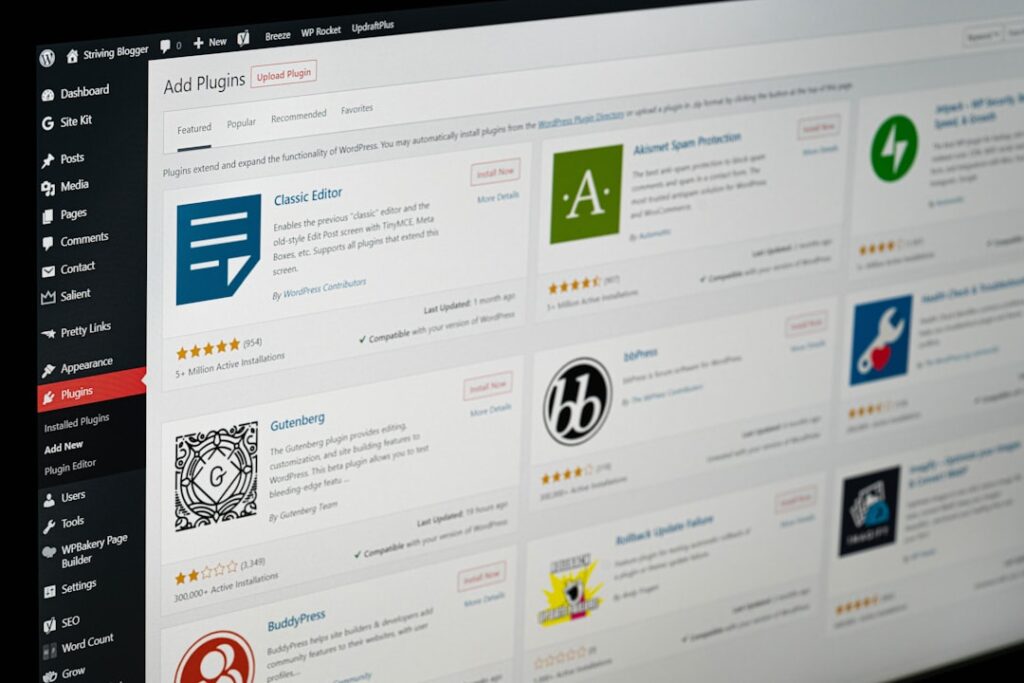
WordPress integration quality falls into four clear tiers. Knowing where a tool sits helps you set realistic expectations before you install anything.
Tier 1: Fully Native (Lives Inside WordPress)
These tools install as WordPress plugins and operate entirely within your dashboard or editor with no external app switching required.
Jetpack AI Assistant — Made by Automattic (the team behind WordPress.com), the Jetpack AI Assistant is built right into the WordPress editor, letting you generate posts, create summaries, tweak the tone of your writing, and even translate content with a few clicks.
AI Engine — Built by Jordy Meow, this plugin lets you create smart chatbots, generate content, and fine-tune AI personalities directly within WordPress — ideal for creators who want more than a basic bot, whether building a support bot for clients or a creative writing tool.
Rank Math Content AI — Real-time suggestions while writing posts save significant time. It supports schema markup, keyword tracking, and XML sitemaps, with a simple setup wizard and clean dashboard for quick configuration.
Tier 2: WordPress Plugin + External Dashboard
These install as plugins but route through an external platform for full functionality.
Tidio — A native WordPress live chat plugin, built to work flawlessly with your website from the moment you install it, set up in just a few clicks with no coding or complex configuration. However, advanced bot management happens in Tidio’s external dashboard.
Tier 3: External Tool with WordPress Publishing Integration
Jasper AI — Jasper is easy to use, allowing businesses to mimic their own brand voice and style by training the tool on existing content, style guides, or other marketing materials. It pulls from a cross-section of AI tools, incorporates search results, and individual business information for a robust solution. A WordPress plugin enables direct publishing, but the core workflow happens in Jasper’s own editor.
Tier 4: Copy-Paste Integration (General AI Tools)
ChatGPT, Claude, and Gemini fall here. Powerful — but the workflow is: generate in their interface → copy → paste into WordPress → reformat blocks → edit. For occasional use, this is fine. For daily publishing workflows, the friction adds up.
There is a middle-ground workaround: WordPress Studio’s built-in AI chatbot saves time by letting you do more from a single interface using natural language, without needing to browse your site or file system or learn shell commands. This is free with a WordPress.com account.
The ROI Litmus Test: Will This Assistant Save You Time?
A tool needs to save at least twice its monthly cost in time to justify the expense. Here’s how to run the math before you commit.
The Time-Savings Formula
Step 1: Estimate how long your primary content task takes today (writing a blog post, answering support tickets, building a landing page).
Step 2: Apply a realistic time savings estimate. Writing a single blog post can take 2–4 hours. With AI assistance, you can cut that to 30–60 minutes. If your time is worth anything, that math works out quickly.
Step 3: Multiply time saved by your hourly rate (or the opportunity cost of your time).
Step 4: Compare against tool cost. If monthly time savings value exceeds 2x the monthly cost, it’s worth testing.
Real example from Jetpack AI usage data: Total cost over 6 months: $60 ($10/month × 6). Time saved: approximately 8–10 hours. Cost per hour saved: $6–$7.50. For someone charging clients $100/hour, saving 8–10 hours for $60 is an exceptional ROI.
Where ROI Breaks Down
AI tools fail the ROI test in two common scenarios:
When the tool creates more work than it saves. If you spend more time editing AI output than you would have spent writing from scratch, the tool isn’t working for your use case. Jasper may create incomplete, incorrect, or nonsensical content if the prompt is too niche, and like all AI content generation tools, it cannot reliably check facts.
When volume growth triggers pricing jumps. This is especially true with conversation-based tools like Tidio. Once you pass a plan’s conversation quota, you’re pushed into a higher tier, and the separate fees for AI and automation can double what you thought you’d pay.
If you’re experiencing this kind of tool friction, our team at WordPress AI Tools can help you find a better-matched solution.
Common Gotchas and Limitations Most Reviews Skip
Here’s what most guides won’t tell you — the friction points you’ll hit in real-world use, not just during a trial.
Gotcha #1: Claude’s Free Tier Is Nearly Unusable
Claude’s free tier is more or less unusable for regular work. While its responses are still high quality, you’ll hit the usage limit within a handful of messages. If you want to seriously use Claude for WordPress content, budget for the $20/month Pro plan from day one.
Gotcha #2: Tidio’s “Free” Chatbot Has a Lifetime Limit, Not a Monthly One
The free tier gives you 50 Lyro AI chats total — not monthly. Total. That’s gone in a few days for most sites. Don’t make deployment decisions based on the free tier experience.
Gotcha #3: AI Engine Lifetime Licenses Lose Support After Year One
Support depends on the license type. Lifetime license holders receive support for the first year only. After that, you need to purchase a new yearly license to continue receiving support. This isn’t wrong — but it surprises many buyers expecting true lifetime support.
Gotcha #4: Divi AI Only Works Inside the Divi Ecosystem
Because Divi AI works within all the elements of the Divi page builder, it’s the best AI solution for creating a WordPress website inside that ecosystem — but it integrates seamlessly with Divi specifically, not with other builders or the standard block editor. If you ever switch page builders, you lose the AI integration entirely.
Gotcha #5: AI-Generated Content Still Needs Human Editing to Rank
Publishing unedited AI content at scale will eventually trigger Google’s spam detection. The solution is simple: use AI as a starting point, not a final draft. Edit everything. Add your own insights. Make it genuinely useful. Tools like Rank Math help by analyzing content quality before you publish.
Gotcha #6: Perplexity’s Undisclosed Model Downgrades
Perplexity was caught quietly downgrading paid users’ queries to cheaper, less capable models without telling them. If you pay for AI, you should know which model you’re actually using. Always verify this before committing to any paid AI subscription.
How to Choose Your First AI Assistant (Decision Framework)
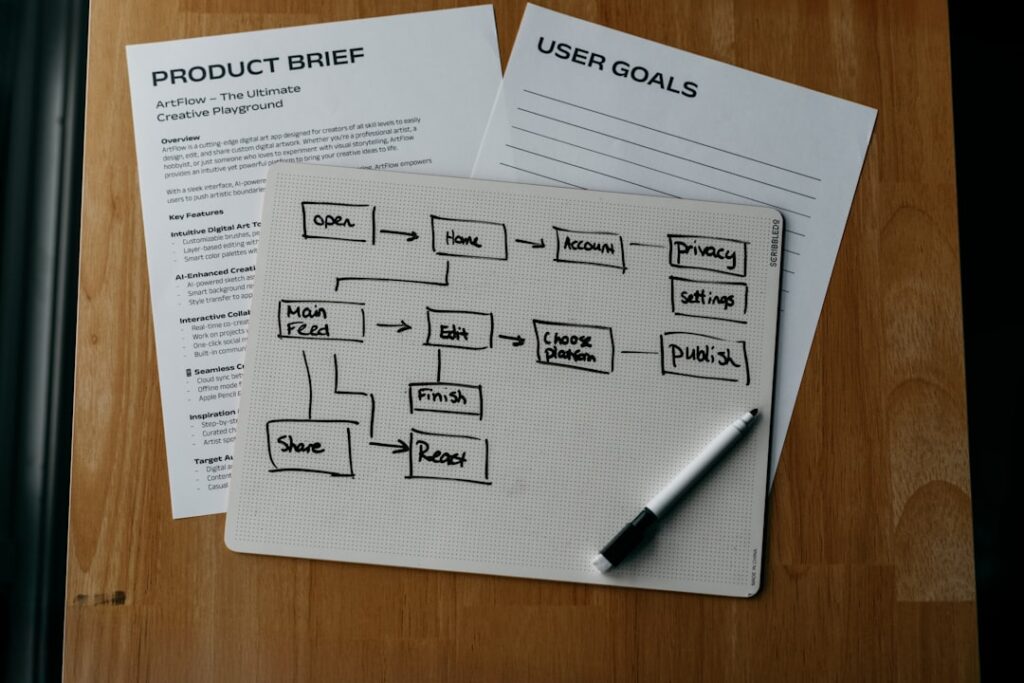
Decision paralysis is real. If you’re struggling to pick, use this three-step framework — and don’t let perfect be the enemy of good. Done is better than perfect when it comes to starting your AI workflow.
Step 1: Name Your Biggest Time Drain
Be ruthlessly specific. Not “content” — but “I spend 3 hours writing blog posts and another hour formatting them in Gutenberg.” Not “customer support” — but “I answer the same 15 product questions 30 times a week.” Be honest. Don’t get a fancy AI writer if what you really need is help with customer support.
Step 2: Assess Your Tech Comfort Level
This determines whether you start with a native plugin or a standalone AI tool:
Non-technical / beginner: Start with Jetpack AI (content) or Tidio free tier (customer support). Both install in minutes with no API setup.
Intermediate: Add ChatGPT Plus or Claude Pro alongside a native plugin. Use the general AI for brainstorming and strategy, the native plugin for WordPress execution.
Technical / developer: AI Engine with your own API key gives you maximum control at minimum cost. It packs more AI features into a single free plugin than most competitors offer across their entire paid lineup.
Step 3: Run a 30-Day Test Before Annual Commitment
Never commit to an annual plan without testing a tool for a full month at realistic volume. The free trial period rarely reflects real usage patterns — you’ll be more motivated and careful during a trial than in month three of a subscription.
Your evaluation criteria for the 30-day test:
✅ Did it eliminate the specific bottleneck you named in Step 1?
✅ Does the output quality require less than 30 minutes of editing per use?
✅ Has it saved more time than you spent learning to use it?
✅ At current usage volume, what does year-two pricing actually look like?
If all four answers are yes, commit. If any are no, either adjust your workflow or try a different tool.
Quick-Reference: Which Tool for Which Profile
| Your Profile | Start With | Add Later If Needed |
|---|---|---|
| WordPress beginner, occasional blogger | ChatGPT free tier + Jetpack AI free (20 requests) | Jetpack AI $10/month when you outgrow free |
| Content creator publishing 3–5x/week | Jetpack AI $10/month or Claude Pro $20/month | Rank Math Content AI for SEO optimization |
| Small business with WooCommerce store | Tidio free tier (test volume first) | Tidio Growth + Lyro AI when ticket volume justifies it |
| SEO-focused niche blogger | Rank Math Content AI (bundled with Rank Math Pro) | GetGenie AI for deeper keyword research workflows |
| Agency or freelancer managing multiple sites | Claude Pro or ChatGPT Plus for versatility | Jasper AI Creator for brand-voice consistency at scale |
| Developer building custom WP AI features | AI Engine free + own OpenAI API key | AI Engine Pro ($59/year) for advanced features |
| Divi page builder user | Divi AI (~$7.42/month bundled) | Jetpack AI for editor-level content creation |
Frequently Asked Questions
Start Small, Scale Smart
The biggest mistake WordPress users make with AI tools isn’t picking the wrong one — it’s picking an expensive one before they’ve established a workflow. AI-powered content creation delivers significant time savings, with marketers reporting an average of 11 hours saved per week, though nearly 50% of marketers report saving 1 to 5 hours weekly since adopting AI — the range is wide because it depends entirely on how systematically you integrate AI into your process.
Start with one bottleneck. Pick the simplest tool that addresses it. Run it for 30 days at real volume. Only then consider adding a second tool or upgrading to a paid tier. That approach will serve you better than any feature comparison chart — including this one.
The AI assistant landscape is evolving fast. Tools that are best-in-class today may be outpaced within six months. The key is choosing plugins with transparent pricing and avoiding subscription traps — then staying flexible enough to reassess as better options emerge.
If you need help navigating which AI tools make sense for your specific WordPress setup — whether you’re running a new blog, a growing WooCommerce store, or a multi-client agency — contact WordPress AI Tools today for personalized guidance tailored to your situation. No pressure, no generic advice — just an honest assessment of what will actually save you time and money.
Frequently Asked Questions
What is the best AI assistant for WordPress beginners?
For WordPress beginners, Jetpack AI Assistant is the best starting point. It installs directly into the Gutenberg block editor with no API setup required, offers 20 free requests to start, and costs $10/month for continued use. It saves approximately 1 to 1.5 hours per blog post and eliminates the copy-paste workflow between an external AI tool and WordPress.
Can I use ChatGPT or Claude directly with WordPress?
Yes, but not natively — both ChatGPT and Claude require a copy-paste workflow: generate content in their interface, then paste it into WordPress and reformat it as Gutenberg blocks. This is fine for occasional use. For daily publishing, a native WordPress plugin like Jetpack AI or Rank Math Content AI will save significantly more time by eliminating the tab-switching friction.
How much does a good AI assistant for WordPress actually cost per month?
For most WordPress users, $10 to $20 per month covers a solid AI workflow. Jetpack AI costs $10/month for content creation inside WordPress. General-purpose tools like ChatGPT Plus, Claude Pro, and Google AI Pro all run $20/month. Specialized tools like Jasper (starting at ~$49/month) or Tidio with Lyro AI (where real-world costs often reach $100–$150/month including add-ons) are better suited to higher-volume or customer support use cases.
Is AI-generated content bad for SEO on WordPress?
AI-generated content itself is not penalized by Google — low-quality, unhelpful content is. WordPress sites that use AI to produce first drafts, then edit and add genuine expertise before publishing, consistently perform well in search. The risk is publishing unedited AI output at scale, which Google’s helpful content guidelines treat as spam. Tools like Rank Math Content AI help by analyzing content quality and readability before you hit publish.
What is the best AI chatbot for a WooCommerce store?
Tidio with Lyro AI is the most popular choice for WooCommerce stores, offering up to 70% automated resolution of customer inquiries and native integration with WooCommerce order history and cart data. However, be aware that Lyro AI is a separate paid add-on starting at $39/month on top of the base plan — real costs often reach $100–$250/month once volume grows. Test the free tier carefully to map your conversation volume before committing to a paid plan.

