
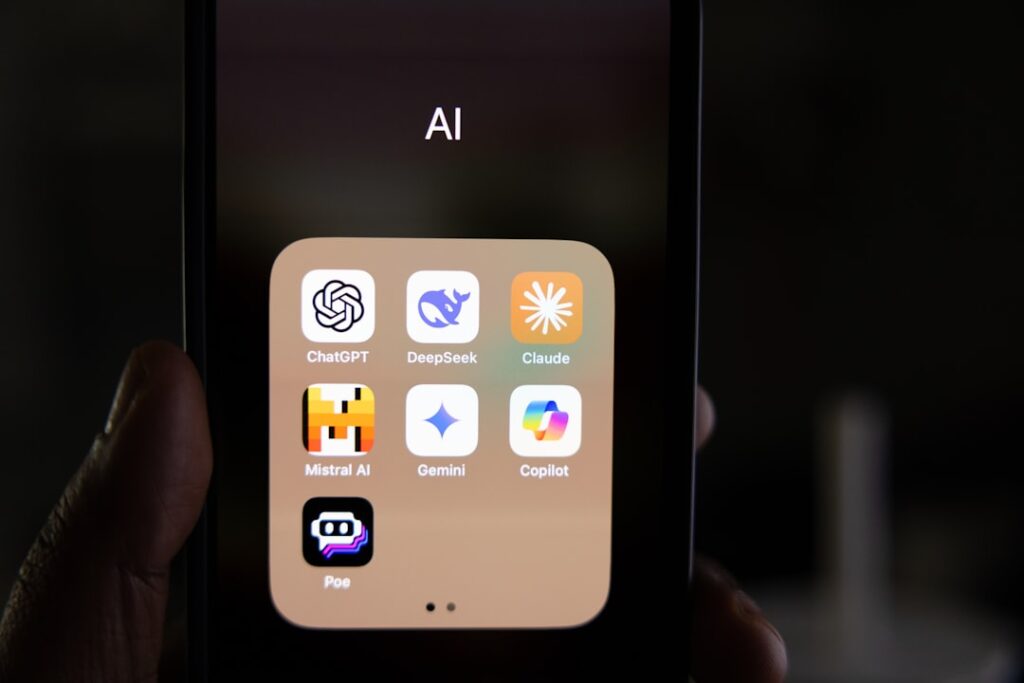
If you’ve spent any time searching for the “best AI app,” you already know the frustration: every list reads like a slightly different version of the last. The honest truth is that there is no single best AI app in 2026 — there are apps that are best for specific jobs. No single winner has emerged from testing. Each assistant has a distinct sweet spot, and the practical answer for most users is to use two or three in parallel. This guide cuts through the noise with real pricing, honest trade-offs, and clear recommendations matched to how you actually work.
What Makes an AI App the Best in 2026
The best AI app for you is the one that fits your workflow without draining your budget or requiring a steep learning curve. Pricing, model capability, ecosystem fit, and what you plan to use it for all matter — but the weighting is different for a solopreneur writing blog posts versus a developer debugging code at scale.
Here are the five criteria that actually separate the worthwhile tools from the hype in 2026:
1. Specialists Beat Generalists in Every Domain
Specialists beat generalists in every domain. ChatGPT remains the best all-rounder, but Cursor beats it for coding, Midjourney beats it for images, and Perplexity beats it for research. The question isn’t which AI is “smartest” — it’s which one is smartest for your specific use case.
2. Free Tiers Are Genuinely Useful Now
Free tiers are genuinely useful now. GitHub Copilot Free (2,000 completions), Google NotebookLM (100 notebooks), Perplexity (5 Pro searches daily), and the free plans from ChatGPT and Claude deliver real output quality. You can evaluate — and in many cases operate — at a professional level before spending a dollar.
3. Pricing Has Converged Around $20/Month
Somehow, every major AI company landed on the same price point: ChatGPT Plus at $20, Claude Pro at $20, Google AI Pro at $19.99, and Perplexity Pro at $20. A critical gotcha to watch for: more expensive tiers like Claude Max at $100–$200 and Google AI Ultra at $249.99 deliver higher usage limits — not better models within their tier. Don’t pay for ceiling capacity you’ll never hit.
4. The Agentic Shift Is the Defining Trend
The agentic shift is the defining trend of 2026. Tools are no longer just answering questions — they are executing multi-step tasks: sending emails, updating CRMs, writing and running code, and autonomously working through complex workflows with minimal human hand-holding. When evaluating any app, ask whether it can act, not just advise.
5. The Ecosystem Matters as Much as the Model
The underlying AI model matters less than how it’s packaged. ChatGPT’s plugins, Claude’s Projects, Notion AI’s workspace integration, and Cursor’s codebase indexing all add value that the raw model doesn’t provide. Choose the app whose surrounding features best match your workflow.
Top 10 Best AI Apps Compared

The table below gives you a fast read on which apps made this list, what they’re genuinely best at, and what the honest trade-off is before you commit to a subscription.
| App | Best For | Free Tier? | Paid Plan Starts At | Key Trade-off |
|---|---|---|---|---|
| ChatGPT | All-around versatility, image gen, voice | Yes | $20/month (Plus) | Breadth over depth; output can feel generic without detailed prompts |
| Claude | Long-form writing, coding, complex reasoning | Yes | $20/month (Pro) | Smaller plugin ecosystem than ChatGPT; no native image generation |
| Google Gemini | Google Workspace users, research, multimodal | Yes | $19.99/month (AI Pro) | Best value only if you live in Gmail/Docs/Sheets |
| Perplexity AI | Cited research, real-time fact-checking | Yes (5 Pro searches/day) | $20/month (Pro) | Weak for creative writing; some transparency issues with model routing |
| GitHub Copilot | Code completion, boilerplate, multi-language | Yes (2,000 completions/month) | $10/month (Pro) | Model routing is opaque; power users may prefer Cursor |
| Midjourney | Artistic AI image generation | No | $10/month (Basic) | Discord-based UX; no photorealistic option as strong as DALL-E |
| Grammarly | Writing polish, tone, business communication | Yes | $12/month (Pro, annual) | Not a generative AI; best as an overlay on other tools |
| Canva AI | Design for non-designers, social media assets | Yes | $15/month (Pro) | Not a replacement for professional design tools like Figma |
| Notion AI | Knowledge management, meeting notes, team docs | Limited | $10/month (AI add-on) | Only valuable if you already use Notion as your workspace |
| ElevenLabs | AI voice generation, podcast/video narration | Yes | $5/month (Starter) | Best for audio; not a general-purpose AI assistant |
Best AI Apps by Category

Rather than ranking these apps 1 through 10 (which would be misleading), here’s a breakdown by the category where each genuinely excels — and who should actually use them.
Best All-Around AI Assistant: ChatGPT
ChatGPT remains the most versatile AI app with the broadest feature set, but it’s no longer the clear winner in every category. Claude outperforms it for long-form analysis and careful reasoning. Perplexity is better for research with citations. Cursor is better for coding. Midjourney generates higher-quality images. ChatGPT’s strength is that it does everything reasonably well in one app — if you only want one AI subscription, it’s still the default choice.
Text, images, voice conversations, code execution, file analysis, web browsing, and plugin integrations all live in one interface that 200+ million people already know how to use. That familiarity and breadth make it the safest starting point for anyone new to AI tools.
The honest trade-off: ChatGPT’s output quality has degraded for detailed work. The responses can be short, heavily bullet-based, and lack the deeper context that business work requires — unless you invest significant effort in very detailed prompting, specifying tone, structure, depth, and format in granular detail.
Best for: First-time AI users, content creators needing quick drafts, teams wanting one tool that handles most tasks.
Not ideal for: Deep research, professional-grade coding, or enterprise workflows requiring consistent quality.
Best AI App for Writing and Complex Reasoning: Claude
Claude has quietly become the thinking person’s AI assistant. While ChatGPT optimizes for breadth and speed, Claude optimizes for depth and care — its 200K token context window processes entire codebases, legal documents, and research papers without losing track of details.
Claude is an AI assistant from Anthropic, and is the AI tool of choice for coding and structured reasoning. It’s effective for writing and researching, but is best at supporting development workflows — its most popular use cases are software development, debugging, refactoring, technical writing, and learning to code. Claude’s strength is writing clean code — typically with fewer logic errors than other AI tools — and being able to explain it in plain English.
For business users, the Projects and Skills system is a standout feature. The new features coming into the picture, like Cowork and the ability to build Skills, have levelled up its game completely. You can build a mini replica of your own brain inside Claude — feed it your SOPs, brand guidelines, and decision frameworks.
Best for: Bloggers, copywriters, developers, analysts, and business owners who need polished long-form output.
Not ideal for: Users who need real-time web search or image generation built in.
Best AI App for Google Workspace Users: Google Gemini
Gemini’s advantage in 2026 is integration. Gemini in Gmail actually uses your emails. Gemini in Docs actually uses your docs. Gemini in Sheets actually understands your data. The assistant capability at this integration depth is meaningfully more useful than standalone chat.
A hidden value play worth knowing: Google quietly doubled Google AI Pro’s cloud storage from 2TB to 5TB in April 2026 at no extra cost. If you already pay Google for storage, this is essentially a $10 AI upgrade.
The honest trade-off: Where Gemini falls behind Claude is in depth. For strategy documents, long-form analysis, or work that requires maintaining a complex set of instructions across conversations, Claude’s Project and Skills system is still ahead.
Best for: Small business owners and teams already paying for Google Workspace who want AI baked into their existing tools.
Not ideal for: Users outside the Google ecosystem who won’t benefit from the integrations.
Best AI App for Research: Perplexity AI
Perplexity AI is a conversational search and answer engine that uses large language models to provide concise, sourced answers to natural language queries. Unlike standard web search engines, Perplexity AI interprets context and intent more effectively, generating direct answers, summaries, and follow-up clarifications. The platform integrates real-time web access with AI-powered text synthesis, aiming for both accuracy and transparency by citing sources for its responses.
For academic, legal, journalistic, analyst, and medical research work, Perplexity is irreplaceable. You can get ChatGPT or Claude to cite sources, but Perplexity does it natively and reliably. Its Deep Research feature is particularly powerful: Deep Research doesn’t just search once — it searches dozens of times across hundreds of sources, reads full articles, compares data, and writes a detailed report.
The honest trade-off: Perplexity is not a creative tool. The writing output is functional but uninspired. Long-form drafting is better done elsewhere. Also worth flagging for transparency-conscious users: Perplexity was caught silently downgrading paid subscribers’ queries to cheaper models without disclosure, and Deep Research daily limits were slashed from 600/day to 20/month with no warning.
Best for: Researchers, journalists, analysts, students, and anyone whose work depends on sourced, verifiable information.
Not ideal for: Creative writing, long-form content production, or use as a primary AI assistant.
Best AI App for Developers: GitHub Copilot
GitHub Copilot costs $10/month for the Pro plan (or $19/user/month for Business teams) and delivers measurable productivity gains of up to 55% in controlled code completion tasks, based on a peer-reviewed MIT/Microsoft Research study involving 4,800 developers.
GitHub Copilot suggests code as you type, completing entire functions based on context and comments. It’s trained on public code repositories, so it knows common patterns and can reference documentation. For boilerplate code, routine functions, and unfamiliar languages, Copilot significantly reduces coding time. The chat feature lets you ask questions about code directly in your IDE.
The honest trade-off: GitHub Copilot isn’t a model — it’s an orchestration layer that decides, without telling you, whether Claude, Gemini, or a proprietary system writes your next function. You can’t benchmark Copilot the way you benchmark GPT-4 or Claude because it’s not one thing — it’s a routing service that picks from 10 to 20 models in rotation. Power users wanting deeper codebase awareness should evaluate Cursor as an alternative.
Best for: Individual developers and teams already in the GitHub ecosystem who want reliable, IDE-agnostic AI assistance.
Not ideal for: Developers who need consistent model behavior for compliance or debugging purposes.
Best AI App for Image Generation: Midjourney
Midjourney produces the most visually stunning AI images available. Its artistic quality makes it ideal for creative projects, marketing materials, and concept art. The learning curve for prompting is steeper than some alternatives, but the results are worth it.
Pricing is tiered by fast GPU time: The Basic plan at $10/month provides 3 hours of fast GPU processing per month. The Standard plan at $30/month increases this to 15 hours per month. The Professional plan at $60/month offers 30 hours of unlimited fast processing. Each plan includes an unlimited number of generations in slow mode.
The honest trade-off: Midjourney has no free tier (starts at $10/month), operates through Discord which can feel clunky, and has limited editing controls compared to dedicated design tools.
Best for: Designers, marketers, and content creators who need high-quality visual assets for commercial or creative use.
Not ideal for: Users who need photorealistic product shots or don’t want to navigate a Discord-based workflow.
Best AI App for Writing Polish: Grammarly
Grammarly has evolved far beyond spell-checking. Its AI now suggests tone adjustments, clarity improvements, and even full sentence rewrites. The plagiarism checker is invaluable for anyone publishing content. GrammarlyGO, their generative AI feature, can draft content based on prompts directly in your workflow. It integrates with virtually every writing platform.
The Pro plan delivers advanced tone detection, clarity rewrites, full-sentence suggestions, plagiarism detection, and style consistency guidance across every platform where you write — browsers, Word, Google Docs, Outlook, and Slack. At $12/month on annual billing, it’s one of the most affordable paid AI tools on this list.
Best for: Business owners, freelancers, and bloggers who write frequently and want a real-time quality layer across every platform.
Not ideal for: Users looking for a standalone AI assistant — Grammarly works best as a complement to other tools.
Best AI App for Non-Designers: Canva AI
Canva AI offers a robust suite of tools through its Magic Studio, designed to streamline every aspect of the design process. Magic Design quickly generates templates for social media posts, invitations, and flyers based on text prompts — Canva’s designers train and review these templates to ensure quality, cutting down on editing time. Magic Media includes Text to Image and Text to Video features, turning written descriptions into visual content.
For small business owners and solopreneurs, Canva Pro covers 80–90% of non-designer needs at a fraction of hiring a designer. The honest trade-off: Canva AI makes design accessible but doesn’t replace Figma for professional UI design.
Best for: Small business owners, bloggers, and marketers who need professional-looking assets without a design background.
Not ideal for: Professional designers or teams needing precision UI/UX work.
Best AI App for Knowledge Management: Notion AI
Notion’s AI features work directly within your workspace. Summarize meeting notes, generate action items from documents, brainstorm ideas, translate content, fix grammar — all without leaving Notion. The AI understands the context of your workspace, making suggestions more relevant. For teams already using Notion for documentation and project management, this is extremely valuable.
Best for: Teams and solopreneurs who already use Notion and want AI built into their project management workflow.
Not ideal for: Anyone not already in the Notion ecosystem — the AI add-on only makes sense if the platform is already your home base.
Best AI App for Audio and Voice: ElevenLabs
ElevenLabs is the popular AI voice generation app. You can give it a transcript and it will generate a human-like voiceover. It can be used for a wide range of use cases like voiceovers for AI-generated videos, creating agents that can read content on your site to visitors, and more.
They now have ElevenLabs Agents, which is a feature to deploy and monitor conversational agents. You can build this directly into your products and create ultra-realistic speech across 70+ languages. ElevenLabs continues to be the best platform for voiceovers and conversational agents.
Best for: Podcasters, video creators, online course builders, and developers building voice-enabled products.
Not ideal for: Users who need a general-purpose AI assistant rather than specialized voice output.
How to Choose the Right AI App for Your Needs

Decision paralysis is real when you’re staring at a list of ten tools. Here’s a practical framework to narrow your choice without overthinking it.
Start With Your Primary Task, Not the App
Most people make the mistake of picking a tool and then finding tasks for it. Instead, start with the job you need done most often and work backward. Your decision depends on one question: what do you spend most of your AI time doing? If you write code daily, GitHub Copilot Pro at $10/month for IDE completions makes sense.
Here’s a quick decision map based on role:
Content creators and bloggers: Start with Claude Pro for quality writing, then add Grammarly as your editing layer. That’s roughly $32/month covering research, drafting, and polishing.
Small business owners: Small businesses often rely on user-friendly tools with freemium plans. The top picks include Grammarly, Canva, ChatGPT, and Synthesia — each helps with writing, design, customer content, or presentations.
Developers: GitHub Copilot Pro ($10) + Cursor Pro ($20) gives you a $30/month stack that delivers fast completions and deep multi-file reasoning across the full development lifecycle.
Researchers and analysts: Perplexity Pro for real-time cited research and NotebookLM for deep document synthesis. The total cost is $20/month or less, and the combination covers both external web research and internal document analysis with minimal overlap.
Google Workspace users: Google Gemini Advanced plus Fathom for meetings and Notion AI for knowledge management. The priority here is integration with existing enterprise infrastructure over raw model capability.
The “Two-Tool Stack” Rule
Most professionals benefit from combining two tools rather than committing to one or subscribing to everything. The AI pricing landscape in 2026 rewards strategic tool stacking over loyalty to single platforms. Most professionals benefit from combining one paid subscription with multiple free tiers rather than subscribing to everything.
A practical starting point: try free tiers of two or three tools before committing to any paid subscription. The free tiers are really good now — ChatGPT gives free users access to its latest model, and several tools have added meaningful free features. Done is better than perfect — pick one tool and build the habit before adding a second.
If you’re unsure which tools fit your specific WordPress or content workflow, the team at WordPress AI Tools can help you map the right stack to your goals. Reach out for a free consultation — no pressure, no generic advice.
Pricing and Value Comparison
Here’s what you need to know upfront: the market shows a clear pricing hierarchy with three distinct tiers. Premium plans — SuperGrok Heavy, Google AI Ultra, Claude Max, Perplexity Max, ChatGPT Pro — are positioned at roughly $200–$300/month, offering top-tier capabilities. Standard plans cluster at much more affordable pricing ($15–$30/month) with most options around $20/month, providing accessible AI capabilities for broader audiences.
Always check the renewal rate before committing — and watch for usage caps that reset at inconvenient times.
| App | Free Tier | Standard Plan | Power User Plan | Best Value Pick |
|---|---|---|---|---|
| ChatGPT | Yes (with ads, US) | $20/month (Plus) | $100–$200/month (Pro) | Plus at $20/month for most users |
| Claude | Yes | $20/month (Pro) or $17/month (annual) | $100–$200/month (Max) | Pro annual for writers/developers |
| Google Gemini | Yes (generous — includes Deep Research & video credits) | $19.99/month (AI Pro) | $249.99/month (AI Ultra) | AI Pro if you use Google Workspace |
| Perplexity AI | Yes (5 Pro searches/day) | $20/month ($16.67/month annual) | $200/month (Max) | Pro annual for researchers |
| GitHub Copilot | Yes (2,000 completions/month) | $10/month (Pro) | $39/month (Pro+ or Enterprise) | Pro at $10/month — best coding value |
| Midjourney | No free tier | $10/month (Basic) / $30/month (Standard) | $60/month (Pro) | Standard at $30/month for regular creators |
| Grammarly | Yes | $12/month (Pro, annual) | $15/user/month (Business) | Pro annual for solo writers |
| Canva | Yes (AI features included) | $15/month (Pro) | Custom (Enterprise) | Pro for small business owners |
| Notion AI | Limited | $10/month (AI add-on) | $15/user/month (Business) | AI add-on only if you’re already using Notion |
| ElevenLabs | Yes (limited credits) | $5/month (Starter) | $99/month (Scale) | Starter for occasional voice work |
A note on budget reality: businesses now spend an average of $100–$5,000 per month on AI tools, with startups typically allocating $50–$500 annually and enterprises investing $50–$25,000 depending on deployment scale. For most solopreneurs and small business owners, a well-chosen two-tool stack comes in well under $40/month — which is highly justifiable when it saves even two hours of work per week.
Also worth knowing: AI subscription costs qualify as deductible business expenses in most jurisdictions when used for income-generating activities. Freelancers can typically deduct ChatGPT Plus, Claude Pro, or similar subscriptions as software expenses under operating costs or professional development. Always confirm with your accountant.
Getting Started with Your First AI App

The biggest mistake beginners make is subscribing before they’ve tried anything. Every major AI app has a usable free tier — start there and build a habit before spending money.
Phase 1: Free Tier First (Week 1–2)
Sign up for free accounts on ChatGPT, Claude, and Perplexity. Use each one for tasks you actually do — drafting an email, summarizing a document, or answering a research question. Pay attention to which output you have to edit the least. That’s your tool. Don’t overthink it at this stage.
Phase 2: Commit to One Paid Subscription (Week 3–4)
Once you have a clear favorite, upgrade to one paid plan. For most users, even heavy ones, the $20 tier handles 95% of use cases. Resist the urge to subscribe to everything at once — the average user actively uses only 42% of their paid AI subscriptions. A tool you use daily is worth $20/month. A tool you use weekly is probably not.
Phase 3: Add a Specialist Tool (Month 2+)
Once your primary tool is a daily habit, identify the one task it handles poorly and add a specialist. If you’re using Claude for writing but need research citations, add Perplexity free tier first and see if five Pro searches per day covers your needs before paying. If you’re using ChatGPT but find yourself hitting its coding limits, try GitHub Copilot’s free tier alongside it.
A Critical Gotcha: Renewal Pricing
Annual plans offer meaningful savings (Claude Pro drops from $20/month to $17/month; Perplexity drops to $16.67/month) but lock you into a tool for a year. Only go annual after at least four to six weeks of consistent daily use. The short-term savings aren’t worth the commitment if your workflow changes. All services allow monthly cancellation. Your paid features remain active until the end of your billing period. There are no long-term commitments for individual plans.
At WordPress AI Tools, we help WordPress site owners and content creators build efficient AI workflows tailored to their actual needs. If you’re not sure where to start — or which tools fit your specific setup — contact us today for personalized guidance. No pressure, no generic advice.
Frequently Asked Questions About AI Apps
Start Using AI Apps Today
You don’t need to pick the perfect AI app before you start. The landscape is moving fast — all pricing and feature data comes from official sources, but AI apps update rapidly. Pricing tiers, model capabilities, and feature availability change frequently. The best move is to start with what’s available today, build a habit, and adjust as the tools evolve.
If you’re a WordPress site owner, solopreneur, or small business owner trying to figure out which AI tools make sense for your specific workflow, the team at WordPress AI Tools is here to help. We work with creators and business owners every day to build practical, budget-smart AI stacks — no jargon, no one-size-fits-all recommendations. Reach out to us today when you’re ready to take the guesswork out of choosing AI tools. Done is better than perfect — and we’ll help you get there faster.
Frequently Asked Questions
What is the best AI app overall in 2026?
There is no single best AI app for everyone. ChatGPT is the best all-around choice if you want one tool that handles most tasks reasonably well. Claude leads for long-form writing and complex reasoning. Perplexity is best for cited research. GitHub Copilot is the top pick for developers. The right answer depends entirely on your primary use case.
Are the free tiers of AI apps actually useful?
Yes — in 2026, free tiers are genuinely useful. ChatGPT, Claude, and Perplexity all offer free plans that deliver real output quality. GitHub Copilot’s free tier includes 2,000 code completions per month. For most casual users, free tiers are sufficient for getting started before committing to a paid subscription.
How much should I budget for AI apps per month?
Most standard AI plans cost around $20/month (ChatGPT Plus, Claude Pro, Perplexity Pro). GitHub Copilot Pro is just $10/month, making it the best-value coding tool. For a well-rounded two-tool stack, budget $20–$40/month. Most solopreneurs and small business owners can cover their core needs within that range.
Is it worth paying for multiple AI subscriptions?
Only if you use each one daily. Research shows the average user actively uses only 42% of their paid AI subscriptions. Build a habit with one tool first, then add a specialist for tasks your primary tool handles poorly. Most professionals find that one general-purpose AI plus one specialist covers 90% of their needs.
Which AI app is best for small business owners?
For most small business owners, the best starting stack is ChatGPT Plus ($20/month) for general tasks and Grammarly Pro ($12/month annual) for communication polish. If you use Google Workspace, swap ChatGPT for Google Gemini AI Pro to get deep Gmail, Docs, and Sheets integration. Add Canva Pro ($15/month) if you regularly create marketing visuals.

