

If you’ve spent any time researching web hosting, you’ve almost certainly stumbled across Hostinger. Its prices seem almost impossibly low — and that’s exactly the reaction most first-time buyers have. The concern is valid: cheap hosting has a long history of slow servers, unreliable uptime, and support that disappears when you need it most. So the real question isn’t whether Hostinger is affordable. It’s whether the performance actually justifies choosing it over the alternatives.
This review cuts through the noise. We’ve pulled together real uptime monitoring data, independent speed tests, a full pricing breakdown (including the renewal rates most guides bury), and a head-to-head comparison with Bluehost and SiteGround so you can make an informed decision based on your specific situation — not a generic “best hosting” ranking.
What Is Hostinger Web Hosting?
Hostinger is one of the world’s largest independent web hosting providers, and its scale is hard to ignore. Founded in Lithuania in 2004, Hostinger hosts over 29 million websites across 178 countries worldwide. What started as a free hosting service has evolved into a full-stack hosting platform competing directly with industry giants like Bluehost and SiteGround — at a fraction of the price.
Unlike most shared hosts that run on the industry-standard Apache server, Hostinger utilizes LiteSpeed Web Server (LSWS) technology, which is significantly faster and capable of handling more concurrent users with less memory. Hostinger pairs this with the LiteSpeed Cache (LSCache) plugin, giving every user server-level caching that dramatically reduces load times right out of the box.
The platform is built around a proprietary control panel called hPanel — their alternative to the industry-standard cPanel. Hostinger built their own interface called hPanel, which is sleek, intuitive, and arguably easier for a beginner to navigate than traditional dashboards. You can manage backups, databases, and emails in just a few clicks.
On the infrastructure side, Hostinger operates data centers in at least six confirmed locations — Dallas (US), London (UK), Amsterdam (Netherlands), Vilnius (Lithuania), Singapore, and São Paulo (Brazil), with some sources citing additional locations in India and Indonesia. That geographic spread matters if your audience isn’t concentrated in one region.
The honest trade-off: Hostinger’s hPanel is beginner-friendly and clean, but it is a proprietary system. hPanel is better for beginners and worse for power users, and it does increase your switching cost if you decide to leave later. This isn’t unique to Hostinger — Wix, Squarespace, and every proprietary platform works the same way — but it’s worth factoring into your decision.
Hostinger Pricing Plans and Features

Hostinger’s pricing structure is genuinely competitive — but there’s a critical gotcha to watch for: introductory rates and renewal rates are very different animals. Renewal prices are much higher than introductory rates. Always make sure to review renewal terms so there are no surprises when you get the next bill. Hostinger does show the renewal price and date at checkout. With that in mind, here’s a breakdown of the core shared hosting tiers.
| Plan | Intro Price (48-mo) | 1-Year Price | Key Features | Best For |
|---|---|---|---|---|
| Premium | ~$2.99/mo | $3.49/mo | Up to 25 websites, 25 GB SSD, free domain (1 yr), 50 email accounts, free SSL, weekly backups | New bloggers, personal sites, low-traffic projects |
| Business | ~$3.99/mo | $4.49/mo | 100 websites, 100 GB NVMe SSD, daily backups, free CDN, higher PHP workers | Growing blogs, small business sites, WooCommerce stores |
| Cloud Startup | ~$9.99/mo | $9.99/mo | 300 websites, 200 GB NVMe, dedicated IP, priority support, cloud infrastructure | High-traffic sites, agencies, growing eCommerce |
| VPS (entry) | ~$6.49/mo | $6.49/mo | 1–8 vCPU, 4–32 GB RAM, up to 400 GB NVMe (varies by tier), full root access | Developers, custom apps, high-concurrency needs |
As for similarities across shared plans, all plans offer a 1-year free domain, access to Hostinger’s website builder, free automatic website migration, unlimited free SSL, standard DDoS protection, and a malware scanner.
The Premium Plan: Great Starter, Limited Ceiling
The Premium Plan is one of the most popular choices for beginners who are starting a new website. It is budget-friendly and includes a free domain, a key highlight. However, the major downside with Hostinger’s Premium Plan is the lack of daily backups. As your site grows, having daily backups becomes crucial, but this feature is not included in this plan. If your site holds anything you can’t afford to lose — product listings, client content, blog archives — start on the Business plan instead.
The Business Plan: The Sweet Spot
According to analysis, the Business plan is the winner in terms of maximum monetary value to the user. It is recommended for eCommerce stores, as it includes built-in store features such as payment processing and inventory management. The upgrade to NVMe SSD storage (versus standard SSD on Premium) is a meaningful real-world speed difference, and the inclusion of a free CDN helps close the gap with more expensive managed hosts for global audiences.
VPS Hosting: For Those Who Need More Control
Hostinger’s VPS plans range from $6.49 to $25.99 per month for a 24-month term, unlocking between 1–8 vCPU cores, 4–32 GB RAM, and up to 400 GB NVMe storage, depending on your chosen plan. VPS hosting requires some technical knowledge on how to set up your server. That said, Hostinger makes this much easier with its AI tools and setup guides.
The Renewal Pricing Reality Check
Most guides skip this, so here it is plainly: for shared hosting, initial long-term subscriptions (24 months or more) can start as low as $2.69/month. However, if you choose a 1-month term, the price will be significantly higher, often around $10.00 to $15.00 per month, plus a setup fee. The smart move is to lock in a 12- or 24-month plan on your first purchase — you get the promotional rate for that full period, and renewal rates, while higher, are still nearly double but remain cheaper than most other web hosts.
All Hostinger plans come with a 30-day money-back guarantee, meaning there is no risk in testing it out. That’s your safety net if the platform doesn’t feel right after a few weeks.
Performance and Speed Testing: What the Data Actually Shows
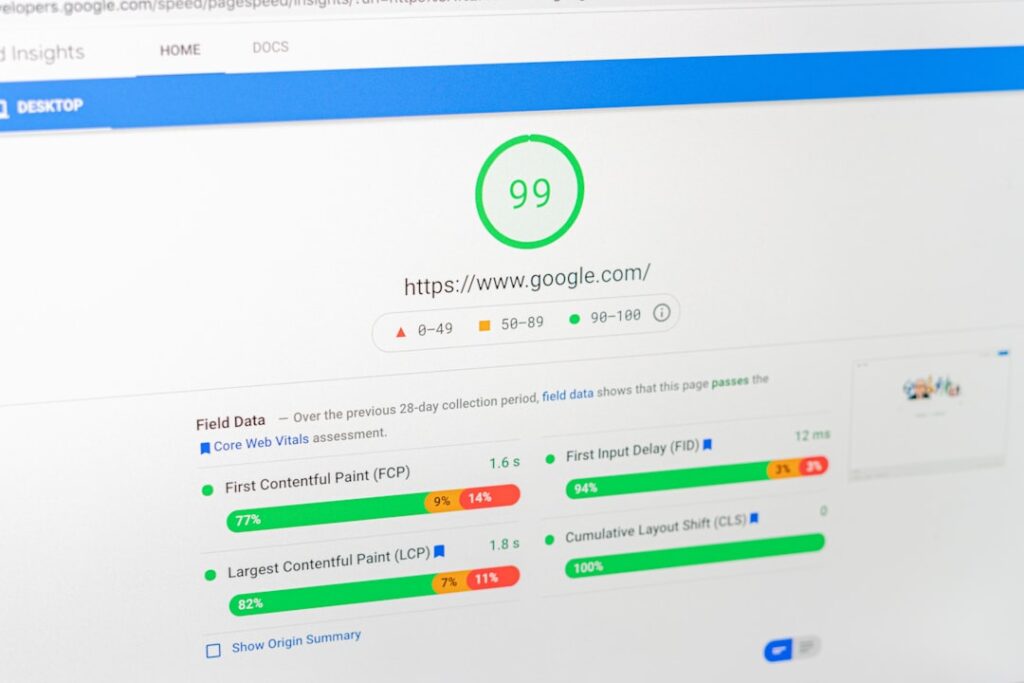
Hostinger’s performance is the most credible argument for choosing it over cheaper alternatives — and independent testing consistently supports the claim. Across multiple third-party testing sources, the pattern is clear: Hostinger punches above its price tier.
Uptime: Reliably Above the Guarantee
Out of 135 days monitored in 2025, Hostinger Business recorded an uptime of 99.99% with just 4 outages totaling 18 minutes. In 2026, across the first 18 days of monitoring, zero downtime was recorded, scoring 100% uptime. Across multiple monitoring tools and testing periods, Hostinger maintained an average uptime of 99.98%, meeting their stated uptime guarantee for all plans.
For context on what this means in practice: a 99.9% uptime guarantee allows for roughly 8.7 hours of downtime per year. Hostinger’s actual monitored performance has consistently exceeded that guarantee by a significant margin.
Load Speed: LiteSpeed’s Real-World Impact
During a week of testing, one independently monitored website on Hostinger’s server achieved a typical Fully Loaded Time of just 0.8 seconds. To put that in perspective, most other budget hosts hover around 2–3 seconds. That speed advantage comes directly from Hostinger’s infrastructure choices. Hostinger uses LiteSpeed web server technology and advanced cache solutions to enhance website loading speed and optimize performance. It also uses Object Cache for WordPress to reduce website response times up to three times.
On Time to First Byte (TTFB) — a metric Google uses as a ranking signal — results were typically around 0.2 seconds. This is a very good speed — it isn’t unusual to see this number at 0.5 seconds or higher from shared hosting services.
The Business plan with CDN enabled performs even better in global tests. Hostinger’s Business plan with CDN delivers approximately 223ms global average TTFB. Bitcatcha’s speed tests clocked Hostinger’s US data center at 136ms average server response time across 10 global locations — well below the 180ms threshold for an A+ rating.
The Plan-Level Performance Gap
Not all Hostinger plans perform equally, and this is worth being clear about. In Q4 2025, the major difference between the Business and Premium plan is that the Business plan offers 8x faster load handling and 50% faster global performance due to the presence of CDN. Hostinger Premium suits best for sites just starting out with limited real-time traffic, and the Business plan is recommended for sites which are already established and receiving a good number of concurrent visitors.
The honest limitation: Hostinger is fundamentally a shared hosting platform. While they use LiteSpeed, your website still shares computing resources (CPU and RAM) with hundreds of other sites. For high-traffic events, sales, or viral posts, your site may experience throttling or slow loading times as resources are stretched. If you’re consistently serving more than 100,000 monthly visitors, Cloud Startup or VPS is the right move.
Hostinger vs. Competitors: How Does It Stack Up?

The three names that come up most often in this comparison are Hostinger, Bluehost, and SiteGround. They target similar audiences but have meaningfully different strengths. Here’s what the data shows:
| Factor | Hostinger | Bluehost | SiteGround |
|---|---|---|---|
| Starting Price (intro) | ~$2.69–$2.99/mo | ~$1.99/mo | ~$2.99/mo |
| Renewal Price (shared) | Higher; plan accordingly | Renews ~$8.99/mo (Personal) | Renews ~$18+/mo |
| Uptime (monitored) | 99.98–99.99% | 99.9%+ | 99.99%+ |
| Avg. Load Speed | 0.8–1.4 seconds | Slightly faster raw speed index | ~650ms with full stack |
| Server Technology | LiteSpeed + NVMe SSD | Apache + SSD | Google Cloud + SuperCacher |
| Free Domain (yr 1) | Yes (most plans) | Yes | No |
| Free CDN | Business plan and above | Yes (some plans) | Yes (built-in) |
| Phone Support | No — live chat only | Yes | Yes |
| Control Panel | Proprietary hPanel | cPanel | Proprietary Site Tools |
| Key Trade-off | Best value/speed ratio; no phone support | Cheapest intro price; slower performance | Premium performance; highest renewal cost |
Hostinger vs. Bluehost
In a head-to-head comparison, Hostinger is a better overall choice, especially for beginners and those looking for an easy, all-in-one setup. It offers a more intuitive interface, AI assistance, 1-click setup for various apps, and free email accounts — all of this makes it much easier to get started. On value per dollar, Hostinger’s cheapest plan offers hosting for 3 websites, 20GB of storage, and 2 mailboxes per website free for a year — while Bluehost’s cheapest plan at $1.99/month offers only 1 website, 1GB of storage, and a free professional email for just 1 month.
The one area where Bluehost has a genuine edge is phone support. SiteGround and Bluehost offer phone support in addition to live chat, while Hostinger relies solely on live chat. If you know you’ll want to pick up the phone during a crisis, that matters.
Hostinger vs. SiteGround
SiteGround excels for businesses and developers needing premium speed, bulletproof security, and expert support at a higher budget. Hostinger stands out for cost-conscious users craving top-tier speed and essential features without compromise. The practical summary: Hostinger offers solid value for budget-focused users, while SiteGround provides premium performance at a higher price point with advanced developer tools. SiteGround’s renewal pricing is significantly steeper, which changes the long-term cost equation dramatically for most solopreneurs and small businesses.
On customer support, SiteGround has always had one of the better support departments in the industry. They have an extensive training program that all support team members go through, and their live chat response times are usually excellent. Hostinger’s support is good but not at that level — especially at peak hours.
Pros and Cons of Hostinger Web Hosting
Hostinger has real strengths and real limitations. Here’s the honest breakdown — no fluff.
What Hostinger Gets Right
Performance that outpaces the price. Hostinger delivers performance that punches above its price tag — reliable enough for serious sites, not just entry-level experiments. The LiteSpeed server stack is the real differentiator here: WordPress optimization with LiteSpeed Cache delivers a measurable 20–30% speed boost out of the box.
Genuinely beginner-friendly setup. One-click WordPress installation means a new site is live in less than a minute — no FTP, no database manipulation required. The hPanel dashboard is clean, clearly organized, and doesn’t assume you already know what a nameserver is.
Strong feature bundle at every tier. All plans include a 1-year free domain, access to Hostinger’s website builder, free automatic website migration, unlimited free SSL, standard DDoS protection, and a malware scanner. These are extras that many competing hosts charge for separately.
AI-assisted support that actually works. Hostinger’s AI support chatbot, Kodee, handled 855,000 conversations in September 2025 alone, resolving 76% without human intervention, with an average response time of 9 seconds. For common troubleshooting tasks, this is genuinely useful.
Global data center coverage. Hostinger offers data centers located in the US, Europe, Asia, and South America. If your website is aimed at attracting visitors from specific regions, you can select the closest accessible data center to their location to get the best loading speeds.
Where Hostinger Falls Short
No phone support — at any price tier. There is no phone support at any price tier. Kodee handles simple questions fast, but when something breaks, you’re in a chat queue waiting for a human. If phone access matters to you, Bluehost or SiteGround are better choices.
Renewal pricing requires upfront planning. The introductory rates are excellent, but renewal prices jump significantly. Budget for the renewal cost from day one — don’t let the headline price set your long-term expectations.
Premium plan lacks daily backups. The lack of daily backups on the Premium Plan is a significant limitation. As your site grows, having daily backups becomes crucial, but this feature is not included in this plan. If your site changes daily, budget for the Business plan minimum.
Shared hosting ceiling exists. Your website shares computing resources (CPU and RAM) with hundreds of other sites. For high-traffic events, sales, or viral posts, your site may experience throttling or slow loading times as resources are stretched.
Support quality varies at peak hours. Hostinger’s support response time can vary during peak hours. For mission-critical sites where every minute of downtime costs money, managed WordPress hosts like WP Engine or Kinsta offer more reliable white-glove support.
Who Should Use Hostinger Web Hosting?

Hostinger isn’t the right fit for everyone — but for a specific profile of user, it’s hard to beat at this price point.
Hostinger Is a Strong Match If You Are:
A WordPress beginner launching your first site. The combination of a one-click WordPress installer, hPanel’s beginner-friendly layout, LiteSpeed caching pre-enabled, and SSL auto-installed on signup removes almost all of the technical friction from getting online. Hostinger is particularly strong for beginners, WordPress users, and small to medium personal or business projects looking for a budget-friendly but reliable solution.
A blogger or content creator watching their budget. If you’re launching your first blog and expect fewer than 300 visits/day, the Premium plan is a great starter. At approximately $2.99/mo for 48 months, that’s roughly $143 total for 4 years of hosting — less than the cost of a few decent meals out. The upgrade path to Business is straightforward as your traffic grows.
A small business owner hosting a brochure site or small WooCommerce store. Hostinger can be a good option for eCommerce, especially for small to medium-sized online stores using platforms like WooCommerce or PrestaShop. The Business plan’s daily backups, NVMe storage, and CDN provide a solid foundation without the expense of a managed host.
A freelancer or agency managing multiple client sites on a tight margin. The Business plan’s 100-website allowance and cloud plans’ 300-website capacity make Hostinger surprisingly viable for agencies that need to keep hosting costs predictable. Hostinger offers an unlimited website migrations service that handles everything and ensures you can transfer a site — or sites — without any hassle, cost, data loss, or downtime.
Hostinger May Not Be the Right Fit If You:
Run a high-traffic e-commerce site where downtime directly costs revenue. At that level, the resource isolation and white-glove support of a managed platform like WP Engine or Kinsta justifies the higher price. If you are an established high-traffic business that needs guaranteed resources and fully managed support, investing in Kinsta or WP Engine is worth considering.
Need phone support. Hostinger is live chat and knowledge base only. If your team or clients will need to pick up the phone during a technical crisis, that’s a dealbreaker that no amount of LiteSpeed caching can compensate for.
Require cPanel specifically. Developers or teams with workflows built around cPanel will find hPanel requires an adjustment period. It’s not better or worse for most tasks — it’s just different.
If you’re experiencing decision paralysis trying to choose between hosting providers, consider this framework: match your plan to your current traffic reality, not your best-case projection. Start with a plan that fits today, and upgrade when the data tells you to — not when marketing tells you that you need it.
If you’re unsure which hosting tier makes sense for your specific WordPress setup, the team at WordPress AI Tools is happy to help you think it through. Reach out for a no-pressure conversation — we help beginners, solopreneurs, and small business owners navigate exactly these decisions.
Frequently Asked Questions
See the most common questions about Hostinger web hosting answered below.
Final Verdict: Is Hostinger Web Hosting Worth It?
Hostinger earns its reputation — with some important qualifiers. The performance data is credible: Hostinger provides a stable 99.9% uptime, up to 99% site performance score, advanced security features, fast loading times, and highly responsive customer support. The price-to-performance ratio at the Business plan level is genuinely difficult to beat in the shared hosting category.
But “best for most people” is not the same as “best for everyone.” The no-phone-support policy is a real limitation for users who prioritize accessibility during technical emergencies. The renewal pricing gap demands upfront financial planning that too many buyers skip. And the proprietary hPanel, while excellent for beginners, does increase vendor lock-in in a way worth acknowledging.
Here’s the honest summary:
Choose Hostinger if you’re a beginner, blogger, solopreneur, or small business owner who needs reliable performance, a beginner-friendly dashboard, and strong value at a low upfront cost — and you’re willing to plan for renewal pricing from day one.
Look elsewhere if you need phone support, run a high-traffic business that can’t tolerate resource throttling on shared infrastructure, or rely heavily on cPanel workflows.
At WordPress AI Tools, we work with WordPress site owners at every stage — from choosing their first host to optimizing established sites for speed and conversion. If you want a second opinion on whether Hostinger fits your specific situation, or you’re trying to decide between hosting tiers, contact WordPress AI Tools today for personalized guidance — no pressure, no generic advice, just a clear answer based on your actual needs.
Frequently Asked Questions
Is Hostinger reliable enough for a business website?
Yes, for most small to medium business websites. Independent monitoring consistently shows Hostinger hitting 99.98–99.99% uptime, which exceeds their stated 99.9% guarantee. That said, if your business depends on near-zero downtime and you need phone support for rapid response, a managed host like WP Engine or SiteGround may better suit your risk tolerance.
What is the catch with Hostinger’s low prices?
The main catch is the renewal rate. Hostinger’s introductory pricing is heavily discounted, but renewal prices are significantly higher. Always check the renewal rate before committing — Hostinger does display it at checkout. Locking in a 12- or 24-month plan at the promotional rate is the best way to manage cost over time.
Does Hostinger work well for WordPress sites?
Yes, Hostinger is well-suited for WordPress hosting. Every plan includes one-click WordPress installation, LiteSpeed caching pre-enabled, free SSL, and a malware scanner. The Business plan adds daily backups, NVMe SSD storage, and a free CDN — all of which meaningfully improve WordPress performance. The hPanel dashboard also makes managing WordPress settings, plugins, and caching straightforward for beginners.
Does Hostinger offer phone support?
No. Hostinger does not offer phone support at any plan level. Support is provided exclusively through live chat and a knowledge base. Their AI assistant (Kodee) handles many common issues quickly, but if phone access is important to you during technical emergencies, Bluehost and SiteGround both offer phone support.
How does Hostinger compare to SiteGround for WordPress?
Hostinger wins on price and value-per-dollar; SiteGround wins on raw performance, advanced WordPress features, and customer support quality. SiteGround’s renewal pricing is significantly higher than Hostinger’s, which changes the long-term cost equation for budget-conscious users. For beginners and small businesses, Hostinger offers more than enough performance at a fraction of the price. For businesses needing premium-tier managed features and support, SiteGround justifies its higher cost.

