

The AI tools landscape has matured dramatically, and the same is true for WordPress site hosting. Choosing the right hosting environment is no longer a simple checkbox decision—it is a strategic foundation that determines your site’s speed, security, and ability to grow. At WordPress AI Tools, we see site owners overwhelmed by marketing claims and buried renewal pricing every day. This guide cuts through that noise with practical, scenario-based recommendations.
Here is the honest starting point: no amount of caching plugins, image compression, or code optimization can fix a slow hosting environment. As one technical optimization guide puts it, “no amount of caching, image compression, or code tweaking can fix slow hosting.” The difference between budget shared hosting and proper WordPress hosting can mean hundreds of milliseconds added to every single page load—a gap that plugins simply cannot close.
What Makes WordPress Site Hosting Unique?
WordPress is not a static HTML site. Every page request triggers PHP execution, database queries, and dynamic content assembly. This means your hosting environment needs to handle these operations efficiently, not just serve files quickly. That is why generic “web hosting” and WordPress-optimized hosting are fundamentally different products.
WordPress-specific hosting environments typically include server-level caching tuned for how WordPress generates pages, PHP version management, automated WordPress core and plugin updates, and database optimization routines. Managed WordPress hosting providers handle these WordPress-specific optimizations for you, which matters more as your site’s complexity grows.
Think of it this way: shared hosting is like renting a desk in a crowded co-working space—you share power, bandwidth, and resources with everyone else in the building. Managed WordPress hosting is more like leasing a private office with your own infrastructure, where the building management team handles maintenance, security patrols, and the HVAC system so you can focus on your actual work.
The trend in 2026 is clear: hosting is moving toward integrated platforms. Industry experts note that the best hosting is no longer just about server specs—it is about the complete ecosystem, from integrated CDNs and server-level caching to AI tools and builder software bundled into the platform.
Choosing WordPress Site Hosting Based on Your Needs
The “best” WordPress site hosting depends entirely on what you are building, how much traffic you expect, and what level of technical management you are comfortable handling. A personal blog with 500 monthly visitors has radically different requirements than a WooCommerce store processing hundreds of daily orders. Here is a practical breakdown by site type.
| Site Type | Recommended Hosting | Key Requirements | Budget Expectation |
|---|---|---|---|
| Personal Blog or Portfolio | Shared or entry-level managed hosting | Adequate storage, basic caching, free SSL, one-click WordPress install | $3–$15/month (check renewal pricing) |
| Business Website (Brochure/Lead Gen) | Managed WordPress hosting | Staging environment, daily backups, CDN, uptime monitoring, WordPress expert support | $15–$50/month |
| Content-Heavy Blog (High Traffic) | Managed WordPress or cloud hosting | Scalable resources, object caching (Redis), CDN, generous PHP workers, NVMe storage | $25–$75/month |
| Ecommerce (WooCommerce) | WooCommerce-optimized managed hosting or cloud VPS | PCI-ready infrastructure, dynamic page handling, auto-scaling, dedicated resources, transaction security | $30–$100+/month |
| Membership or LMS Platform | Cloud VPS or high-tier managed hosting | High PHP worker allocation, persistent object caching, database optimization, reliable uptime | $50–$150+/month |
| Agency (Multiple Client Sites) | Managed hosting with multi-site management | Staging per site, centralized dashboard, client billing tools, Git integration, SSH access | $50–$200+/month |
A critical note on pricing: a plan advertised at $2.99 per month might renew at $10 to $15 per month after the initial term. Always check the renewal rate before committing. Some hosts increase rates significantly after the first billing period, and that sticker shock can turn a seemingly affordable plan into one that does not make financial sense for your situation.
For most new website owners building their first site, bundled managed hosting is the practical choice. For anyone managing multiple websites or planning to scale, separating your domain registration from your hosting gives you significantly more flexibility—and makes future migrations far less painful.
Performance Factors That Matter for WordPress Sites
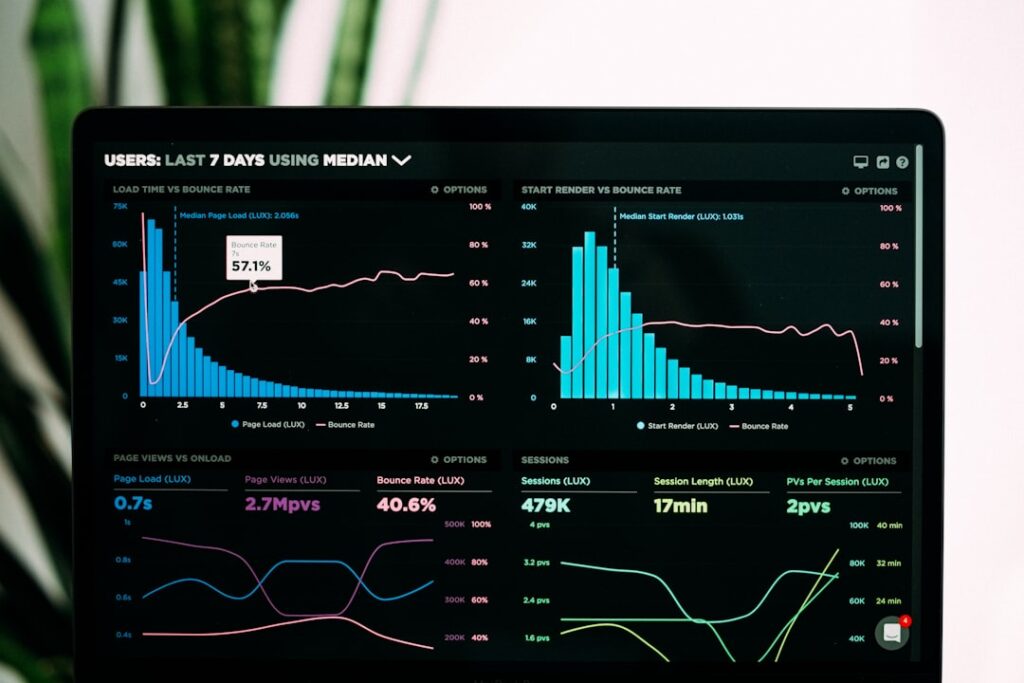
WordPress performance starts at the server level. Before you spend hours tweaking plugins and compressing images, you need to know whether your hosting environment is the bottleneck. Here are the factors that genuinely move the needle.
Time to First Byte (TTFB)
TTFB measures how long it takes your server to respond to a request. A slow TTFB means your Largest Contentful Paint (LCP) score—a Core Web Vital that Google uses as a ranking factor—will suffer regardless of how well the rest of your site is optimized. Minimizing TTFB starts with choosing a hosting provider with infrastructure designed for high uptime and responsiveness, combined with a CDN for global delivery.
PHP Version and Server Stack
Running the latest supported PHP version significantly improves site speed by enhancing execution efficiency. WordPress currently recommends PHP 8.3 or higher when possible. Before upgrading, verify compatibility of your themes and plugins through your host dashboard. Many managed hosts handle this automatically, but if you are on shared hosting, you may need to update PHP manually via your control panel.
Caching Layers
Effective caching operates at multiple layers: page cache, object cache, CDN cache, and browser cache. For WordPress sites, persistent object caching through Redis or Memcached is particularly impactful because WordPress makes heavy database calls. If your hosting benchmark shows object caching as disabled or slow, you are missing a significant optimization opportunity. Many managed hosts include server-level caching out of the box, which is more efficient than relying on plugins alone.
Images and Media Delivery
Images typically account for 50 to 70 percent of total page weight on most WordPress sites. Using modern formats like WebP or AVIF, lazy loading below-the-fold images, and offloading media to a CDN or cloud storage reduces server load and speeds up delivery. External scripts from third-party tools can add 300 to 1,000 milliseconds of extra delay, so audit those regularly as well.
Database Optimization
A bloated WordPress database—filled with post revisions, spam comments, expired transients, and orphaned metadata—drags down every page load. Schedule regular database cleanup with tools like WP-Optimize, and if your host supports it, configure Redis persistent object cache to reduce the number of direct database queries. For high-traffic or WooCommerce sites, database tuning at the MySQL or MariaDB level is essential.
If you are evaluating your current hosting performance, tools like Google PageSpeed Insights (for Core Web Vitals and field data), GTmetrix (for waterfall analysis), and WordPress Hosting Benchmark (for server-level CPU, memory, database, and network tests) can give you clear, measurable baselines to work from.
Security Features Every WordPress Site Needs
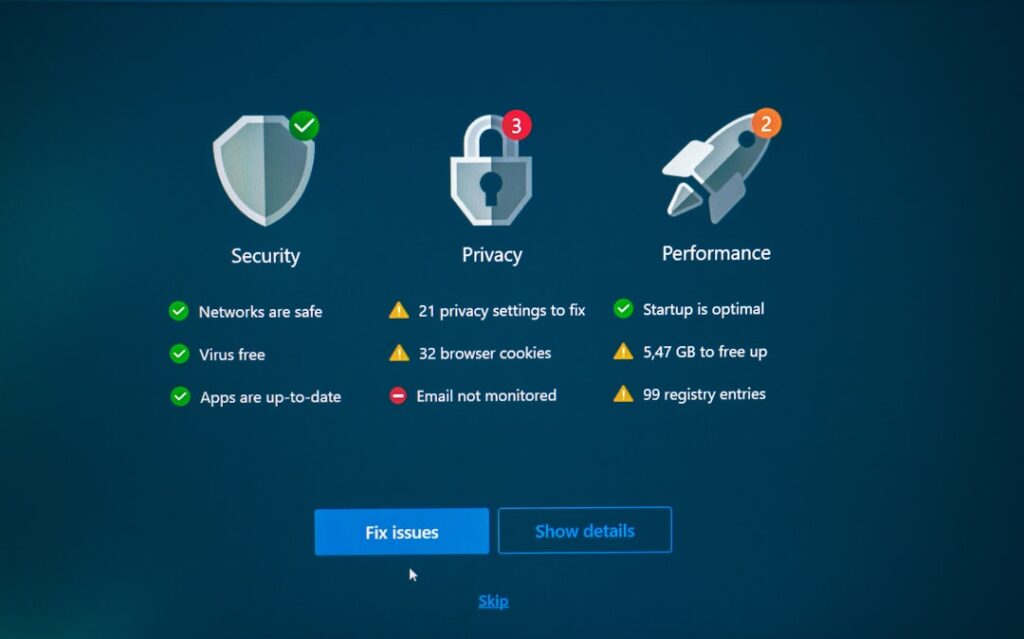
The honest reality about WordPress security is sobering. According to the 2025 Melapress WordPress Security Survey, 96 percent of WordPress professionals faced at least one security incident, and 64 percent suffered a full breach. The most common threats? Brute force attacks, plugin or theme vulnerabilities, and malicious code injection.
Security data from Patchstack’s 2025 analysis shows that 11,334 new vulnerabilities were identified in the WordPress ecosystem—a 42 percent increase over 2024. Even more alarming, attackers are now weaponizing newly disclosed vulnerabilities within a median window of just five hours for the most heavily targeted flaws. The takeaway: your hosting environment’s security posture is not optional—it is the first line of defense.
If you are feeling overwhelmed by these numbers, you are not alone. The good news is that a layered approach to security—starting with the right hosting—can address the majority of common threats. Here is what to look for and implement.
Hosting-Level Security Essentials
Your hosting provider should include, at minimum: a Web Application Firewall (WAF) that filters malicious traffic before it reaches your site, DDoS protection to keep your site online during volumetric attacks, free SSL certificates with automatic renewal, daily automated backups with one-click restore capability, and malware scanning with removal support. Managed WordPress hosts like Kinsta, WP Engine, and SiteGround build these features into their infrastructure, reducing the security burden on you.
Site-Level Security Practices
Beyond what your host provides, every WordPress site owner should implement these baseline practices: keep WordPress core, themes, and plugins updated—delayed patch adoption is one of the primary reasons sites get compromised. Use strong, unique passwords for all accounts and enable two-factor authentication (2FA) for every admin user. Apply the principle of least privilege by giving each user only the access level they need. Regularly audit installed plugins and remove any that are unused or abandoned. Disable the built-in code editor in your WordPress dashboard by adding DISALLOW_FILE_EDIT to your wp-config.php file.
If you are exploring how AI tools can enhance your WordPress security workflow, our team at WordPress AI Tools can help you identify solutions that fit your specific setup. Whether it is automated vulnerability scanning, AI-powered bot detection, or centralized update management for multiple sites, the right combination of tools can save hours of manual security maintenance each month.
Ecommerce-Specific Security Considerations
WooCommerce stores handle sensitive customer data and payment information, which raises the stakes considerably. Those working on ecommerce stores rated their security concern at 8.2 out of 10 on average, compared to 7.5 out of 10 for non-ecommerce sites, according to the Melapress survey. Beyond standard security measures, ecommerce sites need PCI-ready hosting infrastructure, secure payment gateway configuration, and regular security audits focused on checkout and account areas.
Scaling Your WordPress Site Hosting as You Grow

One of the most common hosting mistakes is choosing a plan that works for today but has no clear path for tomorrow. Scalability is not just about handling more traffic—it is about maintaining consistent performance during unexpected surges, seasonal spikes, and sustained growth without requiring a complete infrastructure overhaul.
Shared Hosting Limitations
Traditional web hosting may work for smaller WordPress sites, but it will not serve well for WooCommerce stores and other platforms that involve regular growth. Shared hosting plans typically impose strict resource limits, and when your neighbor on the same server experiences a traffic spike, your site’s performance can suffer too. Sites that rely on fixed-tier hosting often crash during viral moments or marketing campaigns because their infrastructure cannot scale dynamically.
Cloud and VPS Scaling Options
Cloud-based hosting solutions are inherently scalable. They can allocate additional resources—CPU, RAM, storage—almost instantly to handle traffic spikes, ensuring your site stays responsive. Key scaling features to look for include flexible resource upgrades without requiring migrations or downtime, auto-scaling that adjusts resources dynamically based on real-time traffic demands, load balancing that distributes incoming traffic across multiple servers to prevent any single server from becoming overwhelmed, and the ability to choose from multiple global data center locations to serve your primary audience faster.
When to Upgrade Your Hosting
Here are practical signals that your current hosting has become a bottleneck: your TTFB consistently exceeds 600 milliseconds, your site slows noticeably during traffic spikes or scheduled email campaigns, your WooCommerce checkout times increase during sale events, you are running out of PHP workers and seeing queued requests, or your hosting benchmark score falls below 6 out of 10. If two or more of these apply, it is time to evaluate managed or cloud hosting options.
A practical ROI framework for upgrading: if upgrading from a $10/month shared plan to a $40/month managed plan saves you three hours per month in troubleshooting, performance optimization, and security management—and your time is worth $25/hour or more—the upgrade pays for itself. Factor in potential revenue lost from slow page loads and downtime, and the math typically favors the upgrade for any site generating revenue.
Migration: Moving Your WordPress Site to New Hosting
Migration is often the step that keeps site owners stuck on subpar hosting longer than they should be. The process feels risky—and it can be, if done without preparation. But with a structured approach, a straightforward WordPress migration typically takes between one to four hours for the actual transfer, plus up to 48 to 72 hours for DNS propagation.
Pre-Migration Checklist
Before touching anything, complete these essential steps. First, create a full site backup—files, database, and media—and verify that you can restore it. This is non-negotiable. Second, record your current site’s performance benchmarks: load times, TTFB, SEO rankings, and key metrics so you can compare after migration. Third, update WordPress core, themes, and plugins to the latest versions and remove anything unused. Fourth, gather all login credentials for your current host, domain registrar, and any third-party services. Fifth, schedule the migration during a low-traffic window—check your analytics for when visits and conversions are at their lowest.
During Migration
— /wp:heading –>Place your site in maintenance mode and pause new content, orders, or updates while the transfer runs. Choose your migration method: a plugin like Duplicator or All-in-One WP Migration for a DIY approach, or use your new host’s free migration service if available (many managed hosts include this). Set up WordPress on the new host, ensure PHP versions match, import your database, and upload your files. Before updating DNS, test thoroughly on the new server using a staging URL or temporary domain.
Post-Migration Verification
After migration, verify that your SSL certificate is working properly—load your site in an incognito window and confirm the lock icon appears. Check all pages, posts, forms, and functionality for broken links or missing images. Re-save your permalink settings under Settings > Permalinks if pages return 404 errors. Run a fresh SEO audit to catch any issues raised during the migration, and monitor your analytics closely for the first two weeks. Keep your old hosting active for at least two to three days after DNS changes are complete as a safety net.
WordPress Site Hosting FAQs
What is the difference between shared hosting and managed WordPress hosting?
Shared hosting places your site on a server with many other websites, sharing CPU, RAM, and bandwidth. Managed WordPress hosting provides a WordPress-optimized environment with dedicated resources, server-level caching, automated backups, WordPress expert support, and proactive security measures. The trade-off is cost: shared hosting starts lower but often lacks the performance and security features that managed hosting includes by default. For any site generating revenue or representing a business, managed hosting is typically the practical choice.
Do I need WooCommerce-specific hosting for my online store?
While you can technically run a WooCommerce store on standard WordPress hosting, it is not ideal. WooCommerce sites have extra demands like dynamic product pages, shopping carts, and payment processing that require more PHP workers, stronger database optimization, and caching rules that properly handle dynamic pages. WooCommerce-optimized hosting includes features specifically tuned for ecommerce performance and security, including PCI-ready infrastructure and intelligent caching that keeps cart and checkout pages fresh while caching static product catalogs.
How do I know when it is time to switch hosting providers?
Key indicators include consistently slow page load times despite optimization efforts, frequent downtime or unreliable uptime, poor or unresponsive customer support, security incidents that your host failed to prevent or address, and hitting resource limits that prevent your site from growing. If your current hosting is costing you time, traffic, or revenue, the migration investment almost always pays for itself within the first month or two.
Will migrating my WordPress site hurt my SEO rankings?
If done correctly, migration should have a neutral or positive impact on SEO—especially if you are moving to faster hosting. The risks come from broken links, missing redirects, or accidentally blocking search engines during the transition. Following a thorough migration checklist, verifying all URLs resolve correctly, and monitoring your keyword rankings and traffic closely after the move will protect your SEO investment.
How much should I expect to spend on WordPress hosting?
For a personal blog or portfolio, expect $3 to $15 per month. Business sites typically need $15 to $50 per month for managed hosting with proper security and support. Ecommerce stores should budget $30 to $100 or more per month depending on traffic and transaction volume. Always factor in renewal pricing, not just introductory rates, when calculating your true total cost of ownership.
Find the Perfect Hosting for Your WordPress Site
Choosing WordPress site hosting is one of those decisions where getting it right from the start saves enormous time, money, and frustration down the road. Start with one clear question: what does my site need today, and what will it need in 12 months? Match your hosting type to your actual use case—blog, business, ecommerce, or agency—and prioritize providers that include security, performance optimization, and scalable infrastructure as standard features rather than expensive add-ons.
The competitive advantage does not come from simply having a website—it comes from having a website that loads fast, stays secure, and scales when opportunity arrives. If you are evaluating hosting options and want guidance tailored to your specific WordPress setup, explore our in-depth reviews and guides at WordPress AI Tools. Whether you are launching your first site or managing a portfolio of client projects, we are here to help you make informed decisions. Start with one tool, test it on real tasks, and contact WordPress AI Tools if you need guidance on which hosting option fits your workflow and goals.

