
The AI tools landscape has matured dramatically, and choosing the right ones for your workflow is now a strategic decision rather than an experiment. At WordPress AI Tools, we work within this ecosystem every day, helping site owners, developers, and business professionals cut through the noise to find tools that deliver measurable results. This guide provides a comprehensive overview of the best AI tools across content creation, business and marketing, development, and automation, with honest assessments of pricing, strengths, and limitations.
Whether you are a WordPress blogger scaling content production, a solopreneur managing marketing on a budget, or a developer evaluating tools for client projects, this guide is organized by what you need to accomplish. We have focused on the tools people are actually using to get real work done in 2026, not every new launch promising to change the world.
Understanding AI Tools and Their Impact
AI tools are software applications that use artificial intelligence, machine learning, and natural language processing to automate tasks that would otherwise require significant human effort. In 2026, these tools have moved well beyond basic chatbot interactions. The leading platforms from OpenAI, Anthropic, and Google now offer systems that reason, plan, and execute complex multi-step workflows with a level of autonomy that was not practical even a year ago.
The practical impact is significant. Organizations that implement the right AI stack report saving 15 to 20 hours per employee each week and achieving 30 to 40 percent reductions in operational costs. However, those numbers only materialize when tools are chosen based on actual business outcomes rather than hype. Many teams invest in AI tools that sit unused because they do not align with existing workflows or fail to deliver on their promises.
The biggest challenge in 2026 is not finding AI tools. It is interoperability: ensuring your reasoning model can work with your automation platform and your productivity suite without creating disconnected silos. Every tool you evaluate should pass three tests: immediate time savings, a clear integration path with your existing stack, and measurable outcomes you can track.
AI Tools for Content Creation and Writing

Content creation remains one of the strongest use cases for AI tools, but the category has splintered into distinct specializations. The general-purpose assistants handle broad tasks well, while dedicated writing and creative tools often outperform them in specific niches. Here are the standout options for content workflows in 2026.
ChatGPT
ChatGPT remains the most widely used AI assistant and serves as the default starting point for most users. It handles writing, coding, image generation, voice conversation, research, and data analysis within a single interface. The free tier provides access to GPT-5.2 with limited usage, making it accessible for anyone exploring AI for the first time. ChatGPT Plus at $20/month unlocks advanced reasoning capabilities and higher message limits, while the Pro tier at $200/month removes most usage caps for power users.
ChatGPT is best suited for professionals who want a single workbench where writing, analysis, file work, and structured tasks can be handled without switching applications. Its limitation is that while it handles everything at a solid level, dedicated tools often produce stronger results in specific areas like long-form writing or code generation.
Claude
Claude, developed by Anthropic, has earned a strong reputation for producing writing that reads naturally and handling long-form content with consistency across multiple revision passes. Claude Pro at $20/month grants access to the Opus model series, which excels at sustained drafting, complex reasoning, and maintaining coherence across extended documents. Max tiers are available at $100/month and $200/month for significantly higher usage volumes.
Claude is the top choice for knowledge workers doing sustained writing and review cycles, particularly when iterative refinement and internal consistency matter more than quick one-shot answers. Developers have also adopted it heavily, with reports indicating a 53 percent adoption rate among coding professionals due to its accuracy and code quality.
Google Gemini
Google Gemini stands out for its deep integration with the Google ecosystem and its multimodal capabilities, processing text, images, video, audio, and code within one environment. Gemini can handle extremely large amounts of text at once, allowing you to upload lengthy research papers and ask detailed follow-up questions without losing context. Google AI Pro at $19.99/month is widely considered one of the best value bundles in the AI space, especially for users already working within Google Workspace.
Gemini is particularly strong for research, document summarization, and users whose daily workflow already lives inside Google’s tools. The AI Pro plan includes features like Deep Research for structured web-informed analysis and NotebookLM integration for document-grounded conversations. The main drawback is that the most advanced features sit behind higher-priced tiers, and like all AI systems, output still requires fact-checking.
For a deeper look at how AI apps compare across productivity, creativity, and communication workflows, our practical guide to the best AI apps in 2026 covers individual tools with hands-on assessments and integration advice.
AI Tools for Business and Marketing

Businesses are increasingly embedding AI into marketing, customer service, and operational workflows. The tools below represent the most practical options across these categories, selected based on real-world ROI rather than feature lists alone.
Workflow Automation: Zapier, Make, and n8n
Workflow automation has become essential for competitive businesses, and three platforms dominate the market, each serving different user profiles. Zapier excels at rapid implementation with over 8,000 pre-built app connections and AI-powered workflow creation, making it ideal for non-technical teams. Make (formerly Integromat) occupies the middle ground, offering visual workflow orchestration with more power than Zapier at lower cost for equivalent volumes. n8n provides maximum flexibility for developer-led teams, with native LangChain integration and the option to self-host for complete data control.
All three platforms now offer native connections to OpenAI, Anthropic, and Google Gemini, plus purpose-built AI agent workflow templates. The choice between them depends on your team’s technical capabilities and scaling requirements more than raw features.
AI Customer Service Platforms
AI customer service has moved far beyond scripted chatbots. The current generation of tools uses generative AI to understand customer intent, hold natural conversations, and resolve issues end-to-end without human intervention. Leading platforms like Intercom Fin, Zendesk AI, and Freshdesk with Freddy AI handle ticket triage, multilingual support, and automated resolution at scale. For e-commerce businesses, specialized tools like Gorgias integrate directly with Shopify and WooCommerce to manage order-related queries automatically.
The table below compares the leading AI tools across business and marketing categories to help you identify which tools fit your specific needs and budget.
| Tool | Category | Starting Price | Best For | Key Strength |
|---|---|---|---|---|
| Zapier | Workflow Automation | Free (100 tasks/mo); Pro from $19.99/mo | Non-technical teams needing quick automation | 8,000+ app integrations, AI Copilot for natural language setup |
| Make | Workflow Automation | Free tier available; paid plans from $10.59/mo | Teams wanting visual workflow design with moderate complexity | Visual builder, affordable at scale, AI scenario templates |
| n8n | Workflow Automation | Free (self-hosted); cloud plans available | Developer-led teams building complex AI workflows | LangChain integration, self-hosting option, full code support |
| Intercom Fin | Customer Service AI | Custom pricing | Teams needing AI chatbot with human handoff | Resolves high volume of support queries, 45+ languages |
| Freshdesk (Freddy AI) | Customer Service AI | Free tier available; paid plans vary | Teams needing AI-powered ticket triage and routing | Omnichannel support, predictive analytics, automation |
| Grammarly | Business Writing | Free (basic); $12/mo annual | Professionals needing polished communication everywhere | Works across browsers, email, and apps; tone detection |
| Jasper | Marketing Content | From $59/mo | Marketing teams scaling branded content | Brand voice training, marketing templates, platform integrations |
| Perplexity | AI Research | Free (5 Pro searches/day); $20/mo Pro | Researchers needing cited, verified information | Real-time search with numbered source citations |
| HeyGen | Video Generation | Free tier available; paid plans vary | Enterprise video creation and localization | AI avatars, auto lip-sync in 175+ languages, 4K resolution |
A practical note on automation tool pricing: Zapier charges per task (each action in a workflow counts toward your quota), Make uses an operations-based model, and n8n charges by execution for cloud plans or can be self-hosted at no software cost. At higher volumes, these pricing differences become significant. A lead enrichment workflow processing 5,000 leads per month could cost roughly $45/month on Make with Claude API versus over $100/month on Zapier with built-in AI, though the Make route requires more technical setup time.
AI Tools for Developers and Data Scientists

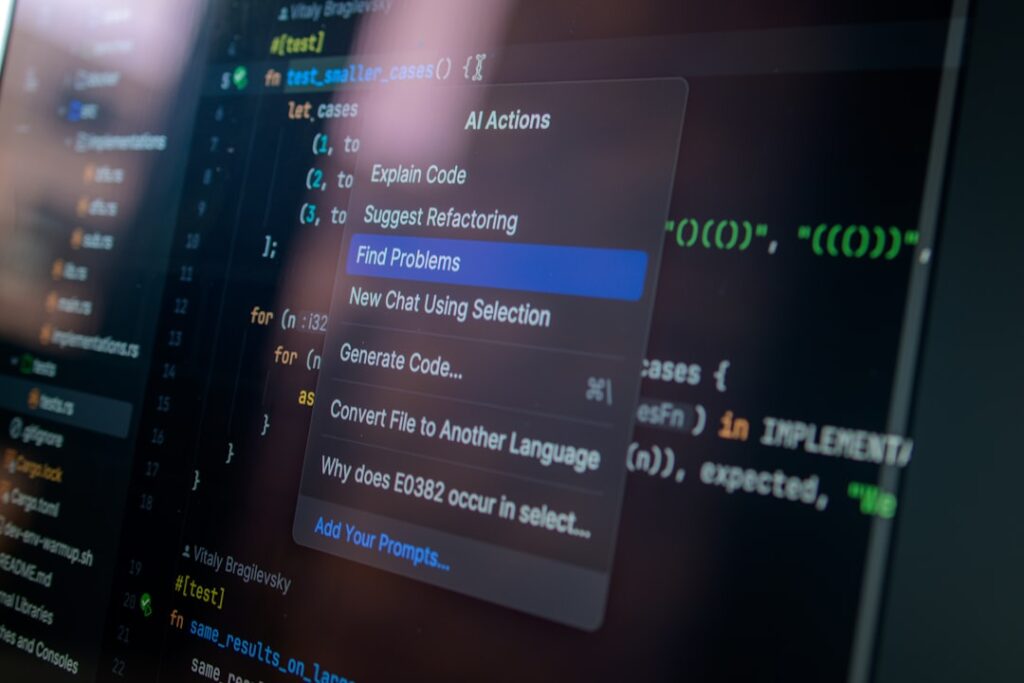
The developer tools space has seen some of the most dramatic improvements in AI capability during 2025 and 2026. AI coding assistants have moved from autocomplete novelties to genuine productivity multipliers that can handle complex refactoring, debugging, and even autonomous development tasks.
AI Coding Assistants
The leading AI coding tools in early 2026 include Windsurf (formerly Codeium), GitHub Copilot, Cursor, and Claude Code. Windsurf has earned top marks for its agentic development experience, offering features like side-by-side model comparison, smart task planning before code generation, and parallel multi-agent sessions. GitHub Copilot remains the most widely integrated option for teams already using GitHub workflows. Cursor provides a focused AI-first coding environment, while Claude Code leverages Anthropic’s models for complex codebase analysis and multi-file editing.
Most AI coding tools are priced around $20/month for individual developers, which pays for itself if the tool saves more than 12 minutes per month at a typical developer rate. However, the published pricing is often the floor rather than the ceiling. Token-based pricing for tools like Claude Code means costs are directly proportional to usage, and a developer refactoring a large codebase could spend $20 to $30 in API calls in a single session. The good news is that AI model pricing has dropped significantly over the past two years, and this trend shows no signs of stopping.
Data Analysis and Research Tools
Google’s NotebookLM has emerged as one of the most powerful free tools for research and data analysis. Unlike a standard chatbot, NotebookLM lets you upload sources including PDFs, audio files, and websites, then creates a grounded AI expert based only on that data. The free tier is generous, allowing up to 100 notebooks with each holding a maximum of 50 sources and up to 500,000 words per notebook. Its Audio Overview feature transforms documents into engaging podcast-style discussions between two AI hosts, which is useful for auditory learners.
For more specialized document analysis, Humata anchors its answers to the specific document at hand, providing clickable citations that jump directly to the relevant paragraph. The free plan allows analysis of up to 60 pages per month, making it a practical option for verifying formulas or data claims in research papers.
WordPress site owners exploring how AI integrates directly into their content management workflow will find our complete beginner’s guide to WordPress helpful for understanding the platform’s plugin ecosystem and how AI tools fit into it.
Free vs. Paid AI Tools: What You Need to Know
One of the most common misconceptions is that powerful AI requires expensive subscriptions. The open-source community and competitive freemium tiers have made state-of-the-art AI accessible to nearly everyone. However, understanding the real differences between free and paid tiers is essential for making smart investments.
The $20/Month Standard Tier
The AI subscription market in 2026 has settled around a $20/month standard tier that provides access to flagship models from each major provider. ChatGPT Plus, Claude Pro, and Google AI Pro all hover at this price point and deliver substantial value for most users. The differences between them come down to ecosystem integration, interface preferences, and specific task strengths rather than raw capability gaps.
For users seeking maximum capability, the premium tiers represent a significant jump: ChatGPT Pro at $200/month, Claude Max at $200/month, and Google AI Ultra at approximately $250/month. These are designed for power users who need unlimited access to advanced reasoning models, video generation, or enterprise-grade features.
Hidden Costs to Watch For
AI pricing has become increasingly complex. Beyond the sticker price, be aware of several cost factors that can inflate your bill. Token usage and API overages catch many teams off guard, especially with consumption-based pricing models. Feature gating means the capability you actually need is rarely in the base plan; AI-powered forecasting, custom model training, and advanced analytics are almost always locked behind top tiers. Shadow AI, where individual team members expense AI tools independently, can create duplicate spend and security gaps across your organization.
A practical framework: list every AI-powered tool your team uses, including free tiers. You will likely find overlap. Before committing to paid plans, calculate whether the tool saves you at least twice its monthly cost in time. A $50/month tool needs to save at least four hours of work at a $25/hour baseline to justify itself. If that return-on-investment ratio falls below 2:1, the tool probably is not worth it yet, either because implementation is weak or the tool is a poor fit for your workflow.
Best Free AI Tools Worth Starting With
If you are budget-conscious or just getting started, several free tools deliver genuine professional value. ChatGPT’s free tier provides access to GPT-5.2 for everyday tasks. Google’s NotebookLM offers a generous free plan for document-based research. Perplexity provides five free Pro searches daily for research with citations. Grammarly’s free version covers basic grammar, spelling, and AI writing prompts. Canva’s free plan includes AI design features and thousands of templates. These free tiers let you test tools on real tasks before investing, which is always the smartest approach.
Frequently Asked Questions
What is the single best AI tool for someone just getting started?
ChatGPT is the strongest starting point for most people. Its free tier provides capable AI assistance for writing, research, brainstorming, and problem-solving without any cost. Once you identify tasks where a more specialized tool would be valuable, such as Grammarly for writing polish or Perplexity for research with citations, you can add those to your workflow. The key is starting with one tool, mastering it, and then expanding based on specific needs rather than adopting five tools simultaneously.
How do I choose between ChatGPT, Claude, and Gemini at $20/month?
Each excels in different areas. ChatGPT is the most versatile all-rounder for mixed workflows combining writing, analysis, and file work in one session. Claude produces the strongest long-form writing and handles iterative revision cycles with the most consistency. Gemini delivers the best value if your work already lives in Google Workspace, with seamless integration across Gmail, Docs, and Sheets. Most users benefit from trying each on the same real task during their free tiers before committing. Many professionals find value in maintaining two subscriptions to use the best tool for each type of task.
Are AI tools safe to use with sensitive business data?
This depends entirely on the plan and provider. Enterprise plans from major providers typically include commitments not to train on your data, along with SOC 2 compliance, encryption, and data residency options. Free and consumer tiers generally have weaker data protections. For business-critical work, prioritize tools offering enterprise-grade security, SSO integration, and clear data handling policies. For automation platforms, n8n’s self-hosting option provides the strongest data sovereignty since all data stays on your own infrastructure.
Which automation tool should I choose: Zapier, Make, or n8n?
Choose Zapier if your team is non-technical and needs the broadest app ecosystem with the easiest setup. Choose Make if you want more workflow complexity at a lower price point with a visual builder. Choose n8n if you have development resources and need advanced AI integration, custom logic, or data sovereignty through self-hosting. Start with one tool, automate one workflow, and measure the results before scaling. The teams that get the most value build a systematic strategy around their automation platform rather than creating one-off fixes.
How much should a small business budget for AI tools in 2026?
A practical AI stack for a small business typically costs between $40 and $100 per month per user. This might include a general-purpose assistant like ChatGPT Plus or Claude Pro ($20/month), a specialized tool for your primary workflow such as Grammarly for writing ($12/month) or an automation platform ($10 to $20/month), and a free research tool like Perplexity or NotebookLM. Avoid stacking multiple overlapping subscriptions. Before adding any new tool, verify that it saves at least twice its monthly cost in time or directly contributes to revenue.
Explore More AI Tools
The AI tool ecosystem evolves monthly with new capabilities, pricing changes, and integration improvements arriving constantly. At WordPress AI Tools, we continuously evaluate these tools so you can make informed decisions without the time investment of testing everything yourself. The key takeaway from this guide is that the best AI tool is not the most popular one; it is the one that solves your specific problem, integrates with your existing workflow, and delivers measurable results you can track.
Browse our latest reviews and guides to find the tools that fit your specific needs and goals. Start with a free tier on one or two tools, evaluate them on real tasks from your daily workflow, and scale up only when you see clear time savings. Whether you are looking to automate content creation, streamline customer service, or build sophisticated development workflows, the right AI tools are within reach, and testing before you commit is always the smartest strategy.

