

The artificial intelligence tools market has reached an inflection point. According to McKinsey’s 2025 State of AI survey, 88 percent of organizations now report regular AI use in at least one business function, up from 78 percent just one year earlier. Yet despite this explosive adoption, most organizations are still navigating the gap between experimentation and scaled deployment. At WordPress AI Tools, we see this disconnect firsthand: businesses adopt AI tools eagerly but struggle to turn that adoption into measurable returns.
This guide cuts through the noise to help you understand what artificial intelligence tools actually are, how they compare across enterprise and consumer use cases, and how to implement them in a way that delivers real ROI. Whether you are a solopreneur evaluating your first AI subscription or an enterprise leader planning a multi-department rollout, the goal is the same: choose tools that solve specific problems, integrate with your existing stack, and produce outcomes you can measure.
What Are Artificial Intelligence Tools?
Artificial intelligence tools are software applications that use machine learning, natural language processing, computer vision, and other AI technologies to automate or augment tasks that traditionally require human intelligence. These tools range from general-purpose assistants like ChatGPT and Claude to highly specialized enterprise platforms that handle everything from fraud detection to autonomous customer service.
What separates the current generation of AI tools from previous waves of automation is their ability to handle unstructured work: drafting marketing copy, interpreting customer intent in a support conversation, analyzing a 50-page contract, or generating a video presentation from a brief. Earlier automation tools excelled at rule-based, repetitive processes. AI tools in 2026 handle ambiguity, context, and creative tasks that were previously impossible to automate.
The adoption numbers confirm a fundamental shift. AI tools now reach 378 million people worldwide, with 64 million new users added in 2025 alone — the largest year-on-year jump ever recorded. For businesses, the trajectory is even steeper. A QuickBooks survey found that 68 percent of U.S. small businesses now use AI regularly, up sharply from 48 percent in mid-2024. The question is no longer whether to adopt AI tools but how to adopt them strategically, and that distinction is where most of the value — and most of the risk — lives.
For a hands-on look at specific AI applications across productivity, creativity, and personal use, our practical guide to the best AI apps for every workflow provides detailed assessments and integration advice for individual tools.
Categories of AI Tools for Different Industries
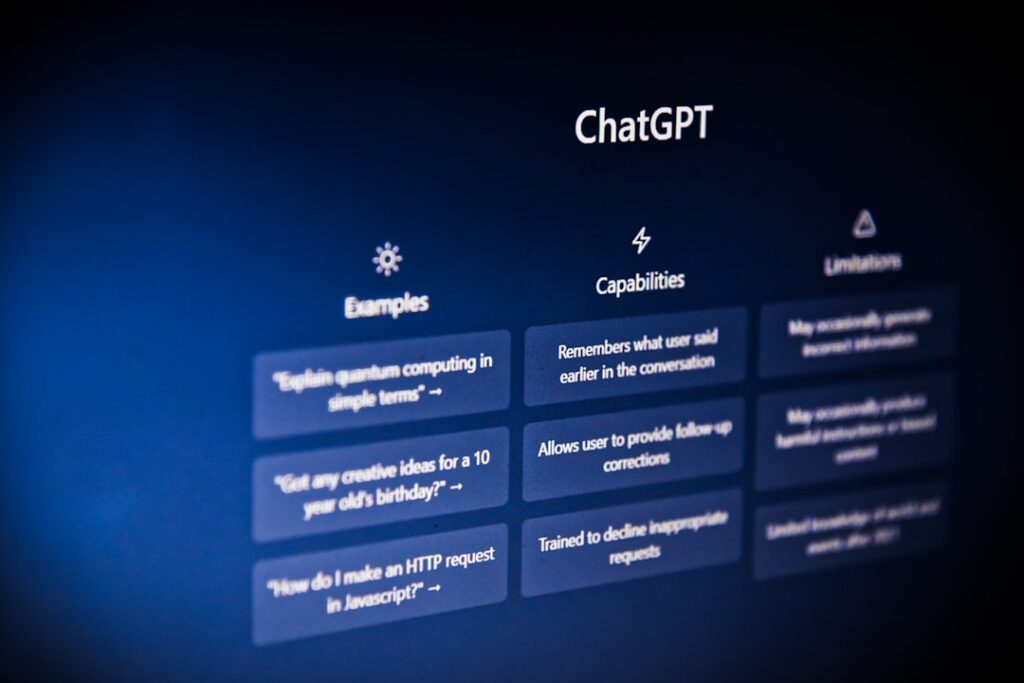
The AI tools landscape has fragmented into distinct categories, each addressing different business functions and user profiles. Understanding these categories is essential before evaluating specific products, because the right tool depends entirely on the problem you are solving.
General-Purpose AI Assistants
These are the flagship products from OpenAI (ChatGPT), Anthropic (Claude), and Google (Gemini). They handle writing, research, coding, data analysis, and creative tasks within a single interface. At roughly $20 per month for their standard paid tiers, they represent the most accessible entry point for individuals and small teams. Their limitation is breadth over depth: they handle everything at a solid level but are frequently outperformed by specialized tools in specific domains.
Content Creation and Marketing Tools
Tools like Jasper, Grammarly, and HeyGen focus on specific content workflows. Jasper offers brand voice training and marketing templates. Grammarly provides real-time writing correction across platforms. HeyGen enables AI avatar video creation and multilingual translation. Small businesses report saving 5 to 15 hours per week on marketing tasks alone when using these tools effectively, making them some of the strongest ROI generators for lean teams.
Workflow Automation Platforms
Zapier, Make, and n8n connect applications and automate multi-step processes. These platforms have added native AI capabilities, allowing teams to build workflows that include AI-powered decision-making, content generation, and data analysis. The integration challenge is real: 78 percent of enterprises report struggling to integrate AI with their current tech stacks, which is why automation platforms that bridge existing tools with AI models have become critical infrastructure.
Enterprise AI Platforms
Platforms like Microsoft Azure AI, Google Vertex AI, IBM watsonx, and Salesforce Einstein are designed for large-scale deployments requiring governance, compliance, and system integration across CRM, ERP, ITSM, and data warehouses. These tools prioritize security (SOC 2, ISO 27001, GDPR compliance), model flexibility, and audit capabilities over ease of use. Enterprise AI solutions in 2026 are built to run inside core business workflows, not on the sidelines.
AI Coding Assistants
GitHub Copilot, Cursor, Windsurf, and Claude Code represent the developer-focused segment. These tools have moved far beyond autocomplete to handle complex refactoring, debugging, and multi-file editing. GitHub Copilot alone has over 1.3 million developers on paid plans across 50,000+ organizations, demonstrating rapid adoption in technical workflows.
AI Customer Service and Support
Platforms like Intercom Fin, Zendesk AI, and Freshdesk Freddy AI use generative AI to understand customer intent and resolve issues end-to-end. AI-powered customer support systems provide faster and more accurate responses, with some platforms achieving 30 to 50 percent faster resolution times. For healthcare, financial services, and other regulated industries, compliance-ready support platforms are becoming essential.
Top Artificial Intelligence Tools Compared
The following comparison table organizes leading AI tools by category, helping you evaluate options based on your specific use case, budget, and technical requirements. Pricing reflects current published rates as of early 2026, though AI pricing changes frequently — always verify directly with providers before committing.
| Tool | Category | Starting Price | Best For | Integration Strength | Key Limitation |
|---|---|---|---|---|---|
| ChatGPT (OpenAI) | General-Purpose Assistant | Free; Plus at $20/mo | Mixed workflows (writing, coding, analysis) | API access, plugin ecosystem, Zapier/Make connectors | Broad but not deepest in any single domain |
| Claude (Anthropic) | General-Purpose Assistant | Free tier; Pro at $20/mo | Long-form writing, iterative editing, code review | API access, developer-friendly, Zapier/Make support | Smaller app ecosystem compared to ChatGPT |
| Google Gemini | General-Purpose Assistant | Free; AI Pro at $19.99/mo | Google Workspace users, multimodal research | Deep Google Workspace integration (Gmail, Docs, Sheets) | Advanced features locked behind higher tiers |
| Microsoft Azure AI | Enterprise AI Platform | Usage-based pricing | Enterprises on Microsoft stack | Microsoft 365, Dynamics, Power Platform, Azure cloud | Requires technical expertise; complex pricing |
| Google Vertex AI | Enterprise AI Platform | Usage-based pricing | Data science teams needing ML lifecycle control | Google Cloud services, BigQuery, custom model deployment | Steeper learning curve for non-technical teams |
| IBM watsonx | Enterprise AI Platform | Usage-based pricing | Regulated industries (healthcare, finance, government) | Bias detection, model transparency, data lineage | Higher cost; best suited for compliance-heavy environments |
| Zapier | Workflow Automation | Free (100 tasks/mo); Pro from $19.99/mo | Non-technical teams needing quick automation | 8,000+ app integrations, AI Copilot | Per-task pricing adds up at scale |
| Grammarly | Writing and Communication | Free; Premium at $12/mo (annual) | Professionals needing polished writing everywhere | Browser extensions, email clients, desktop apps | Advanced AI features locked behind premium tiers |
| Jasper | Marketing Content | From $59/mo | Marketing teams scaling branded content | HubSpot, Salesforce, brand voice training | Higher price point; best ROI for dedicated marketing teams |
| GitHub Copilot | AI Coding Assistant | From $10/mo (individual) | Developers in GitHub workflows | Native GitHub integration, VS Code, JetBrains IDEs | Most effective within GitHub ecosystem |
| Intercom Fin | Customer Service AI | Custom pricing | Support teams needing AI resolution with human handoff | CRM integration, 45+ languages, omnichannel support | Enterprise pricing; may be costly for small teams |
| HeyGen | AI Video Generation | Free tier; paid plans vary | Video localization and AI avatar creation | 175+ languages, auto lip-sync, enterprise video workflows | Credit-based pricing can be expensive for high volume |
For deeper comparisons of individual tools, including hands-on testing notes and workflow-specific recommendations, our comprehensive guide to the best AI tools in 2026 covers pricing nuances, hidden costs, and integration details across each category.
Enterprise AI Tools vs. Consumer Solutions

One of the most consequential decisions in AI adoption is understanding when you need an enterprise-grade platform versus when a consumer or small-business tool will serve you better. The wrong choice wastes money in either direction: overspending on enterprise tools you do not need, or under-investing in security and governance that your organization requires.
What Makes Enterprise AI Different
Enterprise AI platforms are specifically designed to integrate into complex workflows, comply with security and privacy standards, and support collaboration across large teams. Consumer-grade tools are fast, flexible, and accessible for quick tasks, but when it comes to enterprise-level demands around data governance, audit trails, and multi-department deployment, they often fall short.
Key differentiators for enterprise solutions include role-based access controls (RBAC) and permission-aware retrieval, compliance frameworks (SOC 2 Type 2, ISO 27001, GDPR, HIPAA), data residency options and on-premises deployment, integration with CRM, ERP, ITSM, and internal knowledge bases, and audit capabilities that track every AI-generated output. Chief AI Officer roles are now present in 61 percent of enterprises, reflecting how seriously organizations are treating AI governance.
When Consumer Tools Are the Right Choice
Consumer and small-business AI tools are not lesser products — they are designed for different constraints. If you are a team under 50 people with revenue under $10 million, the overhead of enterprise AI platforms typically does not justify the investment. A practical AI stack of two to three tools costing $40 to $100 per month per user covers most needs for small businesses.
The honest reality is that the tools which work well for a 500-person company with dedicated IT support and custom integrations often do not translate to a 20-person team running on QuickBooks, Mailchimp, and Google Workspace. For small businesses, AI ROI concentrates in areas where the work is high-volume, repetitive, and language-based: content creation, customer communication, and marketing automation.
The ROI Gap: Adoption Does Not Equal Value
Here is the challenge that most AI tool guides will not tell you directly: adoption statistics do not equal strategic adoption. While 68 percent of small businesses report using AI, most are using ChatGPT or a similar tool for ad hoc tasks like drafting an email or brainstorming marketing copy. Very few have a strategy, and even fewer have a policy. The competitive advantage does not come from using AI — it comes from using AI well.
IBM’s research underscores this point. According to their Institute for Business Value, product development teams that followed top AI best practices reported a median ROI on generative AI of 55 percent. But achieving that return required specific organizational practices: iterative implementation, stakeholder feedback loops, and alignment between AI initiatives and business outcomes. Simply buying a subscription and hoping for the best does not work.
On the small-business side, the numbers are more encouraging for those who approach it methodically. Businesses adopting AI report average annual savings of $7,500, with 25 percent saving over $20,000. Business owners report saving 13 hours per week on their own tasks through AI tools. These are meaningful outcomes, but they require intentional implementation — not just downloading the latest app.
Implementation Guide: Getting Started with AI Tools
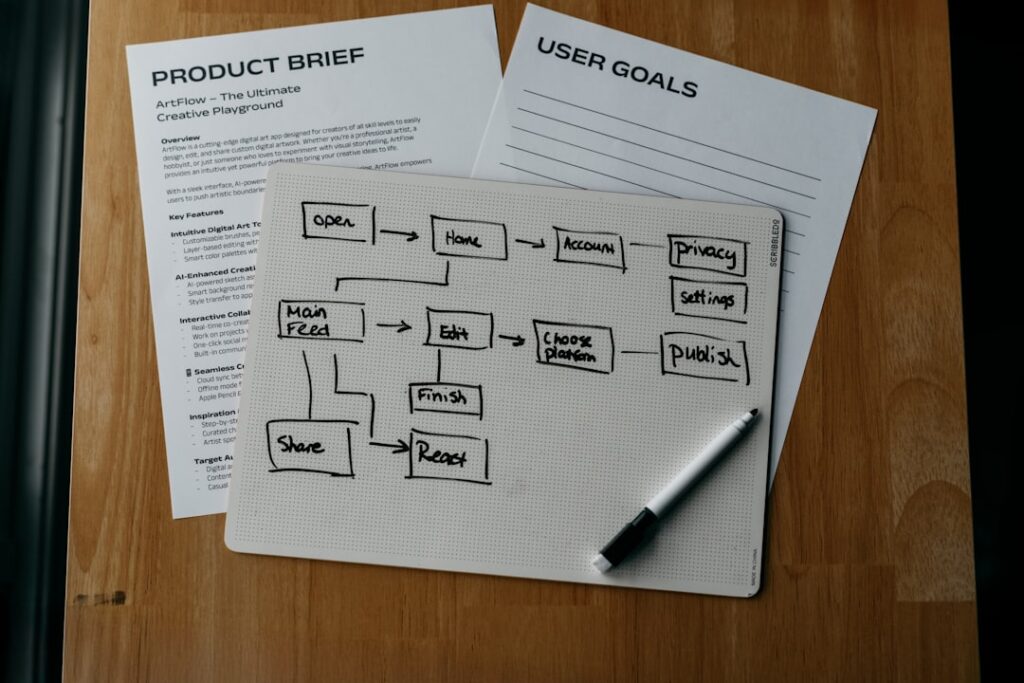
The most successful AI implementations follow a phased approach rather than a big-bang rollout. Organizations that rush into AI adoption end up with tool sprawl, burned budgets, and skeptical teams. Those that move methodically build lasting capability. Here is a practical framework for getting it right.
Phase 1: Identify Your Highest-Impact Opportunity (Weeks 1 to 2)
Start with your primary pain point. Identify the single task that consumes the most time in your week. If it is content creation, evaluate writing assistants like Claude or ChatGPT. If it is customer support, look at AI-powered platforms like Intercom Fin. If it is connecting disconnected workflows, start with an automation platform like Zapier or Make.
For small businesses, marketing consistently delivers the strongest ROI. Content generation — blog posts, social media captions, email campaigns, ad copy — is the clearest win. A team member who previously spent four hours drafting a week’s worth of social posts can produce the same output in under an hour with AI assistance.
Phase 2: Test Before You Commit (Weeks 3 to 6)
Use free tiers to test two to three options on the same real task before committing to a paid plan. Most leading AI tools offer genuinely useful free tiers: ChatGPT has a free plan, Grammarly provides basic corrections with AI prompts, Perplexity offers daily Pro searches, and Google NotebookLM is entirely free. The tool that fits naturally into your workflow and consistently gives you results you are satisfied with is the right choice, regardless of any ranking.
During testing, document baseline metrics. How long does the task currently take? What is the quality level? What does the output look like with AI assistance? These before-and-after measurements become your ROI foundation.
Phase 3: Deploy and Measure (Weeks 7 to 12)
Once you have selected your first tool, deploy it within one department or workflow and measure results for 90 days before expanding. Track time saved, output quality changes, cost impact, and team adoption rates. A practical ROI formula for small businesses is straightforward: ROI = (Net Benefits / Total Costs) × 100. If you spent $10,000 on AI tools and generated $50,000 in new revenue or equivalent time savings, your ROI is 400 percent.
Be realistic about what counts as a benefit. Apply a productivity coefficient of 60 to 80 percent to account for the fact that not all saved time converts to valuable work. If an AI tool saves your team 10 hours per week on paper, the actual productive gain is likely 6 to 8 hours after accounting for context switching, learning curves, and quality review time.
Phase 4: Scale Strategically (Month 4 and Beyond)
After proving value in one area, expand to adjacent workflows. Implement a maximum of two to three new tools per quarter to avoid overwhelming your team. Watch for shadow AI — where individual team members expense AI tools independently — as this creates duplicate spend and security gaps. Conduct a quarterly audit of every AI tool your organization uses, including free tiers, to identify overlap and optimize your stack.
For enterprise deployments, this is where governance becomes critical. Establish clear policies about which AI tools are approved, how data should be handled, and who is responsible for reviewing AI-generated outputs. Organizations that embed AI into business processes and track KPIs for AI solutions consistently achieve higher returns than those that treat AI adoption as a technology initiative alone.
Common Questions About AI Tools

How much should a business budget for AI tools?
For small businesses, a practical AI stack typically costs $40 to $100 per month per user. This includes a general-purpose assistant like ChatGPT Plus or Claude Pro ($20/month), a specialized tool for your primary workflow such as Grammarly ($12/month) or an automation platform ($10 to $20/month), and free research tools like NotebookLM or Perplexity. For enterprises, budgets vary dramatically based on scale, but CFOs report that 25 percent of total AI budgets are now dedicated to AI agents — a signal of where spending is heading. Before adding any tool, verify it saves at least twice its monthly cost in time or directly contributes to revenue.
What is the realistic ROI timeline for AI tool investments?
Expect graduated returns rather than immediate transformation. In the first month, focus on adoption and basic functionality, targeting 10 to 20 percent productivity improvements in specific tasks. By months two and three, tools should become integrated into daily workflows with 25 to 40 percent improvements in tool-specific tasks. Full ROI realization typically arrives in months four through six as teams master advanced features. Some businesses see 70 percent or greater improvements in overall efficiency at the six-month mark and beyond. However, only 6 percent of organizations achieve payback within one year on enterprise AI investments, with most requiring two to four years for satisfactory ROI at scale.
Are AI tools safe to use with sensitive business data?
Safety depends entirely on the plan and provider. Enterprise plans from major providers typically include commitments not to train on your data, along with SOC 2 compliance, encryption, and data residency options. Free and consumer tiers generally have weaker data protections. For business-critical work, prioritize tools with enterprise-grade security, SSO integration, and transparent data handling policies. For automation platforms, self-hosting options like n8n provide the strongest data sovereignty since all data stays on your own infrastructure. Never paste confidential client information or proprietary business data into any AI tool’s free tier without first understanding how that data may be used for training.
How do I prevent AI tool sprawl across my organization?
Tool sprawl is one of the most common and expensive AI adoption mistakes. Start by auditing every AI tool currently in use across your organization, including unofficial free-tier accounts. Consolidate overlapping functionality — many teams run both ChatGPT and Claude subscriptions when one would suffice. Establish an approved tools list and procurement policy. Limit new tool adoption to two to three per quarter, and require each new addition to demonstrate a specific use case and measurable outcome before approval. Quarterly reviews keep your stack lean and your spend under control.
Will AI tools replace human workers?
AI tools are best understood as productivity multipliers, not replacements. Research indicates that 75 percent of enterprise workers report that using AI improved either the speed or quality of their output. Meanwhile, AI is projected to generate 170 million new jobs worldwide by 2030. The professionals who thrive are those who learn to work alongside these tools — using AI to handle routine and repetitive tasks while focusing their energy on strategy, creativity, and relationship-building that require human judgment. At both the enterprise and individual level, treat AI tools as powerful assistants that accelerate your work, not replacements for your expertise.
Ready to Adopt AI Tools?
The artificial intelligence tools landscape will continue evolving rapidly, but the principles for selecting and implementing them remain constant: start with a specific problem, test on real tasks, measure outcomes, and scale only what works. The competitive advantage does not come from adopting the most tools or the most expensive tools — it comes from using the right tools well.
At WordPress AI Tools, we continuously evaluate AI tools across every category so you can make informed decisions without the time investment of testing everything yourself. Our approach is grounded in practical outcomes: which tools actually save time, integrate into real workflows, and deliver results you can measure. Start with one tool that addresses your biggest time drain, test it on real tasks using a free tier, and scale up only when you see clear results. Explore our in-depth AI tool reviews and workflow-specific guides to find the tools that match your specific needs and goals.

