

If you’ve spent the last hour reading web hosting provider comparisons and ended up more confused than when you started, you’re not alone. The hosting industry is extraordinarily good at making simple decisions feel complicated, mostly because the business model rewards flashy introductory pricing and obscures the real costs until you’re already locked in.
This guide takes a different approach. Instead of ranking providers by affiliate commission, we’ll walk you through what actually makes a host good for a WordPress site at your specific stage, what the real costs look like after year one, and which red flags should send you to the next tab. By the end, you’ll have a clear framework for making a confident decision, even if you’re building your first WordPress site.
What Makes a Web Hosting Provider Actually ‘Good’ for WordPress
A good WordPress host is not simply the cheapest option or the one with the most five-star reviews. It’s the one that matches your site’s current stage, your technical comfort level, and your realistic budget over two years, not just the promotional period.
Here’s what that actually means in practice:
Performance That Holds Under Real Traffic
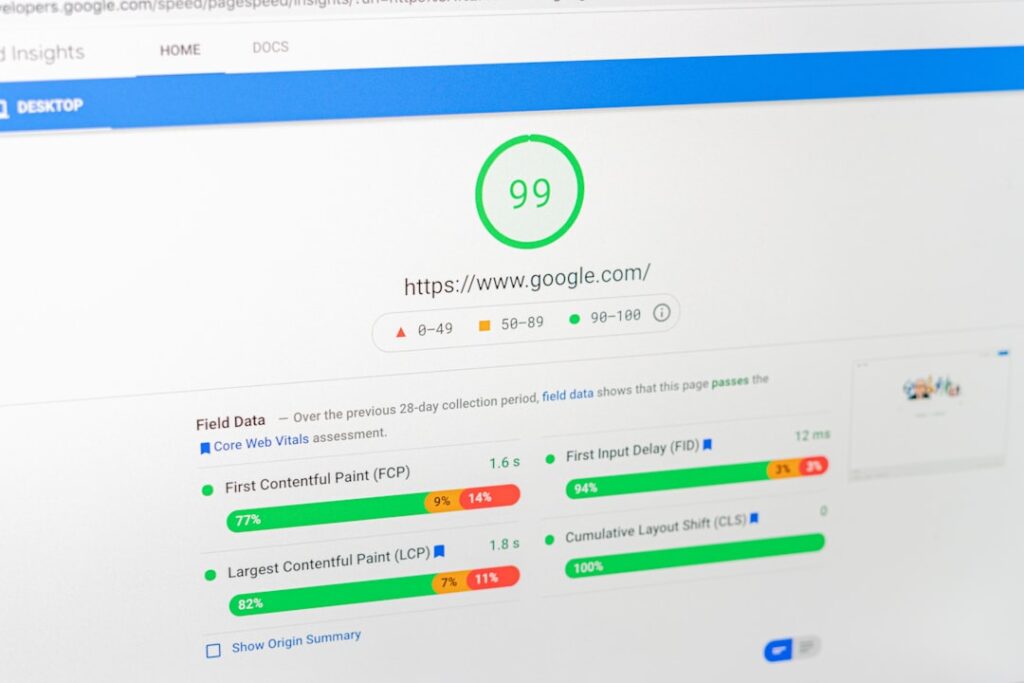
Speed matters more than most beginners realize. A properly configured managed WordPress host typically delivers 300–500ms load times, compared to 2–4 seconds on cheap shared hosting. That gap is not a marketing claim; it’s measurable in your bounce rate, your Google Core Web Vitals score, and your conversion rate if you’re running a store or booking form.
Support That Actually Knows WordPress
Generic ticket queues staffed by generalists are a meaningful downgrade from WordPress-specific chat support when something breaks on your site at 9pm before a product launch. Ask any provider before you sign up: “Is your support team specifically trained on WordPress?” The answer tells you a lot.
Transparent Pricing, Including Year Two
The advertised price is almost never what you’ll pay after the promotional period ends. A host that’s honest about its renewal pricing before you ask is a meaningful differentiator. We cover this in detail in the hidden costs section below, but the short version: always check the renewal rate before signing up.
Inclusions vs. Add-Ons
At a minimum, any credible web hosting provider in 2026 should include free SSL on every plan. Backups, CDN access, malware scanning, and staging environments are either included or they’re not, and that determines your real total cost. The checklist to have in front of you when evaluating any host:
SSL: Should be free at every tier. If it’s an upsell, move on. Automated daily backups: Confirm that restoration is also free and self-service, not a paid incident. CDN: Included or an add-on? A content delivery network is not optional for business sites with any international traffic. Staging environment: Critical for any site that you update regularly. WordPress-specific support: Not a generic help desk.
For a broader look at how domain hosting and web hosting work together as a foundation, our honest guide to domain hosting for 2026 walks through the full picture, including how to evaluate providers across both services.
Understanding Hosting Types: Match Your Provider to Your Site Stage
The four main hosting types are not interchangeable options ranked by quality. They’re designed for different site stages, traffic levels, and technical comfort zones. Using the wrong type for your stage either wastes money (paying for VPS resources a 200-visitor-a-month blog doesn’t need) or creates a performance ceiling you’ll hit faster than expected.
| Hosting Type | Typical Price Range | Best For | Managed or DIY? | Key Trade-Off |
|---|---|---|---|---|
| Shared Hosting | $3–$15/mo (promo); $12–$18/mo (renewal) | New blogs, brochure sites, personal portfolios under 10K monthly visitors | Mostly DIY: you handle updates, security hardening, and performance tuning | Lowest entry cost, but your site shares CPU and memory with hundreds of neighbors. One spike on another site slows yours down. |
| Managed WordPress Hosting | $10–$100/mo depending on tier and site count | Business sites, WooCommerce stores, content sites generating revenue, anyone who values their time over the $10–$30/mo premium | Fully managed: updates, backups, security, and performance handled for you | Higher cost than shared, but typically pays for itself in time saved and downtime avoided. Renewal pricing is usually more stable. |
| VPS Hosting | $20–$100/mo (self-managed); $33–$100/mo (managed VPS) | Sites that have outgrown shared hosting, developers comfortable with server administration, agencies hosting multiple client sites | Ranges from fully self-managed (you configure everything) to managed VPS (provider handles the server layer) | Dedicated resources mean consistent performance. The trade-off is complexity: unmanaged VPS requires real server skills. |
| Cloud Hosting | $14–$80/mo (platforms like Cloudways); $100–$500+/mo (enterprise cloud) | Sites with unpredictable traffic spikes, WooCommerce stores scaling rapidly, agencies wanting flexibility across cloud providers | Middle ground: cloud platforms often manage the infrastructure while you manage the WordPress layer | Scalability on demand is the superpower. The risk is cost unpredictability if you’re on usage-based billing without caps. |
A Plain-Language Translation of Each Type
Think of shared hosting like renting a room in a crowded apartment building: you share the plumbing, electrical, and elevator with everyone else. When a neighbor throws a party (traffic spike), you feel it. Managed WordPress hosting is more like renting your own apartment in a building staffed with a maintenance team who fixes problems before you notice them. A VPS is like owning a condo with your own utilities, but you’re responsible for repairs. Cloud hosting is like renting a space that can instantly expand or shrink based on how many guests show up.
Shared hosting is a perfectly reasonable starting point for a new WordPress site. The mistake is staying on it past the point where performance starts affecting your readers or customers. If you’re seeing page load times consistently above two seconds, or if you’ve had an unplanned outage that affected a business outcome, you’ve outgrown shared hosting.
The Hidden Costs Most Hosting Guides Won’t Tell You About

Your instinct to dig deeper into hosting pricing is exactly right. The advertised price is rarely the real cost, and the gap between what you pay in year one versus year two is where most small business owners get burned.
Renewal Pricing: The Biggest Gotcha
This is the one to watch most closely. Introductory prices on shared and entry-level hosting often double or triple at renewal. A promotional rate of $2.99 per month becomes $10.99 or higher on renewal. Some providers are even more aggressive: SiteGround’s GrowBig plan, for example, starts at a promotional $4.99 per month but renews at $29.99 per month — the same service, same features, at roughly 6x the introductory price.
Not all providers follow this pattern. Kinsta, for instance, holds its pricing steady at renewal, so the $35 per month you pay on day one is the same on year two. That consistency makes cost planning dramatically easier for small business owners on a fixed budget.
The practical rule: Always search for “[provider name] renewal pricing” before committing to any long-term introductory contract. Never let a 36-month promotional deal blind you to what month 37 will cost.
The Add-On Trap
Budget shared hosts frequently strip features from their headline plans that premium hosts include as standard. Common add-on costs to watch for:
SSL certificates: Free SSL should be standard in 2026. If any provider is still charging for basic SSL, that’s a red flag worth taking seriously. Premium SSL (extended validation or wildcard certificates) can cost $50–$200 per year if you need it. Backup restoration fees: Some providers take automated backups but charge $50–$150 per restoration event. Always confirm that backup restoration is free and self-service. Migration fees: Moving from another host can cost $100–$300 at budget providers. Quality managed hosts typically include free migration assistance. CDN access: A content delivery network is not optional for any site with geographic reach beyond one city. Budget hosts often treat this as a paid upgrade. Overage charges: Exceed your plan’s visitor limit and you may face charges or, worse, site suspension without warning. Read the acceptable use policy before signing up, not after.
Domain Renewal: The First-Year Bait
Many providers offer a free domain for the first year as a signup incentive. That free domain renews at standard market rates, typically around $18–$20 per year for a .com. It’s not a massive expense, but it’s one that surprises beginners who didn’t factor it in. If your domain is registered through your host, confirm the renewal rate before year one ends.
The Time Cost Nobody Invoices You For

This one doesn’t show up on any bill, but it’s real: your time managing WordPress core updates, plugin updates, security hardening, and performance optimization on a self-managed or shared hosting plan has a genuine cost. A business owner spending three hours a month troubleshooting hosting issues is not getting $15 of value from a cheap plan. At managed hosting rates of $20–$50 per month, the time savings alone often justify the upgrade for anyone running a site that supports their income.
If you’re evaluating hosting specifically for a small business site, our post on small business web hosting: how to choose without getting burned by hidden costs goes deeper on the cost-of-time calculation and how to think about hosting as a business expense rather than a tech bill.
Decision Framework: Choosing Your Provider Based on Real Needs (Not Marketing)
Stop trying to find the “best” hosting provider in the abstract. There is no universal best. There is only the best fit for your site’s current stage, your technical confidence, and your honest monthly budget. Here’s how to work through that in three phases.
Phase 1: Define Your Site Stage
Stage 1 (Pre-launch to ~10,000 monthly visitors): Shared hosting or entry-level managed WordPress hosting. Your priority is low cost and ease of setup, not raw performance. Focus on finding a plan that includes SSL, backups, and real support without requiring you to purchase each separately.
Stage 2 (10,000 to ~100,000 monthly visitors): Managed WordPress hosting or managed VPS. You’ve validated that your site is worth investing in. Performance consistency matters now because slow pages cost you readers and customers. Staging environments become important here, too, so you can test updates before they break your live site.
Stage 3 (100,000+ monthly visitors, or any WooCommerce store processing meaningful revenue): Premium managed WordPress hosting or cloud hosting. At this stage, uptime reliability and scalability are non-negotiable. One hour of downtime during a sale event costs real money. The hosting bill is a business expense that should be evaluated against revenue risk, not just the monthly rate.
Phase 2: Calculate the Real Two-Year Cost
Take any plan you’re considering and run this quick calculation before you commit:
(Promotional monthly rate x 12) + (Renewal monthly rate x 12) + (Estimated add-on costs per year)
That’s your real two-year cost. Divide by 24 to get your true average monthly spend. You’ll often find that the “expensive” managed host is actually cheaper over two years than the “cheap” shared plan with a steep renewal cliff and multiple add-ons stacked on top.
Phase 3: Match Technical Skill to Hosting Type
Be honest with yourself here. If you’re not comfortable accessing a server via SSH, configuring caching layers, or troubleshooting PHP errors, an unmanaged VPS is not the right choice no matter how good the price looks. Paying for a managed plan and actually using your time on your business is almost always a better return than saving $15 per month on a DIY server that takes you hours to debug when something goes wrong.
If you’re still paralyzed by the options, this companion post on how to choose the right web host for your specific situation walks through a simple set of questions to narrow down your options without the decision fatigue.
Comparing Top WordPress Hosting Providers: Honest Trade-Offs
The providers below represent a cross-section of the market that covers every meaningful site stage. This is not an exhaustive list, and the right answer depends on the framework above. Read the Key Trade-Off column carefully before choosing based on the intro price alone.
| Provider | Type | Intro Price (approx.) | Renewal Price (approx.) | Standout Strength | Key Trade-Off |
|---|---|---|---|---|---|
| Bluehost | Shared / Managed WP / VPS | From ~$2/mo | ~$12–$18/mo | Most server resources of any tested shared host; free domain, SSL, and migration; Oracle Cloud infrastructure | Steep renewal jump from introductory pricing. Performance strong for shared tier, but managed offerings are less polished than Kinsta or WP Engine. |
| SiteGround | Shared / Cloud / Managed WP | From ~$3/mo | ~$18–$45/mo | Exceptional performance per dollar at intro rates; SuperCacher technology; excellent WordPress-specific support; free CDN and daily backups included | Renewal pricing is the most complained-about aspect of the service. GrowBig renews at ~6x the promotional rate. Performance justifies it for some; the price shock catches many off guard. |
| Kinsta | Premium Managed WP | From ~$35/mo | Same as intro (no increase) | Google Cloud C3D infrastructure; built-in APM monitoring; fastest tested TTFB (~180ms avg.); consistent renewal pricing; 35+ data center locations | Highest entry cost in the managed tier. Not cost-effective for a hobby blog or a site in Stage 1. Ideal for revenue-generating sites where performance and uptime have direct business impact. |
| WP Engine | Premium Managed WP | From ~$25/mo | Stable (minimal increases) | Deep WordPress expertise; strong staging environment; Genesis framework included; excellent developer tools and agency features | Prohibits certain plugins (caching, backup plugins that conflict with their stack). Higher cost than mid-tier managed hosts. Best value for agencies managing multiple client sites. |
| Cloudways | Cloud (managed layer) | From ~$14/mo | Stable (usage-based) | Choose your cloud provider (DigitalOcean, AWS, Google Cloud, Vultr, Linode); strong flexibility; solid performance for the price; no long-term contract required | More DIY than fully managed hosts. No built-in email hosting. Setup requires more configuration than Kinsta or WP Engine. Not ideal for complete beginners who want a turnkey experience. |
| ScalaHosting | Managed VPS / Shared | From ~$13/mo (VPS) | Renewal can jump 2–4x on intro VPS tiers | VPS-level dedicated resources at near-shared pricing; free sPanel (no cPanel licensing fee passed to you); SShield security; anytime money-back guarantee | sPanel has a learning curve for users coming from cPanel. Renewal pricing spikes are significant. Support experience less polished than premium managed hosts. Strong value if you’re technically comfortable. |
The Middle-Tier Decision: WP Engine vs. Cloudways
If you’re a small business owner or solo blogger who has outgrown shared hosting but isn’t ready for Kinsta-level spend, the choice often comes down to these two. The honest trade-off: WP Engine wins if you want a fully managed, turnkey WordPress experience where the provider handles nearly everything and you want WordPress-expert support available immediately. Cloudways wins if you’re comfortable with a little more configuration in exchange for lower cost, infrastructure flexibility, and no long-term commitment. Neither is the wrong answer. It comes down to how much you value DIY control versus hands-off management.
Red Flags to Watch For When Evaluating Providers
Your skepticism about hosting marketing is well-placed. Here are the specific red flags that should make you pause or walk away entirely.
“Unlimited” Everything
“Unlimited bandwidth,” “unlimited storage,” “unlimited websites” on a $3/month plan are marketing terms, not technical commitments. Every shared host has acceptable use policies that define what “unlimited” actually means in practice, and those limits can result in account suspension or forced upgrades. Read the AUP before signing up, especially the inode limits and CPU usage caps, which are where shared hosting limits typically live.
No Renewal Pricing Disclosed Upfront
If you have to hunt for the renewal rate, or if it only appears buried in the checkout flow, that’s a deliberate design choice. Providers confident in their renewal pricing show it clearly on the pricing page. Providers who obscure it are counting on you not noticing until the auto-renewal hits.
Free Trials Described as Free Plans
These are meaningfully different things. A free trial has an end date after which you’re charged. A free plan is genuinely ongoing at no cost. Read the terms carefully: some “free trials” automatically convert to paid plans without a clear cancellation prompt. This is not necessarily predatory, but it requires your attention.
SSL Still Listed as an Add-On
SSL certificates should be free on every plan in 2026, full stop. Let’s Encrypt provides free certificates that quality hosts automatically configure. Any provider still charging for basic SSL at the entry level is either cutting corners on the infrastructure or adding unnecessary margin on a commodity feature. Either way, it’s a signal about how they think about customer value.
No Staging Environment on Business-Tier Plans
A staging environment lets you test updates, plugin changes, and theme modifications on a copy of your live site before pushing them public. If you’re paying business-tier prices and staging is either absent or locked behind a higher tier, that’s a meaningful gap. Running updates directly on a live site without staging is how businesses end up with broken checkouts or blank pages that cost real money to diagnose and fix.
Malware Cleanup Excluded from Plans
If your site gets infected with malware and your hosting plan doesn’t include cleanup, you’ll need to hire a third party. That can cost hundreds of dollars per incident and days of downtime. Premium managed hosts include malware detection and removal as standard. If a business-tier plan doesn’t mention security response, ask directly before signing up.
When It Makes Sense to Switch Hosting Providers
Switching hosts is not a decision to make impulsively, but staying with a provider out of inertia when the signs are clear is more expensive in the long run. Here’s how to read the signals honestly.
Signals That It’s Time to Switch
Your site loads slowly even after caching is properly configured. Caching is usually the first fix. If you’ve implemented a solid caching plugin and your Time to First Byte is still above 600ms, the bottleneck is likely the server itself. That’s a hosting problem, not a plugin problem.
You’ve had more than one unplanned outage per quarter. Downtime happens occasionally on any platform, but if it’s recurring and you’re not getting clear explanations and a credible prevention plan from support, the reliability is structurally insufficient for a business site.
Your renewal bill doubled and the new rate isn’t defensible. If you’re paying premium renewal prices for shared hosting performance, the math no longer works. That renewal budget often funds a full upgrade to managed hosting at a provider with stable pricing.
Support responses take more than 24 hours on non-critical issues. Slow support on minor tickets predicts slow response on major ones. If getting a straightforward answer requires three follow-ups and 48 hours, your support quality is not adequate for a site you depend on.
You’re consistently hitting resource limits. If your site is hitting CPU, memory, or visitor limits more than twice a month, you’ve outgrown your plan. Upgrade before the provider suspends your account, not after.
What to Do Before You Switch
Before initiating any migration, confirm three things: your new host offers free migration assistance (or you have a reliable migration plugin configured), you have a fresh full backup of your site stored somewhere other than your current host, and you’ve done a speed and functionality test on the new host’s staging environment before pointing your domain. A poorly handled migration can cause data loss, broken URLs, and SEO disruption that takes weeks to recover from.
For more practical guidance on evaluating your options when you’re ready to move, the guide to choosing the best website hosting service for WordPress without regret covers the evaluation process in detail, including what to look for in a new provider’s migration support.
Frequently Asked Questions About Web Hosting Providers
The most common questions answered below, with the kind of direct answers that most FAQs bury in qualifiers.
Next Steps: Getting Personalized Hosting Guidance
Reading a guide like this gets you most of the way there. But the last mile, matching a specific provider to your exact WordPress setup, traffic stage, and budget, is where generic advice breaks down. Site architectures, plugin dependencies, geographic audiences, and business models all change the right answer in ways that a comparison table can’t fully capture.
At WordPress AI Tools, we work with WordPress site owners at every stage, from first-time builds to established businesses managing significant traffic. If you’re unsure which hosting type or provider actually fits your specific situation, contact WordPress AI Tools today for a straight conversation about what makes sense for your site. No pressure, no generic recommendations, and no affiliate agenda driving the answer. Just an honest assessment based on where your site is right now and where you’re trying to take it.
Done is better than perfect. If you’ve read this far and you have a shortlist of two or three providers that fit your stage and budget, that’s enough to make a good decision today. You can always migrate later as your site grows, and the cost of starting imperfect is far lower than the cost of staying paralyzed while your site sits on a plan that doesn’t serve you.
Frequently Asked Questions
What is the difference between shared hosting and managed WordPress hosting?
Shared hosting puts your site on a server alongside hundreds or thousands of other websites, sharing CPU, memory, and bandwidth. Managed WordPress hosting gives you a server environment tuned specifically for WordPress, with automatic updates, daily backups, security monitoring, and expert support handled for you. You pay more for managed hosting, but it frees you from most of the maintenance work and typically delivers meaningfully faster performance.
How much do web hosting providers actually cost after the first year?
Most shared hosting providers advertise introductory rates of $2–$5 per month, but renewal rates routinely run $12–$18 per month on the same plan. Some providers, like SiteGround, can jump 5–6x at renewal. Managed hosts like Kinsta and WP Engine tend to hold their pricing steady at renewal, so what you pay on day one is what you pay in year two. Always check the renewal rate before committing, especially on long-term introductory contracts.
Is free site migration included with web hosting providers?
Quality managed WordPress hosts generally include free migration assistance as a standard feature. Budget shared hosts often charge $100–$300 for migration, or they offer one free migration and charge for additional ones. Always confirm migration policy before signing up, and ask specifically whether plugin-based migration or manual migration is used, as the method affects downtime risk.
What hosting type should a WordPress beginner start with?
Most WordPress beginners are best served by entry-level managed WordPress hosting or a well-regarded shared hosting plan from a provider that includes SSL, daily backups, and real support. The key is avoiding the cheapest shared hosts that bundle in no extras, because the savings on the headline price get eaten up by add-on costs for SSL, backups, and security. A managed entry plan at $10–$20 per month often delivers better total value than a $3 shared plan that charges separately for every feature.
When should you switch web hosting providers?
Clear signals that it’s time to switch include: your site is loading slowly even after caching is configured, you’ve experienced more than one unplanned outage per quarter, your support tickets go unanswered for more than 24 hours, or your renewal bill arrived and more than doubled your monthly cost. If you are consistently hitting the same resource limit more than twice a month, that is also a reliable indicator that you’ve outgrown your current hosting tier.

